Downloadable Files
You can download the Transfer Vertex Order product for free at the end of this page.
Tired of Broken Blendshapes?
If you’ve worked with blendshapes in Blender, you probably know how quickly things can go wrong. Everything looks fine… until you make a small change to your mesh—and suddenly nothing works anymore.
That’s usually because of vertex order. It’s one of those hidden details that can quietly ruin hours of work. The good news? There’s a super simple way to fix it now.
So, What’s Vertex Order Anyway?
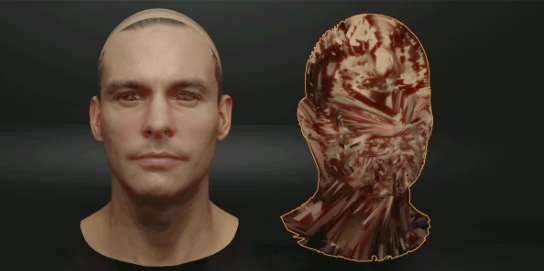
Think of vertex order like a numbering system for every point in your mesh. Even if two models look exactly the same, if that internal order is different, Blender won’t treat them as compatible—especially for blendshapes.
Why does it matter?
- Blendshapes rely on exact vertex matching
- Small edits (like adding loops) can break everything
- Fixing it manually is honestly a headache
A quick example
Let’s say you’ve created a character with multiple facial expressions. Then you decide to improve the topology. Boom—your expressions stop working. Without a proper fix, you’d have to redo them all.
That’s why keeping vertex order consistent can save you a lot of time (and frustration).
Meet the Tool That Fixes It
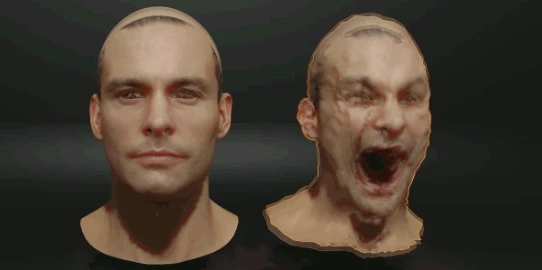
Transfer Vertex Order is a Blender add-on built exactly for this problem. Instead of rebuilding your work, you can just transfer the correct vertex order from one mesh to another.
Simple as that.
Features
- ⚡ Really fast—even on heavy meshes (millions of polygons)
- 🖱️ Super easy to use (just a couple of clicks)
- 🔄 Copy & paste vertex, edge, and face order
- 🎭 Fix broken blendshapes instantly
- 🧩 Works perfectly with meshes that share the same topology
Why it’s useful
Imagine tweaking your model in another software and bringing it back into Blender. Normally, that would break your setup. With this tool, you can just fix the vertex order and keep everything working.
It makes your workflow way more flexible.
Tips to Get Better Results
Here are a few simple tips that help a lot:
- ✔️ Make sure both meshes have identical topology
- ✔️ Try it on a simple version of your mesh first
- ✔️ Use it early in your workflow if possible
- ✔️ Keep a backup—always a good idea
Nothing complicated—just small habits that make things smoother.
Final Thoughts
Honestly, this is one of those tools you don’t realize you need… until you really need it.
Transfer Vertex Order takes a super annoying problem and turns it into a quick fix. No more repeating steps, no more rebuilding blendshapes from scratch.
If you work with characters, morph targets, or anything similar, it’s definitely worth checking out.

Files Password : gfxplugin.com OR 123456