Downloadable Files
You can download Surface Lab for free at the end of this page.
✨ Give Your 3D Models Some Personality
Let’s be honest—perfectly smooth 3D models can look a bit… boring. They lack that real-world feel. If you’ve ever wanted to add texture and detail without getting stuck in complicated setups, Surface Lab might be exactly what you need.
It’s one of those tools that instantly makes you think, “Why wasn’t I using this before?”
🔍 What Is Surface Lab (and Why You’ll Care)
Simply put, Surface Lab is a tool that helps you add surface detail to your 3D models—quickly and without the usual technical headaches.
No UV unwrapping. No node confusion. Just apply and tweak.
💡 Where It Really Helps
Think about situations like:
- Turning a plain object into something that looks like fabric, wood, or metal
- Adding subtle patterns to make a product feel more realistic
- Creating detailed 3D prints without sculpting everything manually
The best part? You see results instantly. That means more experimenting, less waiting—and honestly, way more fun.
🚀 Why Surface Lab Feels So Easy to Use
Surface Lab isn’t just a bunch of textures—it’s a smart system that makes the whole process feel effortless.
🎛️ Features
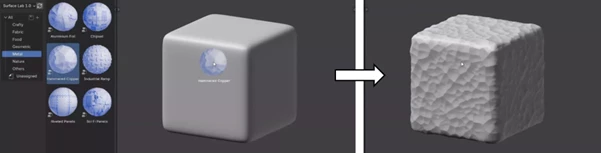
- ⚡ Drag & Drop Workflow – Just drop a texture, and you’re already halfway there
- 🧩 No UV Needed – Works on pretty much any model
- 🎚️ Easy Controls – Adjust scale, rotation, placement without overthinking it
- ⛰️ Depth Control – Add raised or engraved details in seconds
- 🎯 Masking Options – Apply textures only where you want them
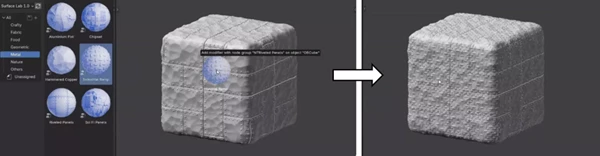
- 🔀 Layering – Mix multiple textures for more unique results
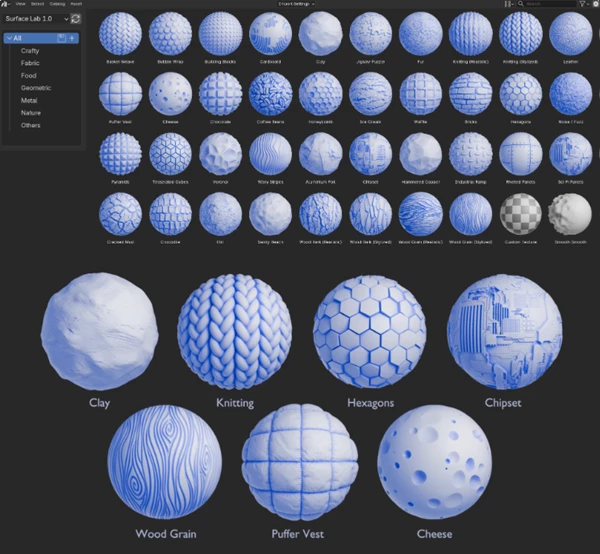
- 🎨 30+ Ready Textures – Plus, you can use your own
🎯 In Real Projects
You could take a basic shape and:
- Turn it into a knitted surface in seconds
- Add engraved patterns for a product mockup
- Mix textures to create something totally original
And since everything updates in real time, you’re not stuck waiting around.
🛠️ A Few Tips That Make a Big Difference
If you want your results to look more natural, these little tricks help a lot:
- 🎯 Don’t overdo it – subtle details usually look better
- 🔍 Play with scale – small adjustments can completely change the feel
- 🎨 Combine textures – layering adds depth and uniqueness
- 📍 Use masks wisely – focus on detail only where it matters
It’s really about experimenting—Surface Lab makes that easy.
💬 Final Thoughts
What makes Surface Lab stand out is how simple it makes something that’s usually pretty technical. You spend less time setting things up and more time actually creating.
If you like working fast, experimenting, and getting instant visual results, this tool is definitely worth checking out.
Give it a try—you’ll probably end up using it more than you expect.

Files Password : gfxplugin.com OR 123456