Downloadable Files
You can download ExportFoundry for free at the end of this page.
🎬 A Smarter Way to Handle Exports
If you’ve ever spent hours exporting clips one by one in Premiere Pro, you already know how repetitive and time-consuming it can be. ExportFoundry changes that completely. Instead of juggling multiple export windows, this tool lets you organize everything into one clean batch and let it run automatically. It’s like having an assistant that handles all your exports while you focus on the creative side.
💡 What Is ExportFoundry & Why It Matters
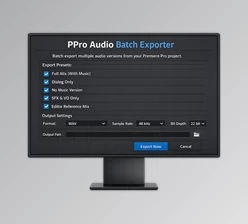
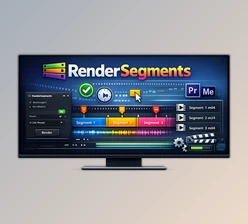
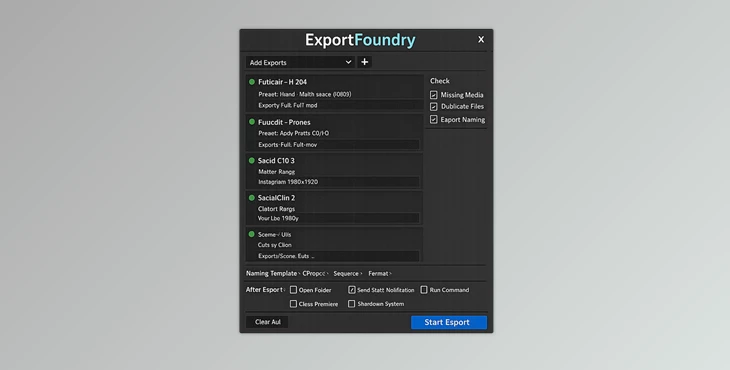
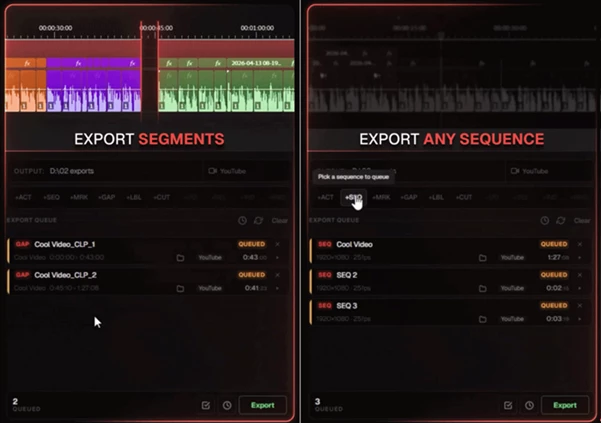
At its core, ExportFoundry is a batch export panel built specifically for Adobe Premiere Pro. It allows you to queue multiple export tasks from different parts of your timeline—sequences, clips, markers, or even custom ranges—and process them all in one go.
Why this is powerful:
- Imagine exporting 10 social media clips from one timeline without manually setting each export.
- Or creating multiple versions (YouTube, ProRes, Instagram) from a single sequence instantly.
- Or letting your system export overnight and shut down automatically when finished.
These features don’t just save time—they reduce human error, keep your workflow consistent, and help you deliver projects faster and more professionally. ExportFoundry is designed for editors who deal with heavy export workloads. Whether you’re a freelancer, agency editor, or content creator, it simplifies and speeds up your entire export pipeline.
🔧 Features
- Flexible Export Queuing: Queue exports from sequences, markers, cuts, selected clips, or custom ranges.
- Multiple Versions from One Setup: Export different formats (H.264, ProRes, social formats) simultaneously without rebuilding settings.
- Per-Item Preset Control: Assign different export presets to each queued item.
- Smart Naming Templates: Automatically generate filenames using tokens like date, sequence name, or format.
- Auto Queue from Bin: Detect new sequences and queue them automatically.
- Drag & Drop Organization: Easily reorder export items with a simple interface.
- Error Prevention Tools: Detect offline media or duplicate outputs before exporting.
Post-Export Automation
- Open output folder
- Send Slack/Discord notifications
- Play completion sound
- Quit Premiere or shut down the system
🎯 Real-World Example
A YouTube editor selects 10 clips from a timeline, queues them as individual exports, applies naming templates, and assigns presets. With one click, ExportFoundry processes everything automatically—no repetitive exporting needed.
🧠 Pro Tips for Better Results
- Use Naming Templates Smartly: Include version numbers or formats in filenames to stay organized.
- Combine Multiple Output Versions: Export review files and final masters together to avoid re-rendering.
- Leverage Marker-Based Exports: Mark important moments in your timeline and export them instantly.
- Run Overnight Queues: Let long export batches run while you sleep—and wake up to finished files.
- Check Before You Export: Use built-in checks to avoid missing media or overwriting files.
✨ Final Thoughts
ExportFoundry may seem like a small plugin for Premiere Pro. However, it will save you time and allow you to focus on the part of your editing process that matters most - editing and being creative with your projects.
Whether you are exporting numerous client projects or social media video clips, ExportFoundry will make your editing process more efficient and effortless. If you spend any time editing in Premiere Pro, ExportFoundry is a must-have tool that will provide you with an immediate upgrade to your editing experience.