Downloadable Files
You can download PixelStyle Photo Editor for free at the end of this page.
✨ A Fresh Way to Edit Photos on Mac
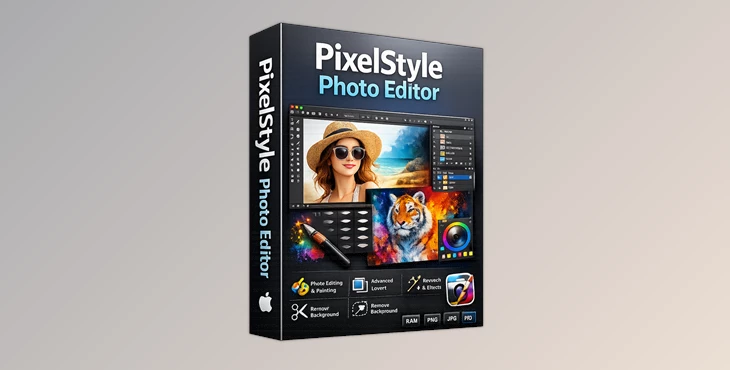
If you want to edit your photos with powerful features but without having to subscribe to software, PixelStyle Photo Editor could be the best tool for editing your photos on a Mac. With an intuitive interface and powerful features, this tool allows people of all skill levels to edit their photos and create designs from scratch.
🎯 What Is It & Why It Matters?
PixelStyle is a tool that allows Mac users to edit their photos. With powerful features like layers and AI editing tools, this tool allows users to enhance their editing experience.
Real-World Uses:
- Content creators can design engaging thumbnails and social media posts
- Designers can work with layers and blending modes similar to Photoshop
- Everyday users can enhance personal photos or create digital artwork
Why These Features Improve Results:
These features help you achieve better results faster:
- AI background removal saves time and reduces manual effort
- Layer-based editing keeps your original image untouched
- Color correction tools provide a polished, professional look
🚀 Meet PixelStyle Photo Editor
PixelStyle allows people of all skill levels to edit their photos quickly and easily on their Mac computers.
🔧 Features
🤖 AI-Powered Tools
- AI Background Removal – Instantly isolate subjects with one click
- AI 4x Super Resolution – Enlarge images without losing quality
- AI Auto Segmentation – Automatically detect and select objects
🎨 Creative & Editing Tools
- 100+ Brushes – Pencil, watercolor, chalk, neon, and more
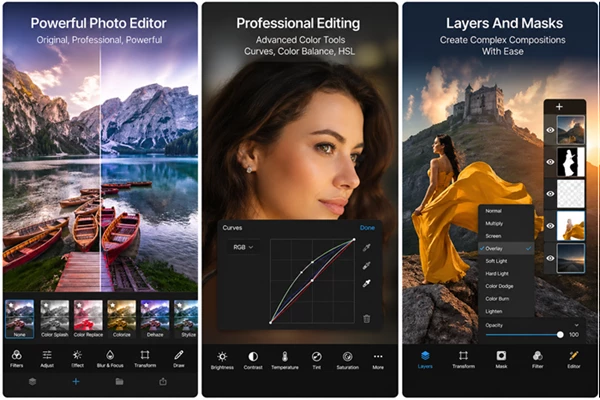
- Layer-Based Editing – Non-destructive workflow with blending modes
- Curves, tones & color balance – Advanced color correction
- Heal & Clone Stamp – Remove unwanted elements easily
- Text Tool – Add and customize text with precision
- Free Transform – Rotate, distort, and adjust perspective
🎭 Filters & Effects
- 50+ filters including blur, distort, halftone, and stylize
- GMIC plugin support for over 20 additional filters
📁 Format Support
- Open: PNG, JPG, HEIC, RAW, GIF, BMP, PDF, SVG, TIFF
- Export: PNG, JPG, TIFF, PDF, SVG, BMP, WebP, GIF
⚡ Performance & Privacy
- Optimized for Apple Silicon (M1, M2, M3, M4)
- No data collection and no account required
💡 Real Example
Imagine creating a YouTube thumbnail: remove the background using AI, enhance colors, add text, and apply filters—all in just a few minutes using one app.
💡 Pro Tips for Better Results
- Use the AI tools for removing backgrounds and enhancing color for faster editing.
- Use the layer editing tools to be able to edit without losing the original picture.
- Avoid using too many editing filters so that the original look of the picture is maintained.
- Experiment with the 100+ brushes to add some creative effects to edited pictures.
- Apply color editing at the final step in the editing process to have the best results.
🌟 Final Thoughts
PixelStyle is one of the best photo editors for Mac computers. This tool gives all users the experience of being able to easily edit their pictures without losing the original file and without having to pay for the software subscription. Users of all experience levels with photo editing can benefit from this tool.