Downloadable Files
You can download the Grid Builder product for free at the end of this page.
🚀 A New Way to Create Grids in After Effects
If you’ve ever found yourself spending too much time arranging your layers in After Effects, Grid Builder may be just what you're looking for. With Grid Builder, you can effortlessly create complex animations that control all the elements from a single Null layer. No more spending time trying to position your elements just right. Focus on your project’s creative aspects instead!
🎯 What Is Grid Builder & Why It Matters
Grid Builder allows you to quickly create layouts of your choosing with your layers.
Why this improves your results:
- Saves significant time on manual setup
- Ensures perfect alignment and consistency
- Makes animation faster and more flexible
Real-world examples:
- Designing animated social media layouts
- Creating UI/UX motion presentations
- Building visual patterns and transitions
- Organizing footage or images into dynamic grids
🧩 Introducing Grid Builder
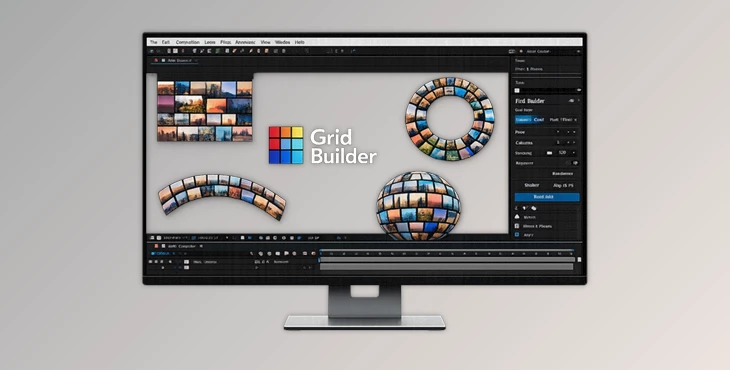
Grid Builder simplifies complex layout creation while giving you full creative control. It works with any type of layer you can add to your timeline—text, shapes, vectors, footage, and pre-comps.
✨ Features
✔ Supports All Layer Types
- Anything on your timeline can be turned into a grid element.
✔ Four Grid Modes
- Rectangular Grid: Clean column-based layouts
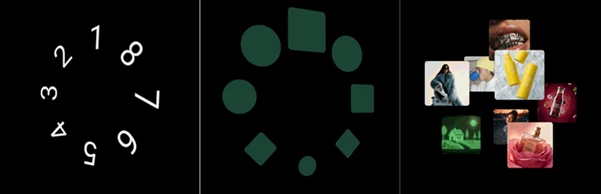
- Radial Grid: Circular arrangements
- Path Grid: Follow custom or preset paths
- Spherical Grid: Evenly distributed layers in 3D space
✔ Single Null Control System
- Each grid is controlled by one Null layer, keeping your timeline organized and easy to manage.
✔ Full Layer Flexibility
- All layers remain editable—you can animate, apply effects, or customize them individually.
✔ Smart Orientation Modes
- Follow Null rotation
- Face center
- Face camera
- Align to the path direction
✔ Drag-and-Drop Layer Sorting
- Reorder your grid directly inside the panel without touching the timeline stack.
✔ Smart Target Focusing
- Smooth transitions between layers with intelligent path calculations, especially useful in spherical layouts.
🎬 Practical Use Cases
- Motion graphics intros and openers
- Product showcases
- Data visualization layouts
- Creative 3D grid animations

💡 Pro Tips for Better Results
- Start with simple grids before exploring advanced modes
- Use subtle animations for a more professional look
- Combine with effects like blur or glow to add depth
- Use “Face Screen” for UI-style designs
- Animate the control Null instead of individual layers
These tips help you achieve cleaner and more polished results.
🔥 Final Thoughts
Grid Builder transforms how you approach layout design in After Effects. It reduces complexity, speeds up your workflow, and gives you more room to experiment creatively. Once you use it, creating grids manually will feel unnecessary.