Downloadable Files
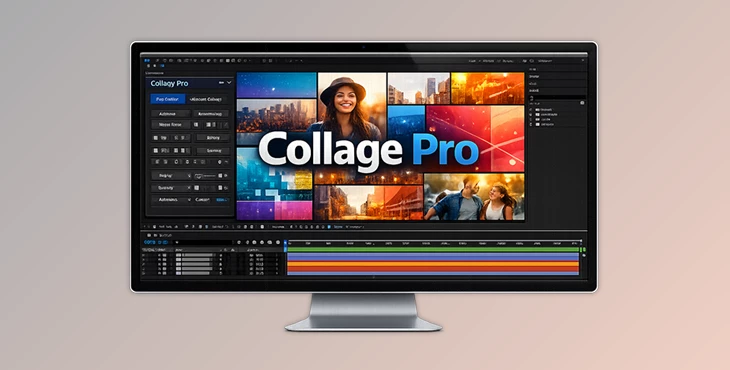
You can download Collage Pro for free from the end of this page.
✨ A Smarter Way to Handle Layouts
If you’ve ever tried to arrange multiple layers inside After Effects, you know how quickly things can get messy. One small change and suddenly everything is out of place. That’s exactly the kind of problem Collage Pro is built to solve.
It gives you a clean, flexible way to create collage-style layouts that stay organized—even when you keep tweaking things. Instead of fighting with layers, you get to focus on making your design look good.
🧩 What Collage Pro Actually Does
At a simple level, Collage Pro helps you organize layers into structured layouts—kind of like smart grids, but much more flexible.
You can use it for things like:
- Split-screen videos
- Social media content
- Portfolio animations
- Multi-image presentations
Instead of manually aligning everything, the tool handles the structure for you. You just focus on how it should look.
The real advantage?
When you change something—add an item, resize a line, move elements—the whole layout adjusts automatically. No chaos, no rework.
That’s what makes your final result cleaner and way more professional.
🚀 Meet Collage Pro
Collage Pro is built for people who want both speed and control inside After Effects. You can keep things quick and simple, or go deep and customize every detail.
✨ Features
- Two Working Modes
- Easy Mode: quick, automatic layouts
- Advanced Mode: full manual control
- Flexible Layout Control
- Switch between horizontal and vertical anytime
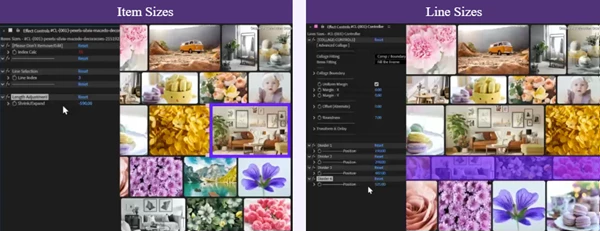
- Adjust sizes of items and lines
- Fine-tune spacing and alignment
- Full Editing Freedom
- Add, remove, or rearrange items easily
- Move entire lines without breaking the structure
- Keep everything non-destructive
- Built-in Animation Tools
- Add delay-based animations
- Animate layouts smoothly
- Control timing without extra setup
- Clean Interface
- Multiple panels to keep everything organized
- Useful tools for swapping, reordering, and managing layouts
🎬 Example in Practice
Let’s say you’re making a video collage for Instagram:
- Start with Easy Mode to quickly generate a layout
- Switch to Advanced Mode to tweak each section
- Add delay animation so elements appear one after another
In a few minutes, you’ve got something that looks polished and intentional—not rushed.

💡 Tips to Get Better Results
A few small things can make a big difference:
- Don’t overcomplicate at the start
Build your base layout quickly, then refine it. - Use spacing as a design tool
Good spacing can make your work look instantly more professional. - Play with animation timing
Even simple delay effects can add a lot of life. - Lock things when you’re done
Turning your layout into a static version helps when you want precise final tweaks. - Think in structure, not layers
Once you get used to this mindset, everything becomes faster.
🎯 Final Thoughts
Collage Pro isn’t trying to replace your creativity—it just removes the boring, repetitive parts that slow you down.
You get cleaner layouts, faster workflow, and way more control when you actually need it.
If you spend a lot of time arranging elements in After Effects, this tool can seriously change how you work—in a good way.

Files Password : gfxplugin.com OR 123456