Downloadable Files
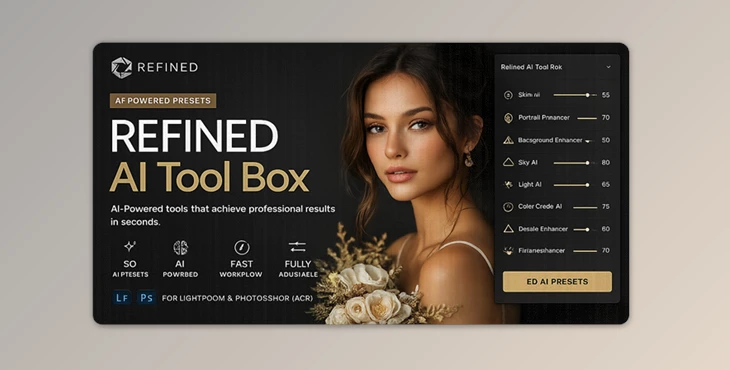
You can download the product REFINED AI Tool Box for free from the end of this page.
✨ A Faster Way to Perfect Your Photos
Editing portraits and landscapes requires a lot of manual work. However, the Refined AI Toolbox makes it easier to enhance your photos with one click. ✨ One Click Enhancement on Skies, Portraits, and Backgrounds
🎯 What Is It & Why It Matters
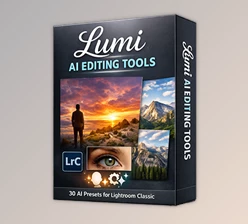
The Refined AI Tool Box comes with AI Masking Presets built for Adobe Lightroom and Camera Raw. This tool features Adobe’s AI Masking technology to auto-detect the subject of your interest in your image.
💡 Real-World Uses
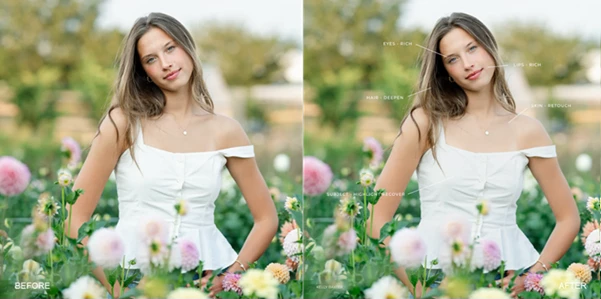
- • Enhance dull portraits by adding a glow around the eyes and skin
• Enhance the skies of your landscapes
• Improve the color of your subject against a natural background
• Fix common color casts such as green, yellow, or neon lighting in your photo
🚀 Why It Improves Your Results
These features help you:
- Save hours of manual masking work
- Maintain consistency across edits
- Achieve more precise and professional results
- Focus on creativity instead of technical adjustments
🧰 Meet the Tool: What Makes It Powerful
The REFINED AI Tool Box is built for photographers who want speed without sacrificing quality. It works as a finishing layer after your base preset—helping you refine details effortlessly.
🔹 Features
- 50 AI Masking Presets: Organized into Creative, Portrait, Subject, Sky & Land, and Background tools
- One-Click Enhancements: Apply complex adjustments instantly
- Adjustable Intensity Slider: Fine-tune every effect to match your image
- Seamless Integration: Works with all REFINED Co preset collections
- Professional-Level Precision: AI isolates specific areas like skin, sky, and clothing automatically
📸 Real Impact Examples
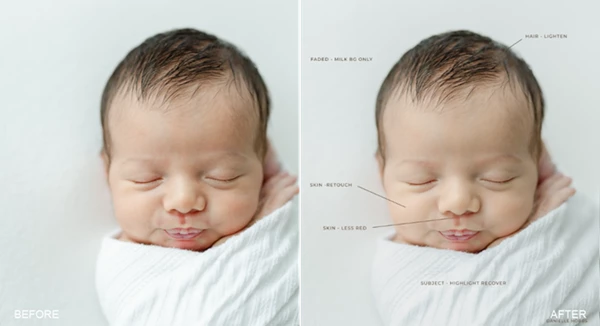
- A dull portrait becomes vibrant with Skin Glow + Eyes Rich
- A flat landscape transforms using Skies Golden Hour + Greens Warm
- A busy background gets controlled with Background Darken
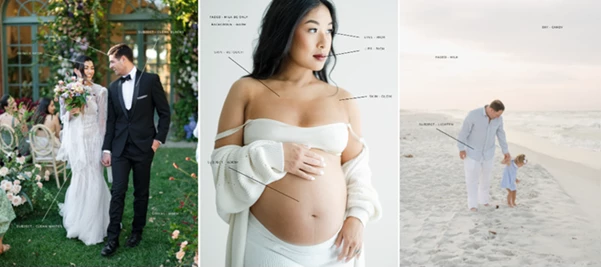
These small, targeted changes can dramatically elevate the final image.
🎓 Pro Tips for Better Results
Want to get the most out of this tool? Try these simple techniques:
- Start with a solid base edit: Adjust exposure and white balance first
- Use multiple tools together: Combine portrait + background tools for balanced results
- Keep it subtle: Use the intensity slider to avoid over-editing
- Fix problem areas only: Don’t apply everything—target what needs improvement
- Zoom in for details: Small adjustments (eyes, skin, hair) make a big difference
🔥 Final Thoughts
The Refined AI Tool Box comes with all the features you need to enhance your images quickly and with professional-level precision. If you’re a professional photographer or even an enthusiast who loves to edit their work in Lightroom, this tool will significantly upgrade the way you edit your latest photography projects. You’ll find it difficult to go back to manual masking once you’ve experienced the ease with which the Refined AI Tool Box can enhance your edited images.

Files Password : gfxplugin.com OR 123456