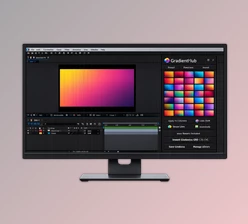
Downloadable Files
You can download the product Colume for free at the end of this page.
✨ Introduction – When Light Becomes Color
Imagine a world where every light in your composition design illuminates but also adds a gradient to your composition. This is exactly what Colume does.
Curious? You should be.
🎯 What Is It & Why It Matters
Colume is a GPU-accelerated After Effects plugin that allows you to create gradients using your composition’s lights as the source of that gradient.
Why this is powerful:
- Most gradients are flat planes. Colume turns them into volumetric gradients.
- Most gradients use static colors. Colume lets gradients have dynamic colors based on your composition’s lights.
- Most gradient color setups are performed manually. Colume automates this for you.
Real-world uses:
- Creating cinematic lighting environments
- Enhancing motion graphics with depth
- Designing abstract color transitions in 3D space
- Adding atmosphere to product renders or title sequences
Because everything is driven by lights, your gradients naturally match your scene—resulting in more realistic and visually engaging outputs.
🚀 Meet the Tool – What Makes Colume Special
Colume simplifies complex gradient generation and makes it feel intuitive and fast. It’s fully GPU-accelerated, meaning smooth performance even in heavy scenes.
Features
3D Gradient Generation from Lights
- Gradients are created directly from light position, intensity, and color.
Camera Compatibility
- Works seamlessly with your scene camera for true spatial depth.
Flexible Color Control
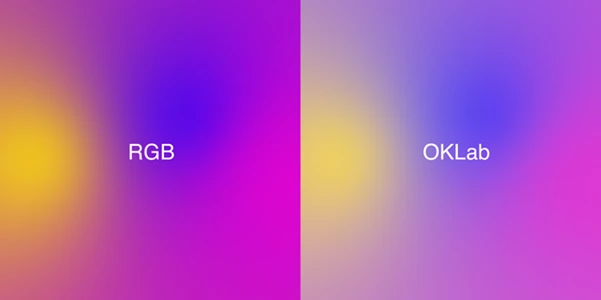
- Choose color space
- Select interpolation modes
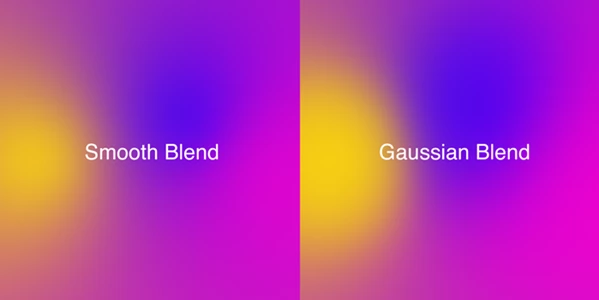
- Control how colors blend together
Selective Light Influence
- Option to affect only lights with specific naming (e.g., those starting with “color”).
Advanced Gradient Control
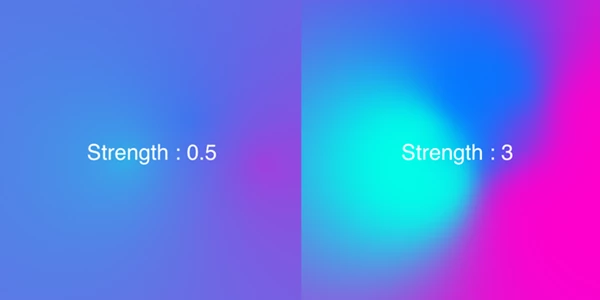
- Fine-tune interpolation strength and blending behavior.
Spatial Turbulence Integration
Add organic noise and movement:
- Adjust turbulence strength
- Control scale and map parameters
- Animate with phase and speed controls
Fast GPU Performance
- Real-time feedback and efficient rendering.
Simple & Intuitive Interface
- No steep learning curve—just plug in and start creating.
🎬 Real Creative Scenarios
- A neon-lit intro where gradients flow between animated lights
- A product ad with soft, glowing color transitions reacting to movement
- Abstract visuals with turbulence-driven color distortion
- Motion backgrounds that feel alive and dimensional
💡 Pro Tips for Better Results
- Use multiple lights: Combine different colors and intensities to create richer gradients.
- Animate light positions: Small movements create beautiful, evolving color transitions.
- Play with turbulence subtly: Too much can feel chaotic—start low and build up.
- Match color space to your project: This ensures smoother blending and more accurate results.
- Name your lights strategically: Use naming filters to control exactly which lights affect the gradient.
🎯 Final Thoughts – Why Colume Stands Out
Colume is different from other gradient tools simply because the gradients are created from your composition’s lights. This makes it more realistic and useful for motion graphics and visual effects projects. Whether you are in the motion graphics, visual effects, or even movie special effects space, Colume could be of great use to your projects.