Downloadable Files
You can download the Wall Maker product for free at the end of this page.
✨ Sculpt Realistic Walls with Ease
Creating believable stone and brick walls in 3D can be surprisingly challenging. Whether you're working on a game environment, cinematic scene, or architectural visualization, adding realistic surface detail often takes hours of manual sculpting. Wall Maker is designed to change that—making the process faster, more intuitive, and far more enjoyable while delivering professional-quality results.
🧱 What Is Wall Maker & Why It Matters
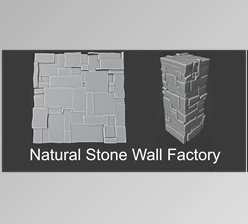
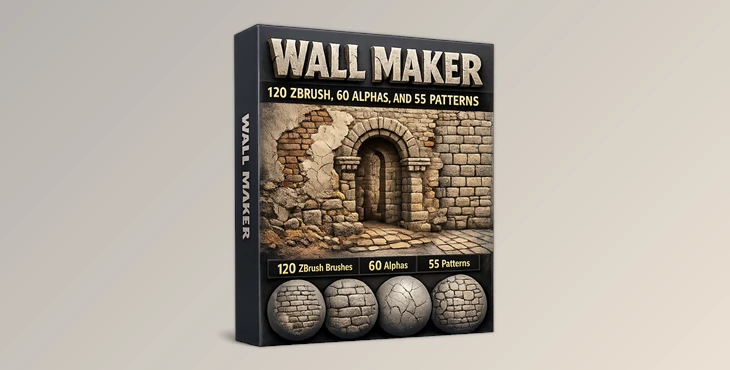
Wall Maker is a comprehensive toolkit for sculpting and texturing walls, including stone, brick, and plaster surfaces. Instead of building everything from scratch, it provides ready-to-use brushes, alphas, and patterns that help you achieve high-detail results in less time.
Why does it improve your workflow?
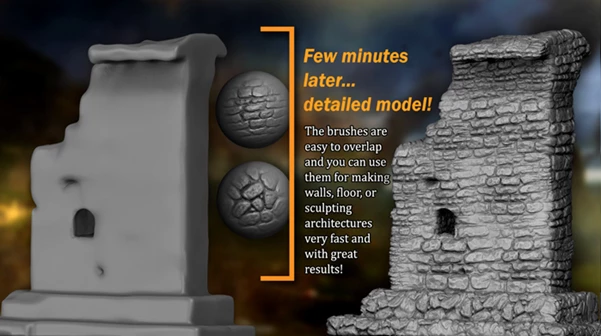
- You can instantly create structured brick layouts instead of modeling each brick.
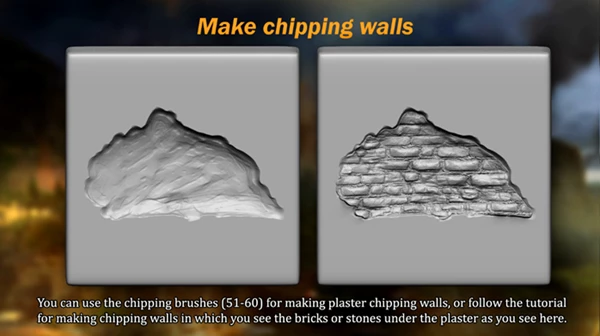
- Add natural imperfections like cracks and chips for realism.
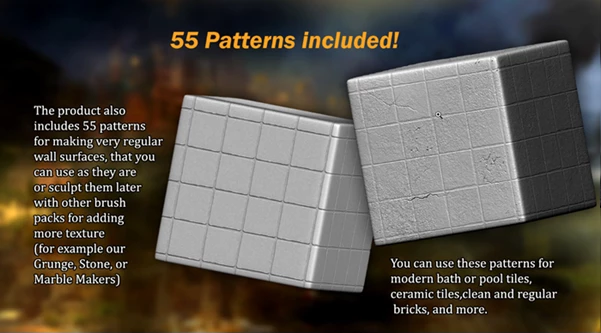
- Use seamless patterns to build a clean base, then refine with sculpting details.
These capabilities not only save time but also ensure consistent quality and realism across your projects.
🛠️ Professional Tool Overview – Wall Maker
Wall Maker is a complete solution for artists working in ZBrush and other 3D software, making architectural detailing much more efficient and creative.
🔹 Features
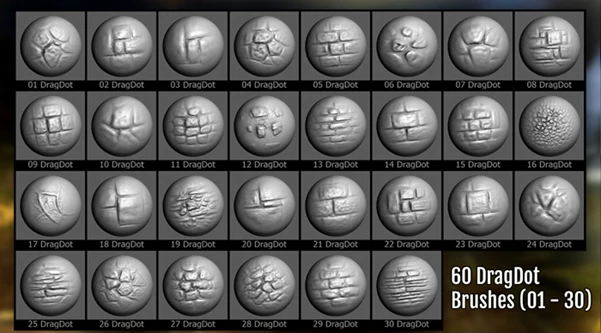
120 ZBrush Brushes
- Includes 60 DragRect and 60 DragDot brushes
- Perfect for sculpting stones, bricks, masonry, and chipped walls
60 High-Resolution Alphas
- 2048×2048 pixels, 16-bit grayscale
- Available in PSD and JPG formats
- Compatible with ZBrush and other 3D applications
55 Seamless Texture Patterns
- Ideal for generating clean and regular wall bases
- Usable in any texturing software
ZBrush Surface Noise File
- Quickly apply patterns with optimized settings
PDF Tutorial & Brush Index
- Step-by-step guide for creating chipped plaster effects
- Organized reference for faster selection
🎯 Real-World Examples
- Build ancient ruins with weathered stone surfaces
- Design modern architectural walls with clean tile patterns
- Create damaged plaster walls revealing bricks underneath
- Develop environments like bridges, temples, and archways with ease
🎨 Pro Tips & Techniques
To get the most out of Wall Maker, try these practical tips:
- Start with seamless patterns to establish a uniform base, then refine using brushes.
- Combine multiple brushes to avoid repetition and achieve a more natural look.
- Use alphas with varying intensity to create depth and variation in surfaces.
- Experiment with ZBrush Surface Noise to quickly generate complex textures.
- Add subtle imperfections—perfect symmetry often looks unrealistic in architectural elements.
🚀 Final Thoughts – Why It’s Worth Trying
Wall Maker is a powerful tool that will make your life as a 3D artist much easier and much faster. This tool will significantly improve your workflow and allow you to save both time and effort while producing much better results than if you tried to create them manually. If you are looking for a tool that will add more realism and detail to the walls in your project, then this tool is definitely worth a try for your project.

Files Password : gfxplugin.com OR 123456