Downloadable Files
You can download the VoxPattern product for free at the end of this page.
✨ A New Dimension for Your Designs
Imagine creating stunning geometric visuals that don’t just sit flat on your screen—but actually exist in 3D space. That’s exactly what VoxPattern brings to After Effects. This GPU-accelerated plugin lets you generate dynamic patterns with depth, motion, and perspective, all in a fast and intuitive way. It’s a powerful yet simple tool that sparks creativity from the very first click.
🎯 What Is VoxPattern & Why It Matters
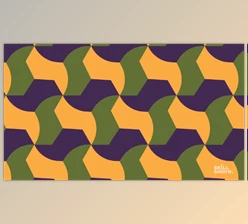
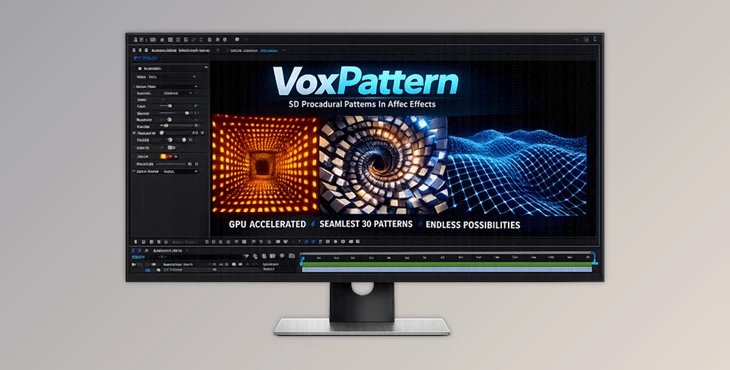
VoxPattern is a professional plugin that generates geometric patterns directly in 3D space inside After Effects. Unlike traditional methods, it allows your designs to interact naturally with cameras and depth.
Why this improves your results:
- True depth makes your visuals more immersive and realistic
- Camera-aware behavior adds natural motion without extra effort
- Controlled randomization helps you explore endless creative variations
Real-world use cases:
- Creating modern motion graphics backgrounds
- Designing abstract 3D loops for social media
- Building futuristic UI elements
- Enhancing music visuals with depth and structure
These features help you achieve more polished and professional-looking results with less manual work.
🚀 Introducing VoxPattern
VoxPattern simplifies complex 3D pattern creation while delivering high performance through GPU acceleration. It allows you to focus on creativity instead of technical setup.
⚙️ Features
- 3D Pattern Generation: Create geometric patterns in a space with real depth.
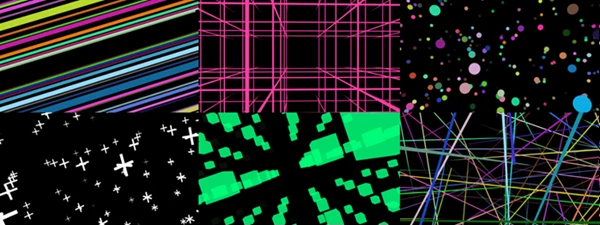
- 5 Pattern Types: Choose from five unique styles to match your creative needs.
- Camera-Aware System: Patterns respond dynamically to camera movement.
- Depth & Depth Fade Controls: Adjust how patterns extend and fade in 3D space.
- Spacing & Size Controls: Fine-tune density and scale with precision.
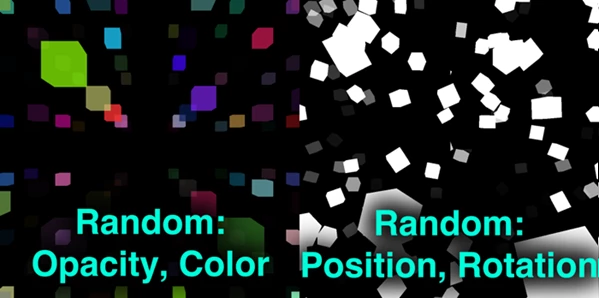
- Randomization Options: Instantly generate variations for more diverse designs.
- Axis Crop Controls: Limit patterns along X, Y, and Z axes with smooth fade.
- GPU Acceleration: Fast rendering even with a large number of elements.
- User-Friendly Interface: Clean and intuitive controls for a smooth workflow.
🎬 Practical Example
You can quickly create a futuristic tunnel effect by:
- Selecting a pattern type
- Increasing depth
- Animating the camera forward
In just a few steps, you get a high-end 3D animation that would normally take much longer to build manually.
🎨 Pro Tips for Better Results
- Use depth fade to create a more natural and cinematic look
- Combine randomization with controlled values to avoid chaotic visuals
- Animate spacing and size for subtle but effective motion
- Let camera movement drive the scene instead of over-animating elements
- Use crop controls to guide attention and reduce visual clutter
These tips will help you achieve cleaner, more professional results.
💡 Final Thoughts
VoxPattern is a powerful yet easy-to-use tool that transforms how you create patterns in After Effects. It adds depth, speed, and flexibility to your workflow, making your designs more engaging and modern. If you’re looking to elevate your motion graphics and explore true 3D pattern creation, VoxPattern is definitely worth trying.

Files Password : gfxplugin.com OR 123456