Downloadable Files
You can download the Cine Green Tint product for free at the end of this page.
🎬 A Cinematic Mood in Just One Click
Have you ever watched a film and felt instantly pulled into its atmosphere just by its colors? That subtle green tint often seen in Asian cinema creates a mysterious, sometimes dystopian mood that’s hard to forget. With Cine Green Tint, you can bring that same cinematic storytelling into your own photos and videos—effortlessly and beautifully.
🎨 What Is Cine Green Tint & Why It Matters
Cine Green Tint refers to a color grading style that leans toward green hues to create a specific emotional tone. It’s widely used in films like Goodbye Earth (2024) and The Highway Family (2022), as well as classics like Dragon Inn (1967). This look isn’t just about style—it’s about storytelling:
- It adds a moody, atmospheric feel to scenes
- Enhances depth and contrast in visuals
- Creates a cinematic identity that stands out
For example, applying a green tint to an urban night photo can instantly make it feel like a scene from a dystopian movie. That emotional shift is what makes this style so powerful.
🧰 Meet the Tool: Cine Green Tint Presets & LUTs
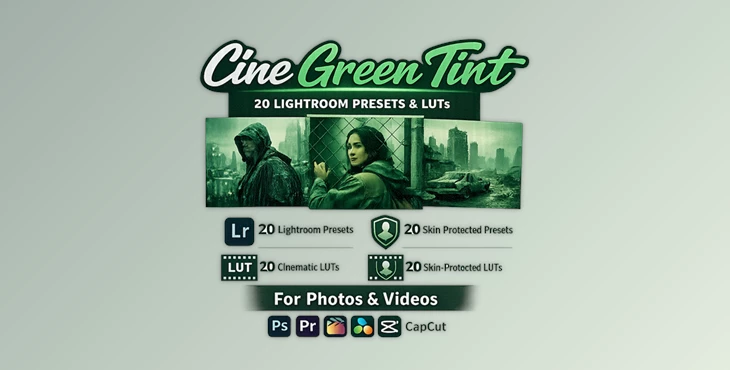
Cine Green Tint is a professional collection of Lightroom presets and LUTs designed to simplify cinematic color grading. Instead of spending hours tweaking colors, you can achieve a polished, film-inspired look in seconds.
✨ Features
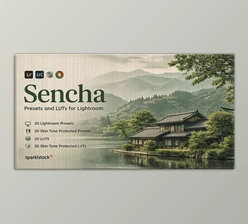
- 60+ Presets & LUTs: Includes 20 Lightroom presets, 20 skin tone-protected presets, and 40 LUT variations.
- AI-Powered Adjustments: Smart presets adapt to your image for consistent, high-quality results.
- Skin Tone Protection (VOXCOLOR): Keeps portraits natural while applying dramatic color grading.
- Smooth Color Transitions: VOXCOLOR SmoothTones ensures no harsh color shifts or banding.
- Wide Compatibility: Works with Lightroom, Photoshop, Premiere Pro, DaVinci Resolve, CapCut, and more.
- Multiple LUT Formats: Supports 3DL, CUBE, ICC, MGA, and PNG for maximum flexibility.
🎥 Real-World Impact
- Turn a simple street photo into a cinematic frame
- Give travel videos a film-like narrative tone
- Enhance portraits with stylized yet natural colors
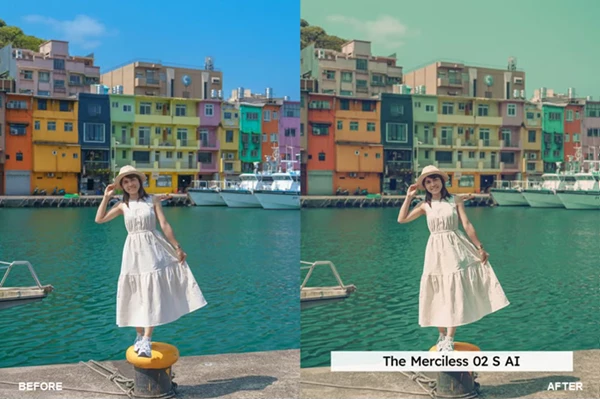
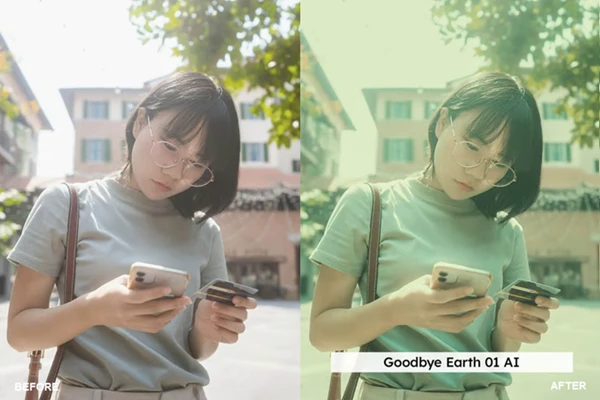
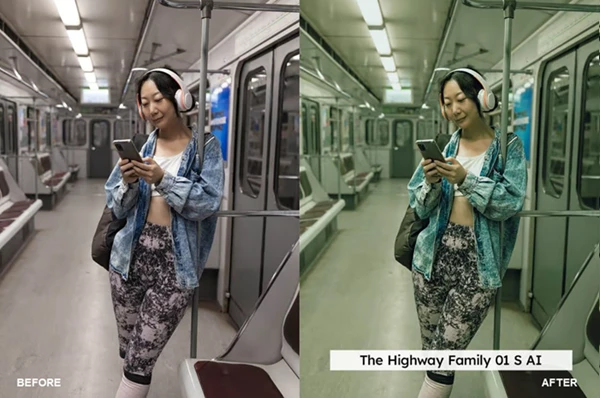

🎯 Pro Tips for Better Results
- 👉Adjust the intensity using the preset slider in Lightroom.
- 👉Pair with lighting for the best results.
- 👉Use skin tone-protected presets when editing portraits.
- 👉Experiment with LUT formats in your video editing software.
- 👉Use less product instead of going heavy on the editing.
🚀 Final Thoughts
Cine Green Tint is a tool that will take your editing skills to the next level for both photos and videos. If you are looking to produce professional-quality edits for your projects, then this product is definitely worth adding to your editing software.

Files Password : gfxplugin.com OR 123456