Downloadable Files
You can download the Nostalgic Glow product for free at the end of this page.
✨ A Soft Touch of Nostalgia
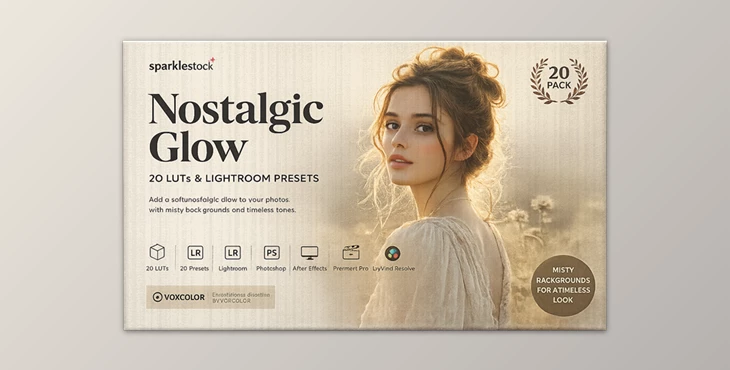
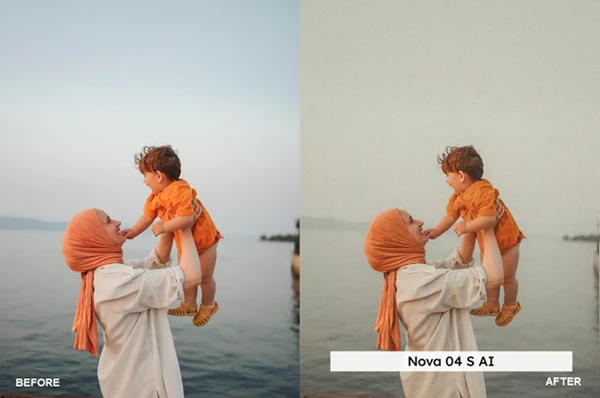
Have you ever wanted your photos to feel like timeless memories instead of just digital images? That’s exactly what Nostalgic Glow is designed for. This preset pack transforms your shots into dreamy, cinematic visuals with a soft, misty background and a classic vintage film look.
It’s more than just editing—it’s about creating emotion. With just a few clicks, your photos gain depth, mood, and a nostalgic atmosphere that instantly captures attention.
🎯 What Is Nostalgic Glow & Why It Matters?
Nostalgic Glow is a collection of AI-powered Lightroom presets and LUTs that recreate the beauty of vintage photography while enhancing modern images.
Why these features improve your results:
- The misty background effect naturally separates the subject, making images look more professional.
- Cloud reduction simplifies the scene, reducing visual clutter.
- Skin tone protection ensures portraits remain natural and realistic.
Practical uses:
- Portrait photography with soft depth and focus
- Travel photos with a cinematic mood
- Social media content with a unique aesthetic
- Lifestyle photography with emotional storytelling
These features help improve your work by guiding the viewer’s eye, enhancing mood, and creating a clean, consistent style.
🚀 Meet the Tool: Nostalgic Glow Presets Pack
If you want to upgrade your photo editing quickly and professionally, Nostalgic Glow makes the process simple and effective.
Features
- 20 Lightroom Desktop & Mobile Presets
- 20 Skin Tone Protected Presets
- 20 LUTs + 20 Skin Tone Protected LUTs
- AI-powered misty background enhancement
- Preset amount slider support for flexible intensity
- Multiple LUT formats (3DL, CUBE, ICC, MGA, PNG)
- High-quality output with no banding or artifacts
Advanced Enhancements
- VOXCOLOR Skin Tone Protection – keeps skin tones natural
- VOXCOLOR SmoothTones – ensures smooth color transitions
Compatibility
Works with:
- Lightroom (Desktop, Mobile, Web)
- Photoshop & Adobe Camera Raw
- Premiere Pro, Final Cut Pro, DaVinci Resolve
- Capture One, Affinity Photo, CapCut, OBS Studio, and more
Real-World Impact
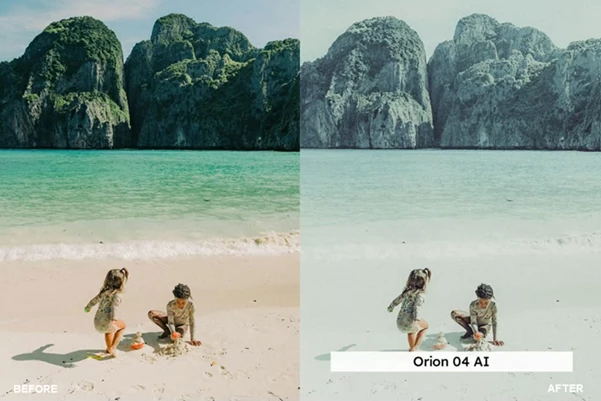
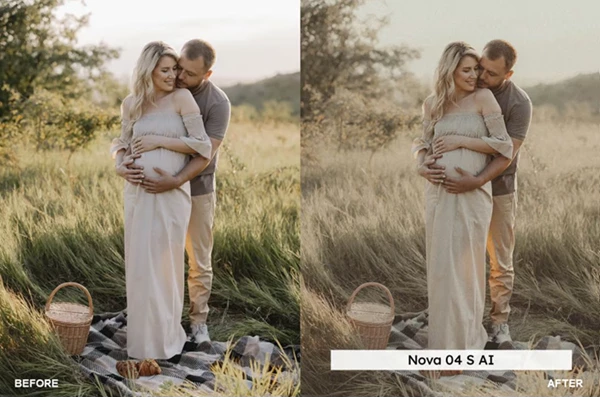
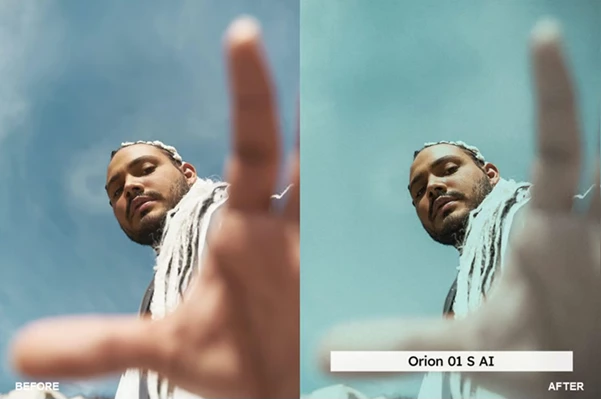
- Portraits gain cinematic depth and softness
- Landscapes become cleaner and more atmospheric
- Social media images look more polished and cohesive
🎨 Pro Tips for Better Results
To get the best results from Nostalgic Glow, try these tips:
- Adjust the preset intensity using Lightroom’s slider
- Use soft or natural lighting for better blending
- Avoid overusing the mist effect to keep it realistic
- Choose skin-protected presets for portrait shots
- Add subtle grain for a stronger vintage feel
These simple techniques can significantly improve the final outcome.
💡 Final Thoughts
Nostalgic Glow is more than just a preset pack for your editing software. This tool will allow you to create stunning, emotional images from your photographs. The use of AI technology allows your edited images to feature smooth tones and natural skin tones. This product will make editing as easy as possible for users of any experience level with editing software.

Files Password : gfxplugin.com OR 123456