Downloadable Files
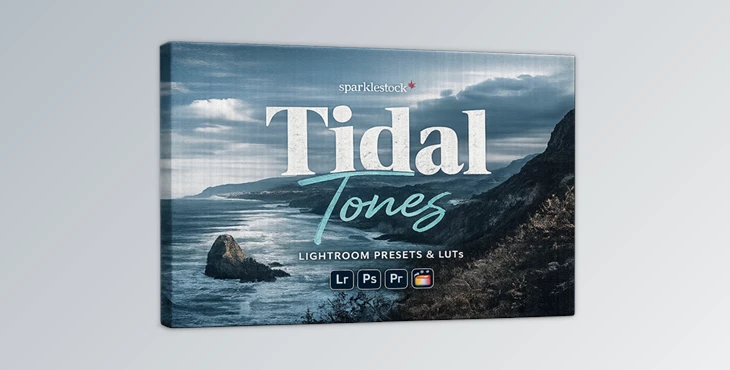
You can download the Tidal Tones product for free at the end of this page.
🌊 Bring the Ocean Mood Into Your Photos
Have you ever captured a beautiful coastal shot, only to feel like it doesn’t fully reflect the atmosphere you experienced? That cool breeze, the deep tones of the sea, the moody sky… something always feels missing.
That’s exactly where Tidal Tones makes a difference. It helps transform ordinary photos into immersive visuals that truly capture the feeling of being there, as you can almost hear the waves.
🎯 What Is Tidal Tones & Why Use It?
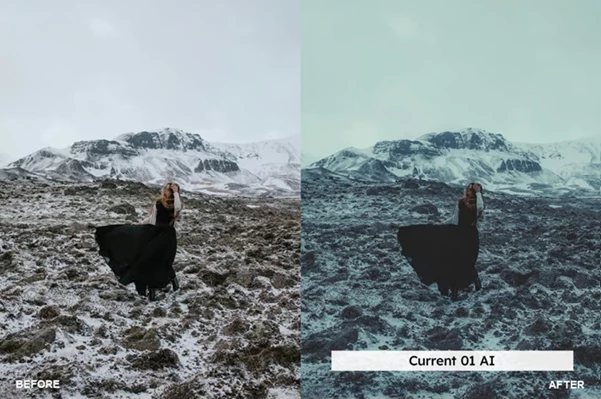
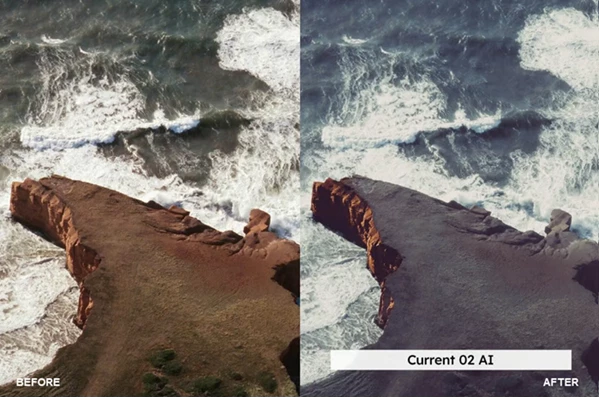
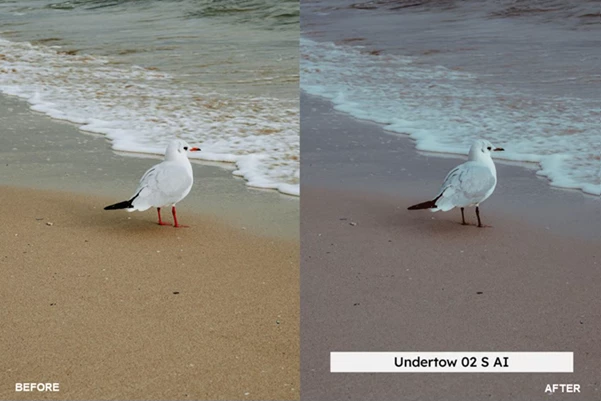
The Tidal Tones tool consists of professional presets and look-up tables (LUTs) that will enhance your photos. These presets will add depth to your photos using crushed blacks. It will also give your photos a subtle grain that enhances the atmosphere of your photo, and use cool color palettes to enhance the way that your photos reflect the mood that you want to evoke from your viewers.
Why does this improve your results?
Visual storytelling depends heavily on color and tone. These presets are designed to mimic real-world coastal lighting conditions, making your photos feel more natural, emotional, and visually striking. Imagine editing:
- A beach sunset → becomes cinematic and dramatic
- A foggy coastline → becomes deeper and more mysterious
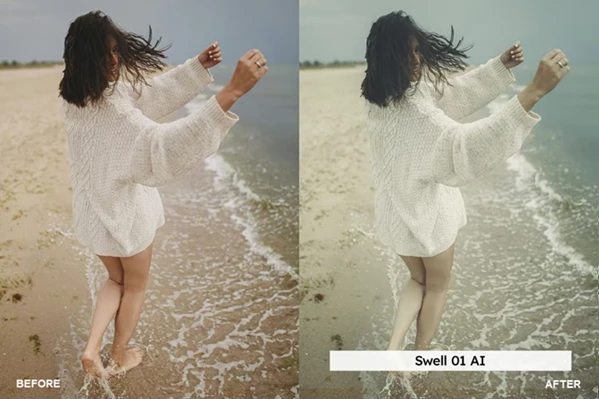
- A casual portrait by the sea → stays natural thanks to skin tone protection
⚙️ Meet the Tool: Tidal Tones
Tidal Tones is a tool for professional photographers and enthusiasts who want to produce professional-looking edits to their images.
✨ Features
- 20 Lightroom Desktop & Mobile Presets
- 20 Skin Tone Protected Presets for natural-looking portraits
- 20 LUTs + 20 Skin Tone Protected LUTs
- AI-Powered Lightroom Presets for faster and smarter edits
🎨 LUT Formats Included
- 3DL, CUBE, ICC (for Capture One), MGA, PNG
- Fully tested with no banding or artifacts
🚀 Enhancements
- VOXCOLOR Skin Tone Protection → Keeps skin realistic and balanced
- VOXCOLOR SmoothTones → Smooth transitions between colors and tones
💻 Compatibility Works with:
- Lightroom (Desktop, Mobile, Web)
- Photoshop & Adobe Camera Raw
- Premiere Pro, Final Cut, DaVinci Resolve
- Capture One, Affinity Photo, Darktable
- And many more tools supporting LUTs
🎬 Real-World Impact
- A dull coastal image becomes cinematic and emotional
- Travel photos gain a consistent, professional color style
- Portraits maintain natural skin tones even with heavy grading
💡 Pro Tips for Better Results
To get the most out of Tidal Tones, try these simple tips:
- Adjust the preset intensity using Lightroom’s amount slider for a more natural look
- Use skin tone-protected versions when editing portraits
- Combine with slight exposure tweaks for better balance
- Avoid over-editing—let the preset do most of the work
- Match the preset to lighting conditions (cloudy vs sunny scenes)
These small adjustments can turn a good edit into a truly professional one.
✅ Final Thoughts
Tidal Tones is more than just a photo editing tool. It’s a tool that allows you to add atmosphere and emotion to your photos and create visual stories that connect your viewers to your content. No matter what kind of edits you do with your photos, Tidal Tones will give your edits a consistent look and cinematic feel. If you are looking to enhance your photos with a look that features ocean tones and atmosphere, Tidal Tones is definitely one of the tools that you should try out.

Files Password : gfxplugin.com OR 123456