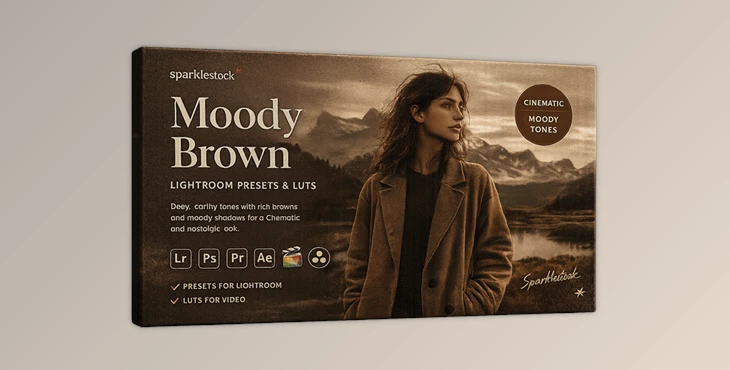
Downloadable Files
You can download the product Moody Brown for free at the end of this page.
✨ A Warm, Cinematic Touch for Your Photos
If you're looking for ways to make your next photo project deeply emotional, feature cinematic qualities, and tell a story through your visuals, Moody Brown is the perfect editing filter for your project.
From portrait photography to travel photography, these editing presets will add that special touch to your project that will make it stand out from the rest.
🎯 What Is Moody Brown & Why It Matters
Moody Brown is a unique editing filter that features warm tones and earth tones that instantly give your project a timeless, artistic feel.
Why It Works So Well:
- Enhances emotion: Warm tones naturally evoke feelings of nostalgia and calm.
- Focuses attention: Subtle background blur and tone adjustments highlight your subject beautifully.
- Creates consistency: Ideal for building a cohesive Instagram feed or portfolio.
Real-Life Uses:
- Outdoor portrait photography with golden-hour vibes
- Wedding and couple shoots for a romantic feel
- Travel photography with a storytelling mood
- Social media content that stands out instantly
These features improve your results by making images feel more intentional, polished, and visually engaging.
🚀 Professional Tool Introduction
Moody Brown is an editing tool that creators and photographers use to improve the quality of their projects quickly and easily.
🔧 Features
- 20 Lightroom Presets (Desktop & Mobile): Ready-to-use looks for instant transformation
- 20 Skin Tone Protected Presets: Keeps skin tones natural while applying cinematic tones
- 20 LUTs + 20 Skin Tone Protected LUTs: Works across photo and video editing software
- AI-Powered Presets: Automatically adapts to your image for better results
- Preset Amount Slider Support: Easily control the intensity of the effect.
- Wide Compatibility: Works with Lightroom, Photoshop, Capture One, Premiere Pro, DaVinci Resolve, and more
Advanced Enhancements
- VOXCOLOR Skin Tone Protection for natural portraits
- SmoothTones Technology for soft and professional gradients
- No banding or artifacts, even under heavy editing
🎬 Real Impact Examples
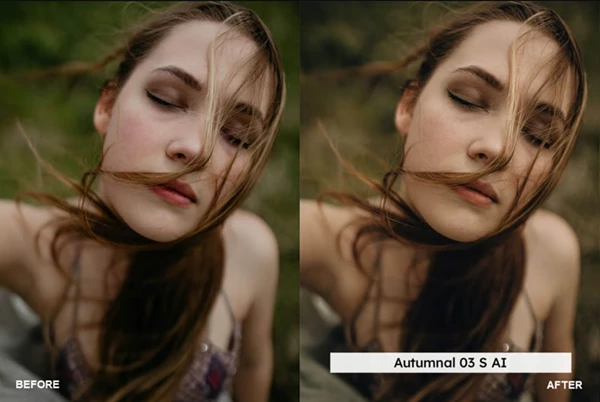
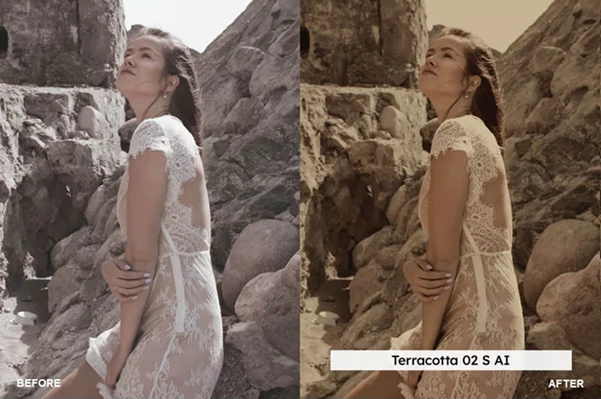
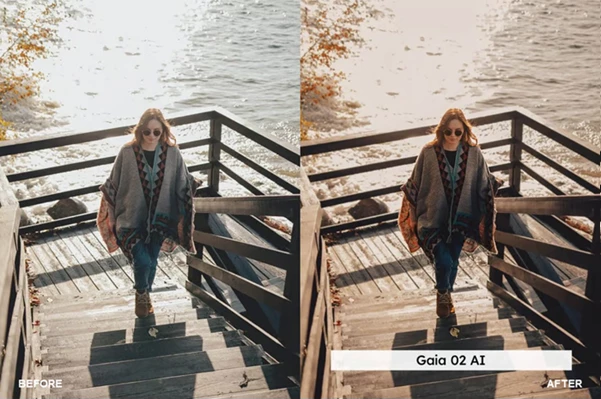
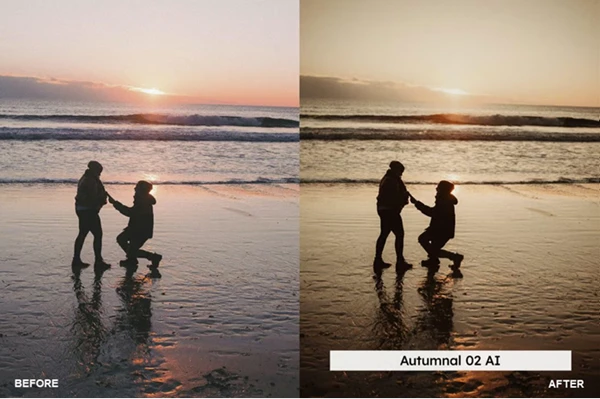
- A flat outdoor portrait becomes a cinematic, magazine-quality image
- Harsh lighting gets softened into a warm, film-like glow
- Busy backgrounds turn into subtle, blurred backdrops that highlight the subject
🎯 Pro Tips for Better Results
Want to get the most out of Moody Brown? Try these:
- Start with good lighting: Presets enhance—great light makes them shine
- Adjust exposure first: Clean base = better final result
- Use the intensity slider: Don’t overdo it—subtle looks more professional
- Combine with grain carefully: Adds film feel, but keep it balanced
- Fine-tune skin tones: Even with protection, slight tweaks can perfect portraits
These simple steps help your edits look natural, not over-processed.
💡 Final Thoughts
Moody Brown is more than just a preset pack for photographers. It’s a tool that will enhance your photography output and allow you to edit your photos quickly to create deeper emotional connections with your subjects.
If you’re looking for a way to give your photos that distinctive warm tone that draws people in, Moody Brown is definitely worth a try. Explore its features and find new ways to enhance your photography.

Files Password : gfxplugin.com OR 123456