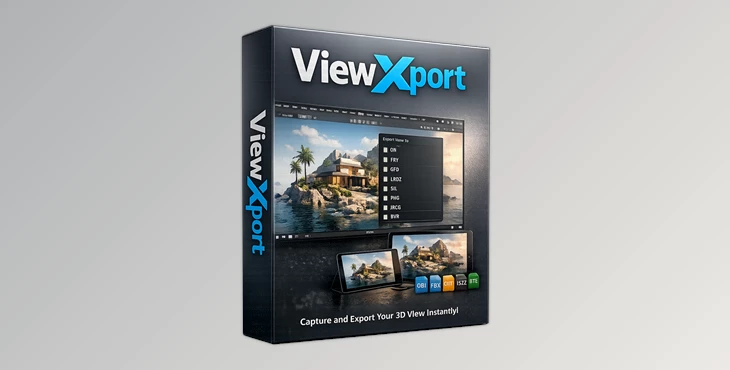
Downloadable Files
You can download the View Xport product for free at the end of this page.
🚀 A Smarter Way to Control Your Blender View
If you’ve ever felt frustrated while navigating Blender’s 3D viewport, you’re not alone. Accidental rotations, losing your perfect angle, or struggling with multi-view layouts can slow down even the most experienced artists. That’s where View Xport comes in—a powerful addon designed to give you full control over your viewport, making your workflow smoother, faster, and far more intuitive.
🎯 What Is View Xport and Why It Matters?
View Xport is a Blender add-on that enhances your 3D view. Think of it as a view manager that allows you to save and restore your view angles quickly.
💡 Why is this useful?
- Imagine modeling a complex object and needing to switch between top, side, and perspective views quickly.
- Or working in a CAD-like environment where precision and stable views are critical.
- Or simply avoiding those annoying accidental rotations that ruin your focus.
With View Xport, all of this becomes effortless—resulting in:
- Faster workflows
- Better accuracy
- Less frustration
🧰 Meet View Xport – A Professional Viewport Tool
View Xport is built specifically for Blender users who want more control, more speed, and a more professional viewport experience.
✨ Features
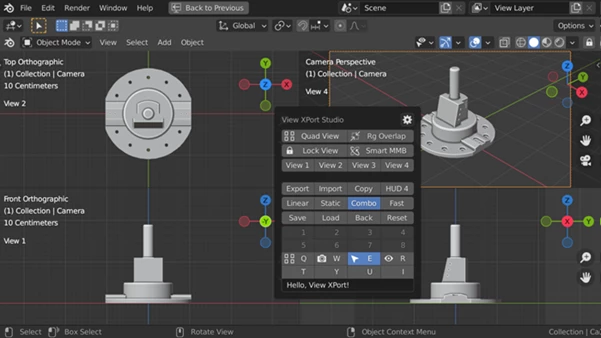
🔹 View Channels
- Save and load viewport states instantly using hotkeys, buttons, or menus.
- Works like CAD/DCC software—finally bringing this missing feature to Blender.
- Displays channel labels as HUD for quick reference.
🔹 Lock View Rotation X
- Soft Lock (Mono View): Prevents orbiting but allows navigation via numpad—perfect for modeling.
- Hard Lock (Quad View): Fully locks the view for precise inspection.
🔹 Toggle Quad View X
- Seamlessly switch between mono and quad views without losing your setup.
- Maintains view positions and lock states across toggles.
🔹 Smart Middle Mouse
- Automatically switches between Pan and Orbit depending on lock state.
- Works independently for each sub-view in a quad layout.
🔹 Smart Region Overlap
Optimizes layout automatically:
- Enabled in mono view for efficiency
- Disabled in quad view for clarity
🧠 Memorize Module
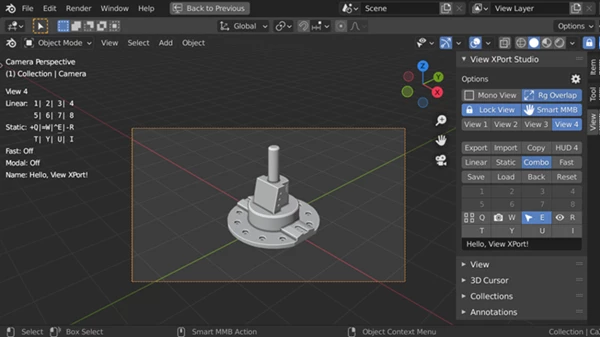
🔸 Flexible Work Modes
- Linear Mode: Like undo/redo workflow
- Static Mode: Fixed slots
- Combo Mode: Best of both worlds
🔸 Fast Linear Optimization
- Automatically removes duplicates and unused slots
- Keeps your workflow clean and efficient
🔸 Powerful UI
- HUD + hotkeys for speed
- Sidebar and popover for advanced control
🔸 Advanced Saving Capabilities
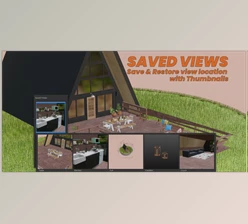
- Save camera data and restore it later
- Save full quad views (all 4 angles at once)
- Restore correct orthographic axis names (Front, Top, etc.)
🎨 Real-World Impact
- Modeling: Quickly switch between precise angles without losing focus
- Architecture: Use quad views like CAD software for accuracy
- Animation: Save camera setups and restore them instantly
- Game Design: Speed up scene navigation and iteration
💡 Pro Tips to Get the Most Out of View Xport
- Use View Channels and Hotkeys to switch views faster.
- Use Lock View to prevent accidental rotation when you're doing modeling.
- Use Quad View to check the proportions of your object.
- Use Fast Linear Optimization to keep your view clean.
- Use Advanced Saving to store camera angles and restore them later.
- These tips will significantly improve the way you use View Xport in your projects.
🔚 Final Thoughts
View Xport is an addon that deserves your attention! It gives Blender users long-missing features that enhance the 3D viewport. Whether you are a beginner or a professional Blender user, this is a tool you should try - and likely will not want to touch your Blender application without it! Give View Xport a try for yourself and see the improvement in your viewport experience!

![Blender - Download Dollyoom [Dolly Zoom] v1.0](https://dls5.gfxplugin.ir/Download_Files/34099/SearchSmall/banner.jpg)