Downloadable Files
You can download the Railcut product for free at the end of this page.
🎬 Edit in After Effects… for real?
For years, everyone said, “Don’t edit in After Effects.” And honestly, they were right. It was slow, not built for editing, and required constant back-and-forth with Premiere.
But things have changed.
With modern hardware and performance improvements, After Effects can now handle real-time playback much better. The only thing missing? Proper editing tools. That’s exactly where Railcut comes in.
🧩 What is Railcut and why does it matter?
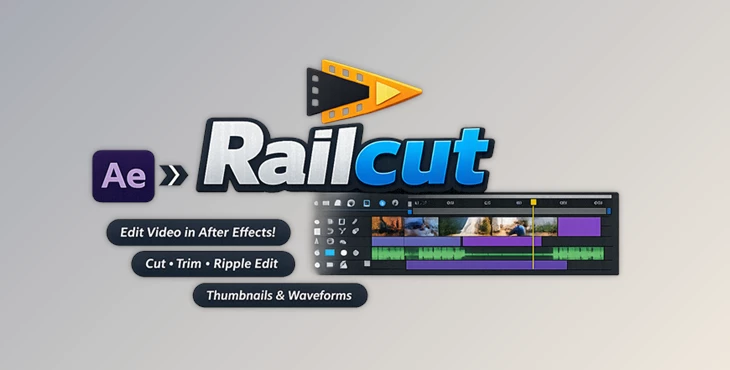
Railcut is a set of powerful editing tools that brings a track-based editing workflow directly into After Effects.
Instead of struggling with AE’s layer-based timeline, Railcut transforms your workflow into something that feels like Premiere Pro or DaVinci Resolve—familiar, fast, and intuitive.
Why this improves your workflow:
- You save time by avoiding round-trips between software
- You can edit and animate in one place
- You get a clear visual overview of your clips, audio, and timing
Imagine cutting a music video directly inside After Effects while instantly applying effects and motion graphics—no exporting, no switching apps.
🚀 Meet Railcut: A Smarter Editing Experience
Railcut makes editing within After Effects a truly enjoyable experience.
You get a full editing environment within After Effects.
✨ Features
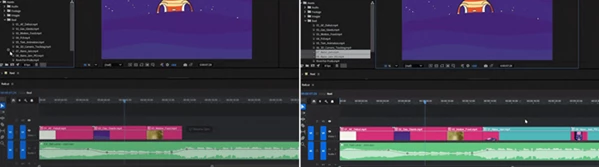
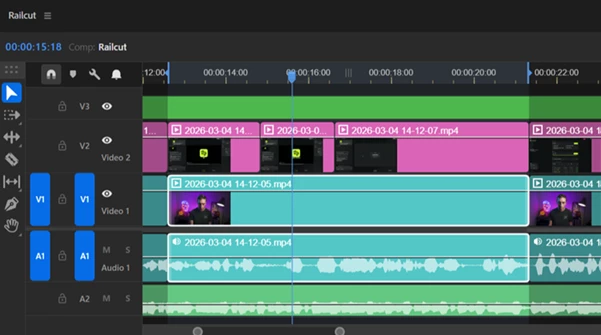
🎞️ Multi-track Timeline
Video tracks on top, audio tracks below—just like any professional editor. No learning curve.
✂️ Full Editing Toolset
Includes:
- Ripple Edit
- Rolling Edit
- Blade Tool
- Slip & Slide
- Rate Stretch
- Pen Tool for keyframes
Everything you expect from a real editor.
🔊 Audio Waveforms
See your audio clearly and cut perfectly to beats without guessing.
🖼️ Video Thumbnails
Instant visual previews of clips so you always know what you’re editing.
⚡ Drag & Drop Workflow
Drop footage directly from the Project Panel or even Finder—no import/export needed.
🧲 Snapping System
Clips, markers, and playhead snap together for precise edits.
🔄 Live Layer Sync
Select a layer in After Effects, and it instantly syncs in Railcut. Everything stays connected.
⌨️ Custom Shortcuts
Supports presets from:
- Premiere Pro
- DaVinci Resolve
- Final Cut Pro
- After Effects
Fully customizable for your workflow.
🎯 Real-World Use Cases
- Editing YouTube videos directly in After Effects
- Creating motion-heavy edits without leaving AE
- Cutting music videos with precise audio timing
- Building social media content faster with fewer steps
🧠 Pro Tips for Better Results
- ⚡ Keep your compositions lightweight: Performance in Railcut depends on After Effects. If After Effects is running smoothly for you, Railcut will be fine too.
- 🎯 Use waveforms for precision: Even without audio scrubbing, the waveform allows you to finely cut your composition.
- 🧩 Organize your timeline: Use your available tracks wisely to separate your audio and visual elements.
- 🖥️ Dock smartly: Keep the After Effects timeline open in a minimized state and dock Railcut below After Effects.
- 🔁 Think “edit first, effects second.”: Structure your composition in Railcut and enhance the elements in After Effects.
🔚 Final Thoughts
Railcut changes the way you think about After Effects.
For those who work heavily with motion graphics in their projects, Railcut ensures that you remain within After Effects and saves you time and effort.
Simple idea, powerful impact.
If you’ve ever wished that After Effects behaved more like a real editing program, Railcut is your answer.