Downloadable Files
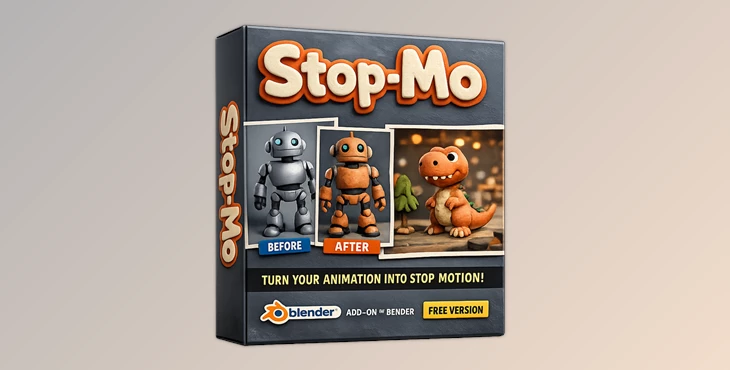
You can download the Stop-Mo product for free at the end of this page.
🎬 Bring Your Animations to Life with Stop-Mo
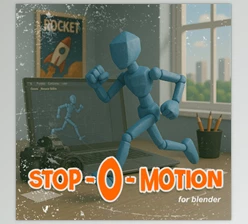
Have you ever wanted your 3D animations to feel more artistic and handcrafted? Stop-Mo makes that possible with just one click. This simple Blender add-on transforms smooth digital animations into charming stop-motion-style visuals, adding personality and a unique creative touch.
🧩 What is Stop-Mo and Why Use It?
Stop-Mo is a Blender add-on that allows artists to simulate stop motion within their Blender projects.
Why is it useful?
In real stop motion, objects are moved and captured frame by frame. This creates a slightly imperfect motion style that feels more natural and artistic compared to perfectly smooth digital animation.
Practical Uses:
- 🎥 Creating stylized short films
- 📱 Producing engaging social media animations
- 🎮 Adding character to game cinematics
- 🎨 Experimenting with creative animation styles
Why does it improve your work?
Perfect animation can sometimes feel too mechanical. Stop-Mo introduces controlled imperfections, making animations feel more organic, expressive, and visually appealing.
🚀 Introducing Stop-Mo
Stop-Mo is a free and easy-to-use Blender add-on designed to simplify the process of creating stop motion-style animations.
✨ Features
- One-Click Conversion: Instantly convert your animation into a stop motion style.
- Customizable Settings: Adjust frame rates and animation ranges for full control.
- Easy Removal: Apply or remove the effect anytime without affecting your original animation.
- Real-Time Preview: See your results instantly and refine your animation quickly.
- Texture Animation Tools: Add realism by animating and rotating textures effortlessly.
🎯 Example
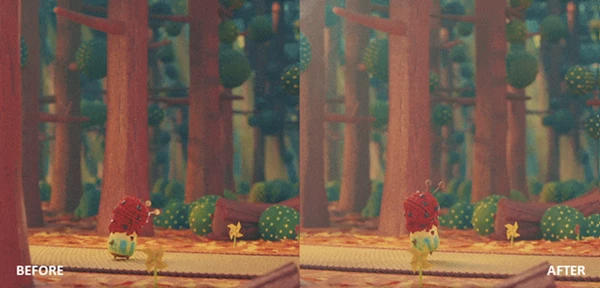
For Example, a simple character walk cycle can instantly look like a handcrafted clay animation, giving your project a unique visual identity.
🎯 Pro Tips for Better Results
- Use moderate stepping between frames for Stop-Mo to add a natural look to your projects.
- Add random movements for a more realistic stop-motion style to your projects.
- Use different lighting styles within your projects to simulate a stop-motion look and feel.
- Preview your projects to fine-tune the Stop-Mo animations.
- Use the texture animation tools to add further dimension to your projects.
💡 Final Thoughts
Stop-Mo allows artists to add a new artistic dimension to their Blender projects. This add-on is perfect for beginners and professionals alike to experiment with stop-motion animation styles within their projects without much difficulty.
Give the Stop-Mo add-on for Blender a try to transform your animations and give them a unique visual identity.

Files Password : gfxplugin.com OR 123456