Downloadable Files
You can download Dither Decay for free from the bottom of this page.
🎬 A Fresh Way to Destroy Perfection (In a Good Way)
If your footage is too clean, too sharp, and too perfect to be natural, then Dither Decay might be the perfect tool to add some character to your footage - transforming it into beautifully imperfect, grungy, pixelated visuals perfect for those inspired by retro consoles!
With Dither Decay, your footage can look like it’s from an old console or even a VHS tape with some degradation.
🧠 What Is Dither Decay & Why It Matters
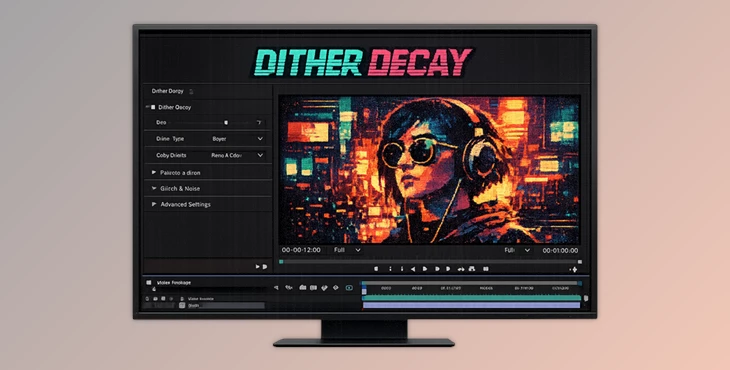
Dither Decay is a plugin that will help you transform your footage from Adobe After Effects and Premiere Pro into dithered visuals perfect for those inspired by retro gaming consoles!
Why is this important?
Dithering isn't just random pixelation—it's a technique used in early digital graphics to simulate color depth and texture. By applying it to modern footage:
- You break digital perfection and add visual interest
- You create a nostalgic, retro aesthetic
- You introduce texture that feels organic and analog
Real-world examples:
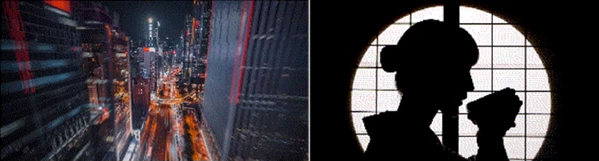
- Turning cinematic footage into Game Boy-style visuals
- Adding lo-fi grit to music videos
- Creating experimental visuals for motion graphics or branding
These features improve your work by making it stand out—adding mood, depth, and a unique visual identity that clean footage often lacks.
🧰 Meet the Tool: Why Dither Decay Stands Out
Dither Decay is designed for creators who want powerful visual transformation without complicated workflows. It simplifies complex dithering techniques into an intuitive, fast, and flexible experience.
⚙️ Features
🎚️ Detail Control
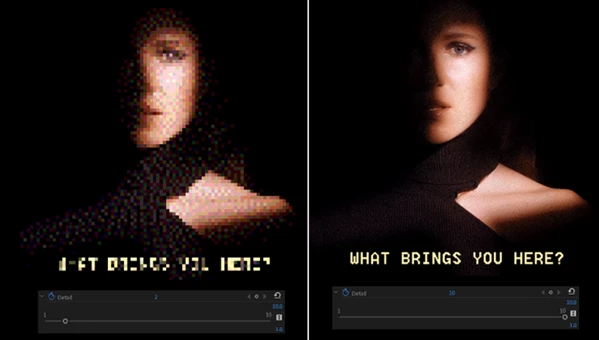
Set the level of detail of your visuals to either low for heavy pixelation or high for more subtle visuals.
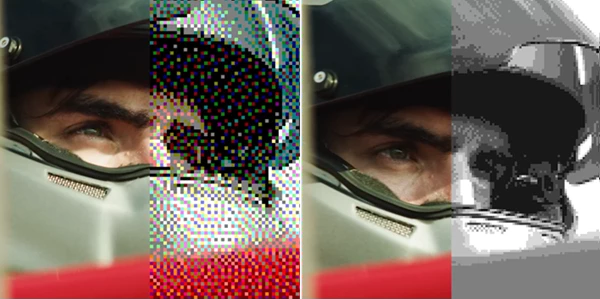
🎨 11 Color Palettes + Custom Colors
Pick from 11 different color palettes created to emulate retro games, or pick your own custom colors for your project!
🧩 Multiple Dithering Methods
Different algorithms = different textures.
Each method produces a unique visual feel:
- Sharp pixel grids
- Soft diffusion patterns
- Harsh, glitchy noise
Mix these with color palettes to create endless combinations.
⚡ Fast & Intuitive Workflow
- Works directly inside After Effects & Premiere Pro
- Great results with minimal tweaking
- Advanced controls are available when needed
Perfect for both beginners and professionals.
🎥 Real Creative Use Cases
- Music Videos: Add gritty, underground vibes
- Motion Graphics: Create retro UI or pixel-style animations
- Social Content: Stand out with eye-catching textures
- Film Projects: Simulate old broadcast or analog degradation
💡 Pro Tips for Better Results
🔧 Start Subtle, Then Push Further
Begin with greater detail and gradually reduce it. This helps you find the perfect balance without overdoing the effect.
🎨 Match Palette to Mood
- Warm palettes → nostalgic, emotional feel
- Limited palettes → stronger retro vibe
- Custom palettes → brand consistency
🔄 Combine Methods Creatively
Try layering different dithering methods across clips or scenes to create visual variation.
🎯Use the Tool With Intention
The best results come when Dither Decay creates the perfect element or effect for your project rather than just adding something random.
🚀 Final Thoughts
Dither Decay is a truly excellent tool and one of the best available for After Effects and Premiere Pro.
This tool gives you complete control over the process without slowing you down. Whether you’re after subtle effects or something more chaotic and pixelated, Dither Decay will do a beautiful job.
For anyone looking to give their footage a unique visual identity and personality, this plugin is definitely worth trying.