Downloadable Files
You can download the product Retouch Pro Panel for free at the end of this page.
✨ Editing Photos Should Feel Easy
Let’s be honest—editing in Photoshop can get complicated fast. Between all the tools, layers, and techniques, it’s easy to lose time on things that aren’t really creative.
That’s where Retouch Pro Panel changes the game. It takes the heavy, repetitive work off your shoulders and lets you focus on what actually matters: making your photos look amazing.
🎯 What Exactly is Retouch Pro Panel?
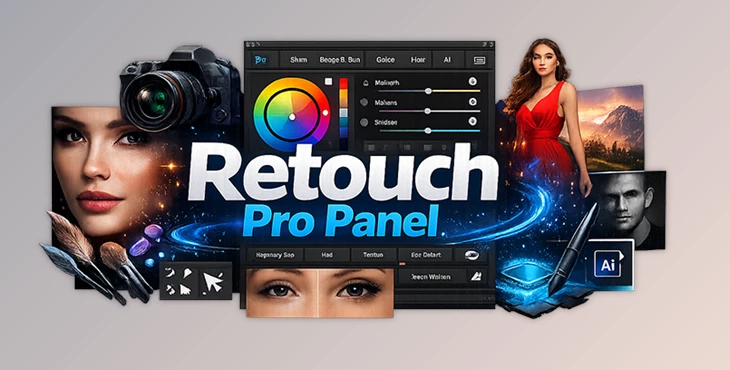
Simply put, Retouch Pro Panel is a smart extension for Photoshop that turns complex editing tasks into quick, simple actions.
Instead of doing everything manually, you get ready-made tools that handle things like retouching, masking, and color grading in just a few clicks.
Where You’ll Actually Use It
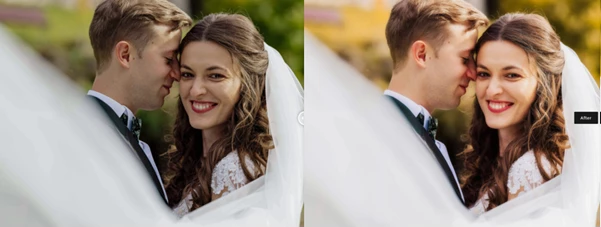
- Fixing and enhancing portraits without spending hours on skin retouching
- Creating beautiful color tones using an easy visual color wheel
- Cleaning up backgrounds or making quick adjustments
- Speeding up your workflow for client or commercial projects
Why It Makes a Difference
Because it removes the “technical struggle” part of editing.
You spend less time figuring things out—and more time creating something that looks good.
🚀 A Tool That Simplifies Photoshop
Retouch Pro Panel is designed to feel natural, even if you’re not a Photoshop expert.
Everything is placed in one clean panel, so you don’t have to jump between menus. It’s fast, organized, and surprisingly easy to get used to.
⚙️ Features
Here’s what really stands out:
🎨 Smart Color Control
The built-in color wheel helps you create balanced color combinations without guessing.
You can easily try different styles like complementary or cinematic tones and see the result instantly.
🤖 Automation That Saves Time
A lot of the boring, repetitive work is handled automatically.
Things that used to take minutes (or hours) now take seconds.
🧩 Simple, Clean Interface
No clutter, no confusion.
Whether you’re new or experienced, it’s easy to navigate.
🖼️ Safe Editing (Non-Destructive)
Your original image stays untouched, so you can experiment freely without worrying about mistakes.
⚡ Faster Workflow
Everything is built to save time—perfect if you’re working on multiple photos or tight deadlines.

💡 Tips to Get Better Results
If you want your edits to look more natural and professional, keep these in mind:
- Don’t overdo it—subtle edits usually look better
- Use the color wheel to keep your tones consistent
- Combine a few tools instead of relying on just one
- Always check your image at different zoom levels
- Try to keep a consistent style across your work
🌟 Final Thoughts
Retouch Pro Panel isn’t just another Photoshop add-on—it’s something that actually makes editing easier and faster.
It helps you skip the complicated parts and focus on the creative side of photography. And honestly, that’s what most people are looking for.
If you’re tired of spending too much time on editing and want a smoother workflow, this tool is definitely worth trying.

Files Password : gfxplugin.com OR 123456