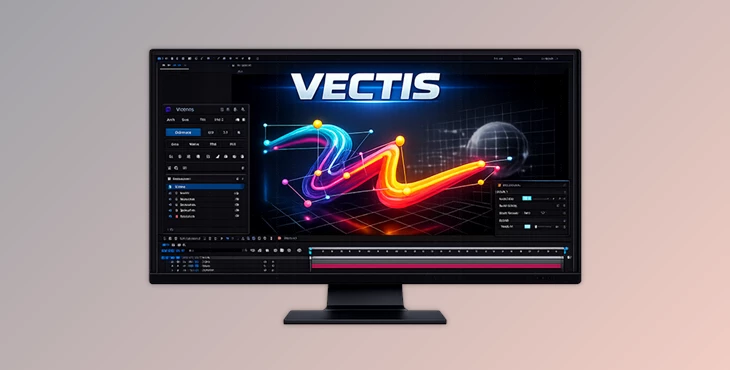
Downloadable Files
You can download VECTIS for free at the bottom of this page.
✨Give Your Lines Real Depth (Introduction)
Have you ever looked at a simple path in After Effects and thought to yourself, “This could be so much better with a bit of depth”?
VECTIS is the solution that will transform your simple Bezier paths into depth-aware strokes that will react to your motion and your camera. No complicated setup—just simple, intuitive tools to give your projects a sense of depth.
🎯 What VECTIS Does (And Why It’s Useful)
VECTIS was built to allow you to take a 2D path and transform it into 3D elements with a few clicks.
It automatically creates depth in your strokes based on the distance of your elements from your camera. This allows them to have a realistic sense of depth in your project.
🧩 Where You’ll Actually Use It
- Logo animations: Add subtle depth that makes your work feel premium
- Motion graphics: Create flowing lines that feel alive and dynamic
- Product visuals: Highlight shapes with stylish 3D strokes
- Abstract scenes: Build waves, trails, and futuristic line designs
🚀 Why It Makes a Difference
This isn’t just about looks—it’s about workflow:
- You save time by avoiding manual adjustments
- Your animations feel more natural automatically
- You get more control without extra complexity
🧰 A Closer Look at the Tool
VECTIS is designed to be fast and intuitive. You draw a path, click generate, and you’re already working in a 3D-like environment.
⚙️ Features
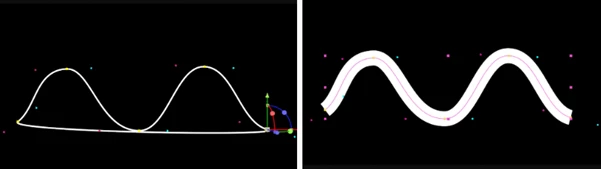
- One-click generation: Turn any Bezier path into a 3D stroke instantly
- Automatic depth scaling: Stroke thickness adjusts based on camera distance
- Editable 3D controllers: Move and shape every point freely in space
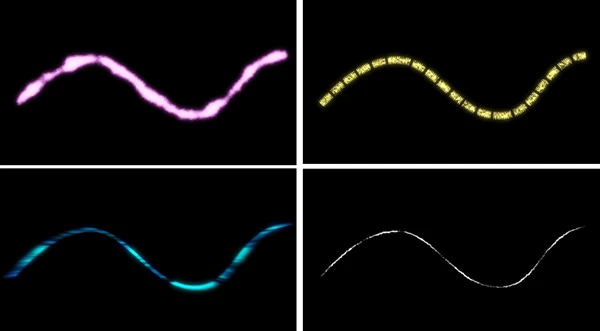
- Quick style tools (Dash, Wave, Trim, Fill): Add effects without touching expressions
- Built-in presets: Apply ready-made looks in seconds
- Follow system: Attach objects and animate them along your path
- Track to DRAW: Convert motion paths into editable strokes
- Alignment and handle tools: Keep your curves clean and consistent
- No plugins required: Works directly inside After Effects
🎨 Real Project Ideas
- A glowing line wrapping around a product in 3D space
- Smooth animated strokes forming a logo
- Motion trails following fast-moving objects
- Tube-style lines for futuristic interfaces
💡 Tips to Get Better Results
🎯 Keep It Simple First
Start with clean, simple paths. You’ll get better control and nicer curves.
🎥 Let the Camera Do the Work
Small camera movements can add a lot of realism. You don’t need anything extreme.
🎨 Mix Presets with Custom Tweaks
Presets are great, but adjusting them slightly makes your work feel unique.
🔁 Duplicate for Richer Looks
Copy your strokes and offset them a bit to create layered or tube-like effects.
🧩 Use Follow for Motion Design
Attach elements like icons or text to your path for smooth, controlled animation.
🚀 Final Thoughts
This is another of those remarkable tools that would go unnoticed in your project unless you were not aware of what it could do.
As a motion graphic and animation tool, VECTIS will help you to achieve what you want with minimal effort.
Give it a try and play with the various features that VECTIS offers. After a few projects, you’ll be surprised at the benefits it brings to your composition process.

Files Password : gfxplugin.com OR 123456