Downloadable Files
You can download Survey Image Aligner for free at the end of this page.
✨ A Smarter Way to Align Your Reference Images
If you’ve ever tried aligning survey images or reference photos manually in Blender, you already know how tricky and time-consuming it can be. Small errors in rotation or scale can easily ruin the accuracy of your entire project.
Survey Image Aligner removes the guesswork. With precise calculations based on real reference points, it helps you align images quickly and accurately—making your workflow smoother and far more reliable.
🎯 What Is It and Why Does It Matter?
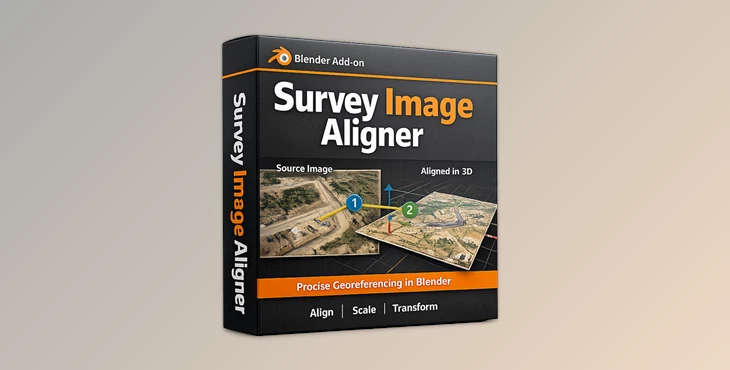
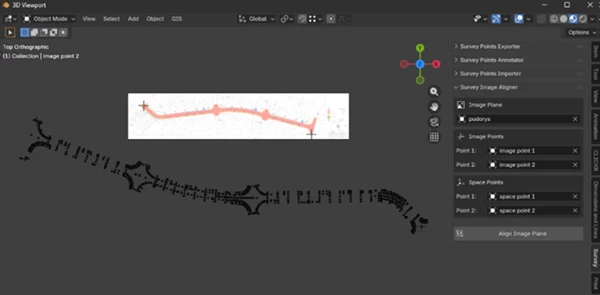
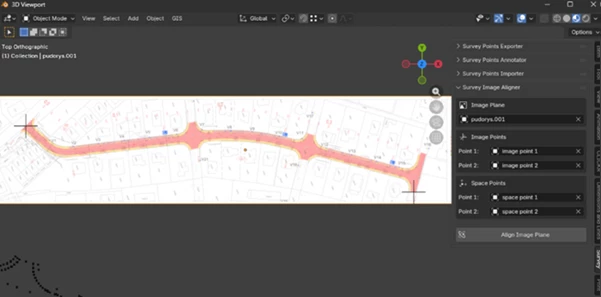
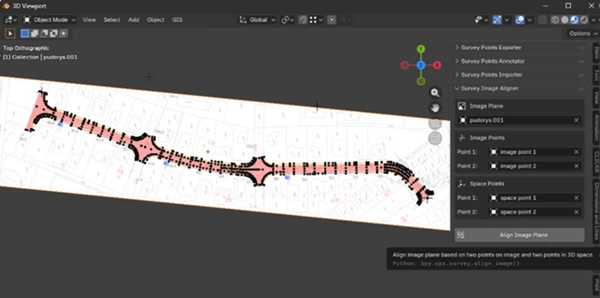
Survey Image Aligner is a Blender add-on that aligns image planes using two known reference points. Instead of manually adjusting position, rotation, and scale, the tool calculates everything automatically in real-world coordinates.
Why this improves your results:
- Ensures accuracy in technical and survey-based projects
- Saves time by eliminating manual adjustments
- Provides consistent and repeatable results
Practical examples:
- Aligning survey photos to match real-world dimensions
- Preparing scanned drawings for modeling
- Creating accurate site layouts for engineering or visualization
The key advantage is precision—what you see in Blender actually reflects real measurements.
🧩 Meet the Tool: Survey Image Aligner
Designed for professionals who require their images to be perfectly aligned, Survey Image Aligner simplifies the process for precisely placing their reference images into the software.
⚙️ Features
🔹 Two-Point Alignment
Align image planes using two reference points for fast and precise positioning.
🔹 Accurate Transformations
Automatically applies:
- Rotation
- Scale
- Translation
All based on real-world coordinates.
🔹 Technical Workflow Ready
Built for:
- Surveying
- Construction visualization
- Infrastructure projects
🔹 Clean and Minimal UI
A simple interface integrated into Blender for a smooth user experience.
🔹 Non-Destructive Workflow
Works on existing image planes without altering your original data.
💡 Tips & Pro Techniques
- Choose accurate reference points: The better your input points, the more precise the result.
- Use clearly visible markers in your images for easier alignment.
- Combine with measurement tools in Blender for even more accuracy.
- Keep your scene organized to avoid confusion when working with multiple reference images.
These small habits can significantly improve your final output.
🚀 Final Thoughts
Survey Image Aligner is an essential Blender tool that offers users the precision they need. It eliminates the manual adjustments required to align images and allows users to work faster with their real-world data. Whether you’re working on engineering projects or even construction visualizations, this tool will make a noticeable difference in the outcome of your project.

Files Password : gfxplugin.com OR 123456