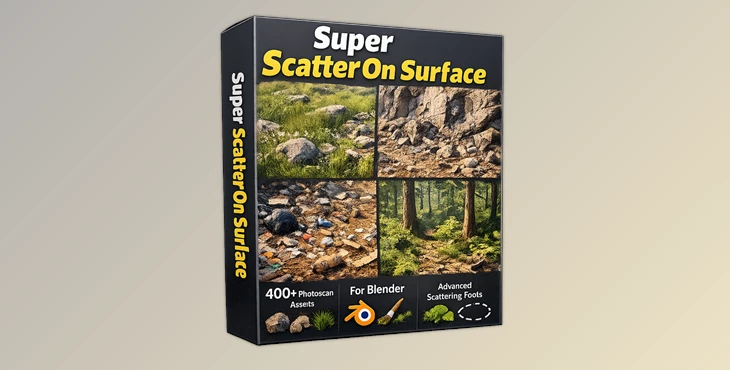
Downloadable Files
You can download the Super Scatter On Surface product for free at the bottom of this page.
🌱 A Smarter Way to Scatter in Blender
If you’ve ever worked with Blender’s old particle system or tried building scattering setups with Geometry Nodes, you probably know how time-consuming and complex it can get.
Super Scatter On Surface completely changes that experience. It turns Blender’s new Scatter on Surface modifier into a ready-to-use, asset-rich system that helps you create realistic environments in seconds. No more empty setups—just instant results with high-quality scanned assets.
🧩 What Is It & Why It’s Useful
Super Scatter On Surface is an upgraded version of Blender’s Scatter on Surface modifier. Instead of manually selecting objects or building systems from scratch, it uses a simple index-based system (0–79).
Each index corresponds to a pre-made collection of high-quality photogrammetry assets like grass, rocks, debris, and more.
Why this improves your workflow:
- Faster setup: No need to import or organize assets manually
- Better realism: Assets are based on real-world scans
- Efficient performance: Linked assets don’t increase file size
- Creative flexibility: Easily mix and layer multiple asset types
For example, if you’re building a natural scene, you can quickly test different grass variations (indexes 4–15) and combine them with soil or stones to achieve a realistic look in minutes.
🚀 Professional Tool Overview
Super Scatter On Surface is designed to make environment creation easier, faster, and more realistic. It enhances Blender’s default system by adding a full library of optimized assets and smart controls.
Features
🔢 Index-Based Asset System
- Replace manual object selection with a simple index (0–79)
- Each number loads a curated asset collection
- Preview assets directly in the Asset Browser
🌍 High-Quality Photoscan Assets
- Real-world scanned objects (grass, cliffs, debris, etc.)
- Organized into over 20 categories
- Optimized for scattering workflows
🔗 Linked Asset System
- Assets are stored locally and linked into your scene
- Keeps your Blender file size extremely small
- Prevents duplication and saves memory
⚡ Performance Optimization (HQ Toggle)
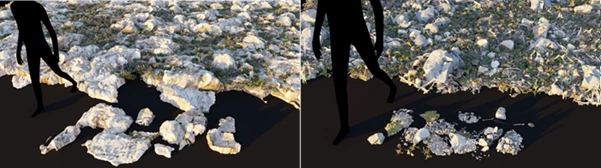
- Switch between high-quality and low-poly versions
- Reduced mesh density for faster performance
- Simplified shaders when HQ is disabled
🎨 Smart Shader System
- High-quality mode includes realistic effects like SSS and translucency
- Low mode uses optimized shaders for speed
- Balance between realism and performance
🌫️ Dust Blending Option
Adds realistic dust effects using multiple factors:
- Ambient Occlusion
- Camera angle
- World direction (Z-axis)
- Random variation
Helps objects blend naturally into the environment
🎯 Painting Control Options
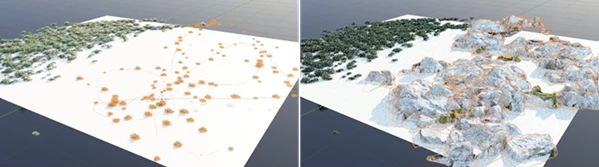
- Brush painting: Place assets manually using Texture Paint
- Curve-based placement: Use curves for controlled scattering paths
💡 Pro Tips & Techniques
- Layer multiple assets: Combine grass, soil, and debris for more natural scenes
- Use low-poly mode for previews: Switch to HQ only for final renders
- Add dust for realism: It helps unify scattered objects visually
- Mix index values: Don’t rely on one asset—variation is key to realism
- Use painting tools: Control exactly where assets appear for better composition
These small adjustments can dramatically improve the quality and realism of your scenes without adding complexity.
🎬 Final Thoughts
Super Scatter On Surface is not just another Blender tool. This tool improves the way users work within Blender and makes for much more creative control. The inclusion of optimized assets and a variety of controls and features makes this tool ideal for quickly and efficiently creating complex, realistic scenes. All of this leads to a tool that is definitely worth trying for anyone looking to get faster, more realistic results in their Blender projects.

Files Password : gfxplugin.com OR 123456