Downloadable Files
You can download Zone Below for free from the end of this page.
✨ A Fresh Way to Reveal What’s Hidden
If you’ve ever wanted to reveal parts of a layer in After Effects without complicated masking setups, Zone Below feels like a breath of fresh air. Instead of struggling with traditional masks, this tool lets you dynamically uncover areas beneath a layer—smoothly, creatively, and with full control.
It’s one of those tools that instantly sparks curiosity: What if revealing elements could be this simple and flexible?
🎯 What Is It & Why It Matters
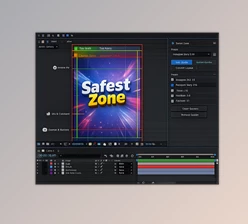
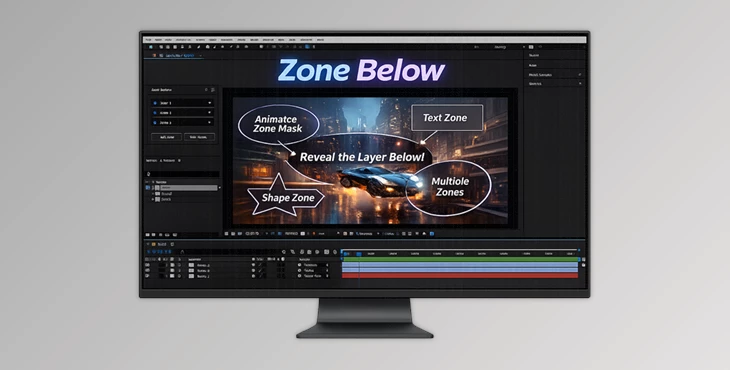
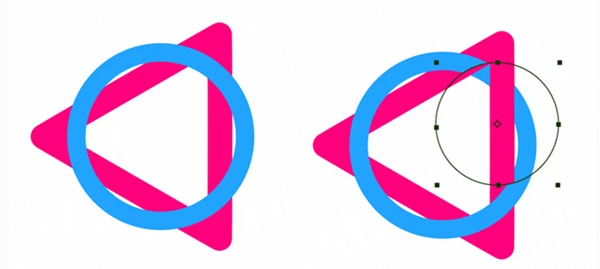
At its core, Zone Below is an After Effects extension that uses zone masks to reveal specific areas of layers beneath.
Instead of manually animating masks frame by frame, you can define zones that act as reveal windows—moving, animating, and evolving however you want.
💡 Real-World Uses
- Creating smooth reveal animations for text or logos
- Highlighting parts of a scene dynamically
- Building modern UI or motion graphics transitions
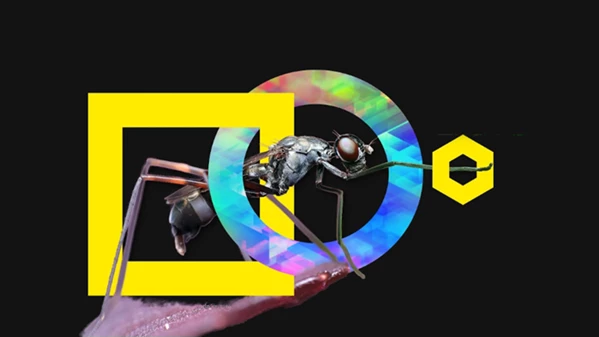
- Revealing footage through animated shapes
🚀 Why It Improves Your Workflow
- Faster setup: No need for complex masking structures
- More control: Move and animate zones freely
- Cleaner results: Smooth, professional reveals without artifacts
All of this means less time fighting with tools—and more time focusing on creativity.
🧩 Meet the Tool: Zone Below
Zone Below is designed to simplify one specific but powerful task: revealing layers in a smarter, more interactive way. It transforms a traditionally tedious process into something intuitive and even fun.
🔧 Features
- Interactive Reveal Zones: Move and animate reveal areas in real-time for precise control
- Unlimited Zones: Use multiple zones simultaneously to create complex reveal effects
- Wide Compatibility: Works seamlessly with Shape Layers, Text, and Precompositions
- Ultra-Compact UI: Clean and minimal interface that stays out of your way
🎬 Example Use Cases
- A logo gradually revealed through moving circular zones
- Text appearing through animated geometric shapes
- Cinematic transitions where parts of footage are selectively exposed
These aren’t just effects—they’re storytelling tools.
🎨 Pro Tips & Creative Techniques
Want to get the most out of Zone Below? Try these:
- Combine multiple zones: Layering zones creates richer, more dynamic reveals
- Animate with easing: Use smooth keyframes for natural motion
- Mix with opacity & blur: Add a subtle blur or fade for more cinematic results
- Use with precomps: Build complex compositions and reveal them in stages
The key is experimentation—small tweaks can dramatically improve the final look.
🚀 Final Thoughts
Zone Below is another one of those tools that will upgrade your entire workflow. Zone Below simplifies a complex process for you and gives you more creative freedom over your projects. It’s perfect for those looking to create motion graphics and transitions for their projects. Give it a try and explore its features to see how quickly it can become part of your creative toolkit.

Files Password : gfxplugin.com OR 123456