Downloadable Files
You can download Ray Projector for free at the end of this page.
✨ A Fresh Way to Turn Flat Images into 3D Magic
Have you ever looked at a flat image and wished that it would become a part of the three-dimensional world? Ray Projector will give you just that.
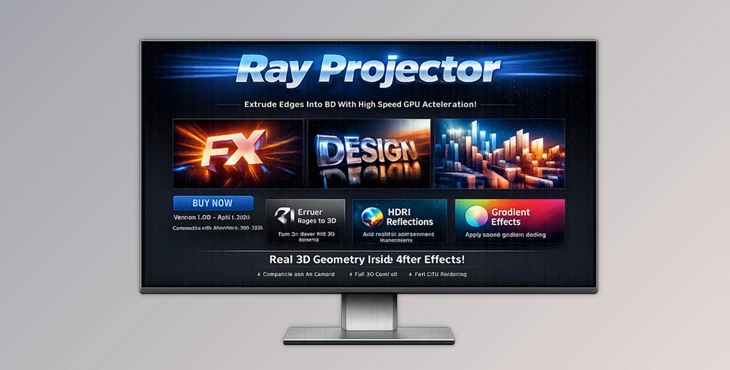
Ray Projector is a GPU-accelerated plugin for After Effects that converts flat images into 3D objects. It gives you the ability to create 3D objects without having to use complicated 3D software. Best of all, it is fun to use.
🎯 What Is Ray Projector & Why It Matters
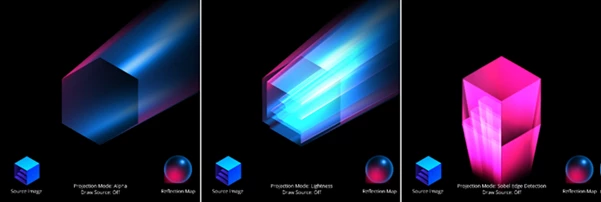
At its core, Ray Projector is a tool that detects edges in your image and extrudes them into 3D geometry. Instead of manually building 3D shapes, the plugin automatically analyzes either transparency or color intensity to find contours—then turns those into real 3D forms.
Why this is powerful:
- Saves time: No need for external 3D software
- Enhances visuals: Adds depth and realism instantly
- Creative flexibility: Works with logos, text, illustrations, and more
Real-world examples:
- Turning a flat logo into a reflective 3D intro
- Adding depth to motion graphics elements
- Creating futuristic UI visuals with glowing extrusions
These features dramatically improve your final output by making visuals more immersive and visually engaging.
🚀 Meet the Tool: Ray Projector
Ray Projector is designed to make 3D creation inside After Effects simple, fast, and visually impressive. It bridges the gap between 2D design and 3D rendering without overwhelming the user.
🔧 Features
Contour Extrusion
- Detects edges from transparency or color and converts them into 3D geometry. You can control the extrusion distance and direction to shape your design exactly how you want.
Reflection Mapping
Applies a semi-transparent material with a spherical reflection map.
- Includes 6 built-in maps
- Supports custom layers for unique reflections
This adds realism and a polished, high-end look to your models.
Gradient Coloring
- Adds a gradient along the extrusion axis, giving your 3D forms more visual depth and style. Perfect for modern motion design aesthetics.
True 3D Integration
- Works seamlessly with After Effects’ native 3D camera system. You can rotate, move, and animate your models naturally within your scene.
🎬 Practical Use Cases
- Creating stylish 3D logo animations
- Enhancing UI/UX motion graphics
- Designing abstract 3D visuals for music videos
- Adding depth to typography and icons
Imagine taking a simple PNG and turning it into a glowing, reflective 3D object that reacts to camera movement—this is where Ray Projector shines.

💡 Pro Tips for Better Results
Want to get the most out of the Ray Projector? Try these:
- Use clean source images: Clear edges = better extrusion results.
- Experiment with reflection maps: Custom maps can completely change the mood of your scene.
- Combine gradients with lighting: Subtle gradients plus reflections create a premium look.
- Animate the camera: Since it’s true 3D, camera movement adds a huge boost in realism.
- Keep it subtle: Sometimes, less extrusion and softer reflections look more professional.
🔥 Final Thoughts
Ray Projector is a powerful, easy-to-use tool for creating 3D content in After Effects. This plugin removes any technical difficulty and allows you to focus on your design and creative potential. If you work with motion graphics, brand assets, or visual design, Ray Projector is a must-have tool in your collection. Give it a try—you'll be surprised at the result.

Files Password : gfxplugin.com OR 123456