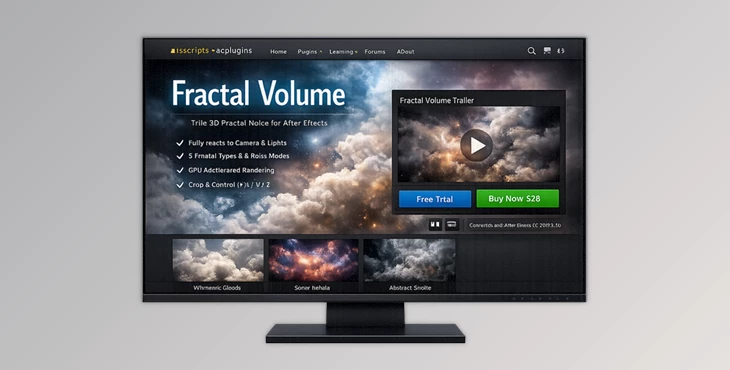
Downloadable Files
You can download Fractal Volume for free at the end of this page.
🌌 Dive Into True 3D Creativity
Have you ever wanted to create realistic-looking clouds, space visuals, or smoke within After Effects, yet struggled with the limitations of existing 2D noise plugins? Then Fractal Volume is the new plugin you have been waiting for!
With true 3D noise and lighting interaction capabilities, Fractal Volume will take your compositions to the next dimension of motion graphics design!
🎯 What Is Fractal Volume & Why It Matters
At its core, Fractal Volume generates procedural noise in 3D space, not just on a flat layer.
Why is that important?
Because now:
- You can fly through clouds or nebulae like a real camera in space
- Lighting interacts naturally with your noise, creating real depth and shading
- Your scenes feel cinematic instead of synthetic
Real-World Uses
- Creating realistic clouds, fog, or smoke
- Designing space scenes and starfields
- Building abstract motion graphics with depth
- Enhancing cinematic VFX shots
These features dramatically improve visual realism because everything reacts dynamically—camera movement reveals new detail, and lights create believable highlights and shadows.
🚀 Meet the Tool: Fractal Volume
Fractal Volume is a professional plugin for Adobe After Effects that offers powerful volumetric noise capabilities for designers and motion graphics artists. It features all of the essential tools to give you the best performance from your After Effects projects with GPU acceleration for fast rendering.
✨ Features
- True 3D Fractal Noise: Creates depth within your compositions and responds to camera movements for 3D fly-through animations.
- Advanced Lighting Interaction: Experience lighting interaction with your noise layers to add depth to your visuals.
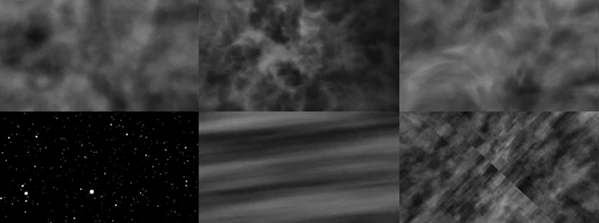
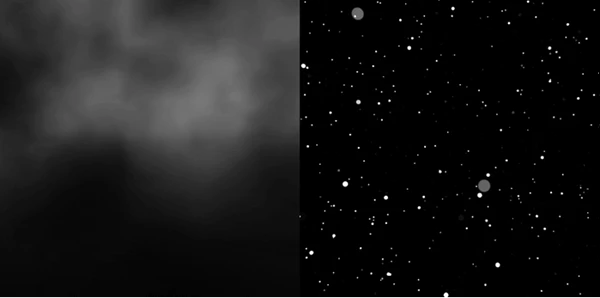
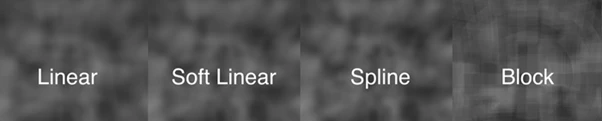
- Multiple Noise & Fractal Types: Choose from 5 types of fractals and 4 types of noise to generate the perfect noise for your project. Additionally, the Sub Noise feature adds further complexity to your noise.
- Animation & Control: Create loopable animations within the tool with phase control.
- Precision Controls: Crop your noise layers along the X, Y, and Z axes and control the map depth, density, and render quality of your 3D noise.
- Color & Look Adjustments: Fine-tune the brightness and contrast of your noise.
- GPU Acceleration: Obtain fast rendering performance within After Effects with GPU acceleration.
💡 Pro Tips for Better Results
- Use subtle lighting first: Start with soft lights, then increase intensity to avoid harsh results
- Animate the camera, not just the noise: Real depth shines when the camera moves through the volume
- Combine multiple noise layers: Stack variations for richer, more organic visuals
- Adjust density carefully: Too much density can flatten the look—balance is key
- Use color grading: Small tweaks in contrast and brightness can dramatically improve realism
These simple techniques can turn a good visual into something truly cinematic.
🎬 Final Thoughts
Fractal Volume is a tool that enhances the capabilities of After Effects to create truly realistic and deep volumetric noise for visual projects. Whether your projects include motion graphics, VFX, or even film projects, Fractal Volume will provide you with the tools you need.
If you are looking for a way to add more realism to your projects or if you simply want to add more depth and improve your After Effects workflows, then this tool is definitely worth considering for your project designs.
Give it a try and explore the features available to vastly improve your projects!

Files Password : gfxplugin.com OR 123456