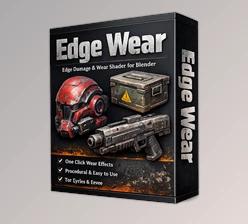
Downloadable Files
You can download Hardshell Shaders for free at the end of this page.
🎨 Give Your Models a Bit of Life
Ever noticed how perfectly clean models often feel… a bit fake? In the real world, nothing stays untouched—paint fades, metal scratches, and surfaces wear down over time.
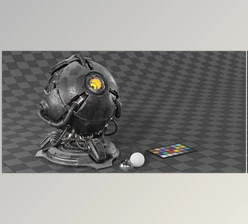
Hardshell Shaders will give your models a bit of wear and tear to make them feel more realistic.
🧩 What Exactly Are Hardshell Shaders?
In simple terms, Hardshell Shaders are ready-to-use materials designed to simulate painted and metallic surfaces with realistic wear.
Instead of building everything from scratch, you just apply a shader and instantly get a believable result.
Where does it help?
- Game assets that need quick polish
- Hard-surface models like weapons, vehicles, props
- Any project where realism matters
The reason it works so well is simple: details like scratches and color variation make objects feel used and grounded in reality.
⚙️ A Quick Look at the Tool
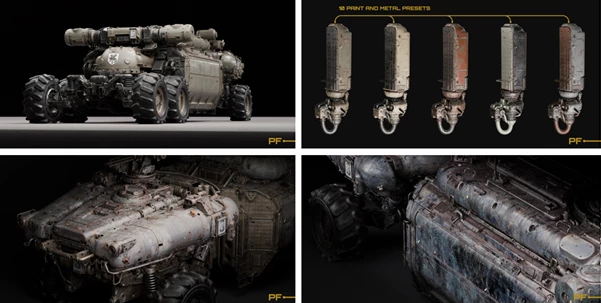
This shader pack is built to make your life easier. You get a collection of paint styles and metal presets that already behave the way real materials do.
No need to tweak dozens of nodes—just apply, adjust a bit if needed, and you’re good to go.
✨ Features
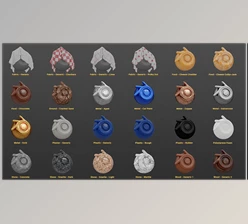
🎨 Paint Shaders
Each paint shader has its own personality:
- Paint_1 – Classic Green
A clean but slightly worn look. Works almost anywhere. - Paint_2 – Desert Style
Designed for tan and light colors. Great for dusty or outdoor scenes. - Paint_3 – Advanced Paint
More control, more wear. Perfect when you want to fine-tune the look. - Paint_4 – Grimdark
Dark, gritty, and heavily worn. Ideal for moody projects. - Paint_5 – Heavy Wear
Strong discoloration and aging. Good for dramatic, story-driven assets.
🔩 Metal Preset
- Metal_1 – Classic Dark Metal
A solid, reliable metal shader that fits almost any situation.
Why are these useful
- You save a lot of time
- Results look consistent and realistic
- Easy to match different styles
- Flexible enough for quick tweaks
🛠️ Tips to Get Better Results
- Keep it subtle
Too much damage can look unnatural. Start light, then add more if needed. - Think about usage
Edges and corners usually wear out first—focus there. - Match your scene
Use desert tones for sandy environments, darker ones for industrial or sci-fi looks. - Mix materials
Combine paint and metal to create chipped or layered effects.
🚀 Final Thoughts
If you want your models to feel less “CG” and more real, one of the best places to start is with Hardshell Shaders.
It gives you some great results fairly quickly, without too much of a complication to the process.
Definitely worth trying out - especially if you care about the small details of your models.

Files Password : gfxplugin.com OR 123456