Downloadable Files
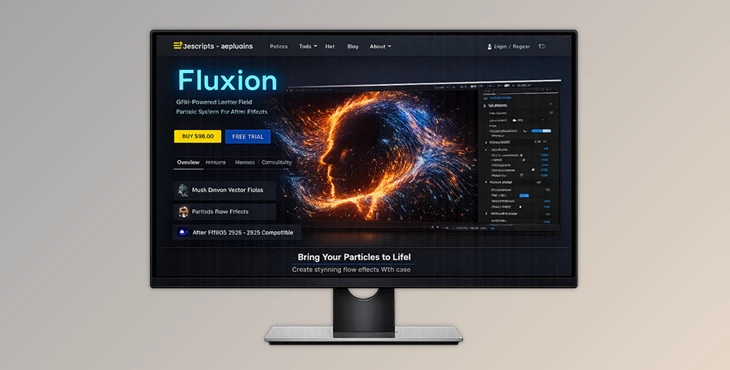
You can download the product Fluxion for free from the end of this page
✨ Bring Your Masks to Life
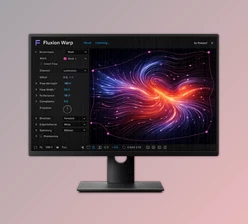
Imagine turning your simple mask into a force that can move your particles in a natural, fluid manner. That’s exactly what Fluxion does. Fluxion allows you to draw the movement of your particles, eliminating the need for manually animating the movement of your particles.
It’s incredibly fast, uses the GPU, and is satisfying to use. As soon as you see your particles flowing along your shapes, you’ll understand how much time and effort you’ll save.
What Is Mask-Driven Flow And Why Is It Important?
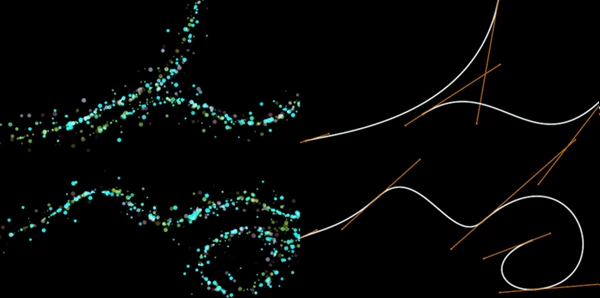
Fluxion essentially creates a vector field from your masks. In other words, whatever mask you draw will be converted into movement for your particles.
Why is this powerful?
- Instead of keyframing motion, you design flow visually.
- Motion becomes more organic and fluid.
- Complex animations become faster and more intuitive.
Real-world use cases:
- Smoke or energy flowing along shapes
- Logo reveals with directional particle motion
- Magical trails, liquid effects, or abstract motion design
- UI animations and futuristic interfaces
These features improve your workflow by replacing technical animation with creative control, letting you focus on design instead of complexity.
🚀 Meet Fluxion – A Professional Motion Tool
Fluxion is a GPU-accelerated particle plugin for After Effects that allows you to turn your masks into motion.
Features
Mask-Driven Vector Field
Fluxion allows you to create motion from masks. You can control the width of the field, use multiple masks, and much more. Result: Create smooth, natural motion using your masks.
Flexible Emitters
Fluxion allows you to use masks as emitters. Choose between Box, Sphere, Point, and Mask emitters to get the look you want. Result: Full control over your particles’ emission and behavior.
Advanced Particle System
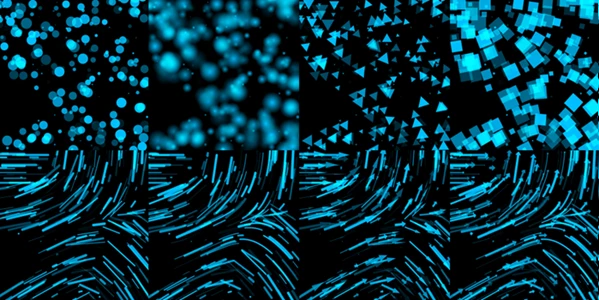
- 9 built-in particle shapes
- Support for custom particle layers
- Control speed, size, opacity, and rotation
- Graph-based controls over particle life
- 8 blending modes
👉 Result: Endless visual styles—from subtle dust to complex motion graphics.
Physics Engine
- Gravity, wind, and air resistance
- Realistic environmental interaction
👉 Result: Motion feels grounded and believable
Turbulence System
- Three turbulence types
- Adjustable strength, speed, density, and seed
👉 Result: Adds randomness and natural variation to avoid robotic motion.
3D Integration
- Full 3D support with camera interaction
- Depth of field based on AE camera
- Motion blur support
👉 Result: Seamless integration into cinematic scenes.
Performance & UI
- GPU-powered for real-time responsiveness
- Clean, intuitive interface
- Simulation Scale for timing control
👉 Result: Faster workflow and easier experimentation.

💡 Pro Tips for Better Results
- Use soft mask edges → Creates smoother flow transitions
- Combine turbulence with flow → Adds natural randomness
- Adjust falloff carefully → Prevents harsh motion boundaries
- Use custom particles → Makes your work unique instantly
- Layer multiple fields → Creates complex, layered motion
- Balance physics settings → Too much gravity or wind can break the illusion
Think of Fluxion as a brush for motion—the more you experiment, the better your results become.
🔥 Final Thoughts
Fluxion turns one of the most basic tools in After Effects—masks—into a powerful motion engine. It removes the technical barriers of particle animation and replaces them with intuitive, visual control. Whether you’re creating subtle motion or complex visual effects, this tool helps you achieve professional results faster and with more creativity. If you enjoy working smarter instead of harder, Fluxion is definitely worth exploring.

Files Password : gfxplugin.com OR 123456