Downloadable Files
You can download SnapKey for free at the end of this page
✨ A Faster Way to Animate in After Effects
Have you ever felt that you are spending hours on creating poses and then wishing you could go back to another pose or re-use that pose later on? That’s when SnapKey comes in handy. SnapKey allows you to save poses in After Effects and reuse them whenever you need. It gives you an opportunity to explore and experiment, all while staying in creative mode.
🎯 What is SnapKey and Why It Matters
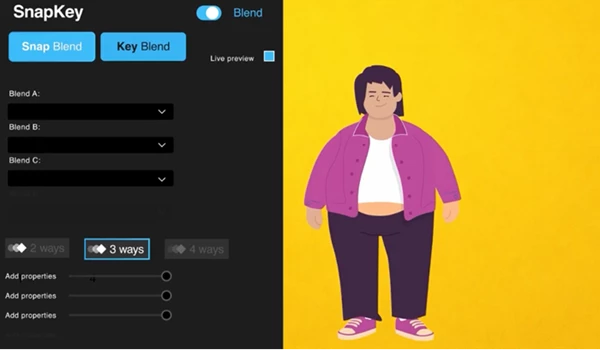
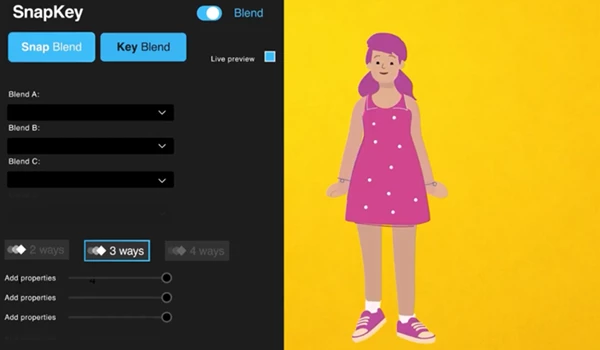
At its core, SnapKey is a system for capturing and managing animation “states” (or poses) inside your composition. Think of it like saving checkpoints in your animation:
- You create a pose → save it as a “Snap”
- Create another variation → save again
- Then smoothly blend between them whenever you want
Why this improves your workflow:
- Saves time: No need to recreate complex setups
- Boosts creativity: You can test multiple ideas quickly
- Keeps things flexible: Everything stays editable inside your comp
Real-world example:
Imagine animating a character:
- One Snap = idle pose
- Another Snap = action pose
- Another Snap = exaggerated version
With SnapKey, you can instantly switch or blend between them instead of rebuilding keyframes every time.
🚀 Meet SnapKey – Your Animation Companion
SnapKey is designed to work seamlessly with your existing After Effects setup. It doesn’t replace your workflow—it enhances it. It allows you to:
- Capture animation states across multiple layers
- Store them directly in your composition
- Blend between them in real-time
This makes animation faster, cleaner, and far more intuitive.
⚙️ Features
Works With Your Existing Setup
No changes are required to your current After Effects software or projects in order to use SnapKey. Save and Reuse Animation States Save animation states created from multiple layers into your composition. Then, reuse these poses as you please. Blend Between Multiple States Blend between poses that have been saved in your composition. Create a sequence of poses that transition smoothly into each other. Fast Iteration in Your Composition Test out different poses and see how they work quickly without having to duplicate your composition or keyframes.
🎬 Real Impact in Projects
- Motion designers can quickly test multiple animation styles
- Character animators can switch poses instantly
- UI animators can prototype interactions faster
- Teams can maintain consistency across scenes
Instead of slowing down to manage keyframes, you stay focused on creativity.
💡 Pro Tips for Better Results
- Name your Snaps clearly so you can find them quickly in complex projects
- Use Snap blending subtly for more natural transitions
- Combine with expressions for even more powerful animation systems
- Experiment freely—SnapKey is built for fast iteration, so try multiple ideas
The more you use it, the more natural your workflow becomes.
🎉 Final Thoughts
SnapKey is more than just a pose blending tool for After Effects. It is a smarter way of thinking about poses, pose creation, and how you can edit them within your composition. By saving, reusing, and blending poses, you can save time and effort in your projects and focus on the most important part of any composition project: your level of creativity!

Files Password : gfxplugin.com OR 123456