Downloadable Files
You can download the product LED Architect for free at the end of this page.
✨ A Smarter Way to Design LED Walls
If you’ve ever worked on LED wall projects, you know how quickly things can get complicated—resolutions, panel counts, layouts, and technical specs all pile up fast. LED Architect changes that experience completely.
It simplifies everything into a smooth, intuitive workflow right inside After Effects. Instead of juggling calculators and notes, you can design, visualize, and prepare LED setups in just a few clicks. It’s not just about saving time—it’s about designing with confidence and clarity.
🎯 What Is LED Architect and Why It Matters?
LED Architect is a tool that allows you to design and build LED walls within After Effects. Rather than performing the calculations manually, you can use LED Architect to define your screen and see the results.
Real-World Uses
- Designing a massive LED backdrop for a live concert
- Planning screens for an exhibition booth
- Building multi-display stage visuals
- Creating mockups for client presentations
Why It Improves Your Workflow
When the technical setup is handled automatically:
- You avoid costly mistakes in production
- You save hours of repetitive calculations
- Your compositions match real-world LED specs perfectly
This means fewer revisions, smoother collaboration, and more time for creativity.
🚀 Meet the Tool: LED Architect
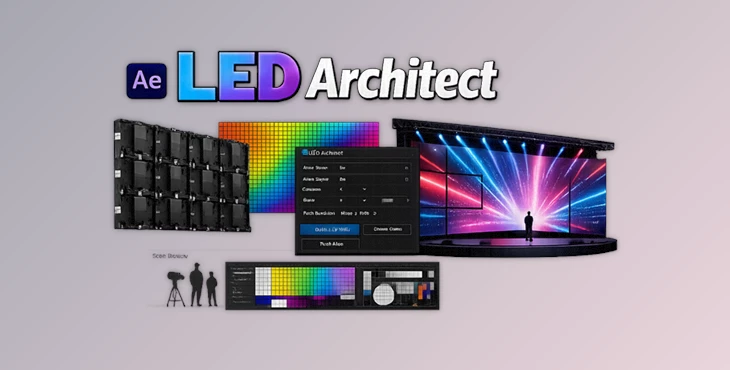
LED Architect is a professional After Effects extension designed specifically for motion designers working with LED screens. It transforms a complex technical process into a fast, visual, and user-friendly experience.
🔧 Features
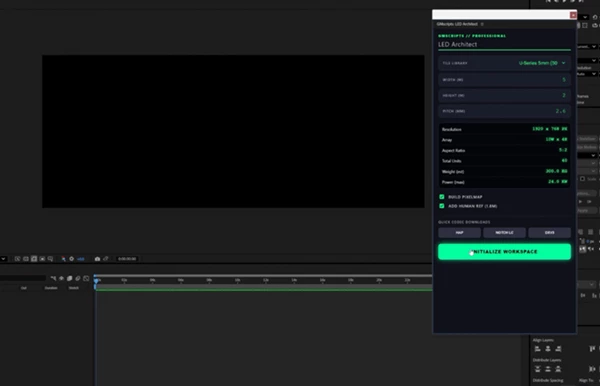
⚡ One-Click Resolution Calculation
Instantly generates the correct composition size based on your LED wall specs—no manual math needed.
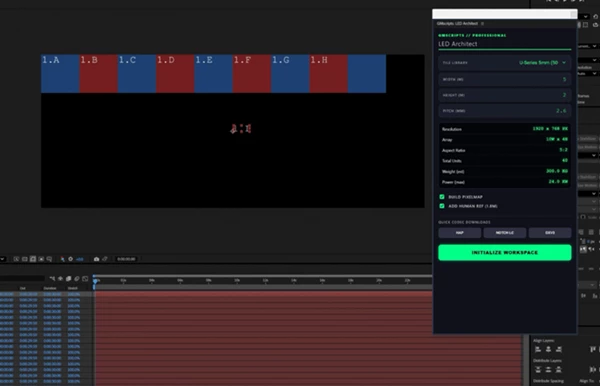
🧩 Automatic Panel Breakdown
Quickly calculates how many panels or cabinets you need and how they are arranged.
📐 Custom Tile & Screen Support
Work with any screen size or tile configuration, whether standard or fully custom.
🖥️ Layout Planning Workspace
Plan large LED walls or multi-screen setups visually and efficiently.
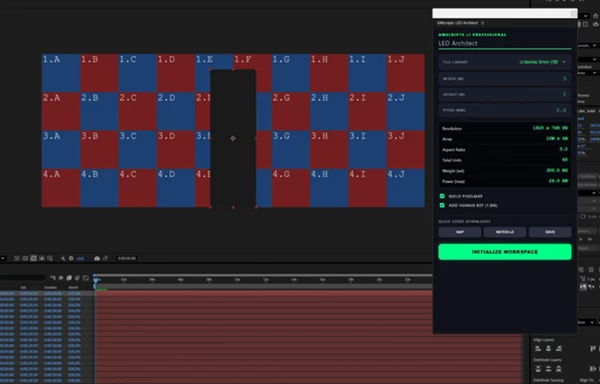
👤 Human Scale Reference Overlay
Add a human figure overlay to better understand real-world screen size and proportions.
🎨 LED Test Patterns & Pixel Maps
Generate test visuals to check pixel accuracy and alignment before production.
🧼 Clean CEP Extension Workflow
Simple interface inside After Effects—no clutter, just what you need.
🎬 Real Impact Example
Imagine preparing visuals for a stage with multiple LED panels. Instead of guessing dimensions:
- You input panel specs
- The layout builds instantly
- A ready-to-use composition is created
- You preview the scale and test patterns
Everything is aligned before animation even begins.
💡 Pro Tips for Better Results
✅ Start With Real Specs
Always input actual panel sizes and resolutions from suppliers for accurate results.
📊 Use Test Patterns Early
Before animating, generate pixel maps to ensure everything lines up correctly.
👀 Check Scale With Human Overlay
This helps avoid designing content that looks too small or oversized on real screens.
🧱 Break Down Complex Layouts
For large projects, divide screens into sections and plan each part clearly.
⚙️ Keep Compositions Organized
Use the generated guides and layouts to maintain structure in complex projects.
🔥 Final Thoughts
LED Architect is a tool that does much more than simplify the creation of your LED walls. It saves you time and allows you to focus on the most important part of creating compelling motion graphics - your design. No matter your project type, this tool will speed up the design process and give you better control over your outcomes. Give it a try so that you can work on your projects as efficiently as possible. You’ll quickly find yourself wondering how you ever executed your projects without it.

Files Password : gfxplugin.com OR 123456