Downloadable Files
You can download Interlaced Glitch for free at the end of this page.
🎬 A Quick Hook: Bring Old-School Video Back to Life
If you’ve ever watched old camcorder footage and felt that unique nostalgic vibe — the soft motion, subtle distortions, and imperfect lines — you already know how powerful that look can be. Interlaced Glitch is designed to recreate exactly that feeling inside Adobe After Effects.
Instead of faking it with overlays or stock clips, this tool lets you generate authentic analog-style imperfections directly on your footage. It’s like giving your modern video a time machine.
🧠 What It Is & Why It Matters
At its core, Interlaced Glitch simulates how older cameras recorded video — using interlacing, scanlines, and signal imperfections.
Why is this important?
Modern footage is often too clean. While that’s great for clarity, it sometimes lacks emotion or character. By introducing controlled imperfections, you can:
- Make digital footage feel more organic and real.
- Add nostalgia and emotional depth.
- Create a distinct visual identity that stands out.
Real-world uses
- Recreating early 2000s camcorder footage for storytelling
- Adding lo-fi aesthetics to music videos
- Giving cinematic projects a “found footage” vibe
- Enhancing social media content with retro appeal
These effects improve results because they break perfection intentionally, making visuals more relatable and visually engaging.
🛠️ Meet the Tool: Interlaced Glitch
Interlaced Glitch is a professional plugin for Adobe After Effects that simplifies the process of creating vintage video effects — while giving you full creative control. It removes the need for complicated setups and lets you fine-tune every detail of the effect with precision.
✨ Features
🎞️ Authentic Interlaced Video Look
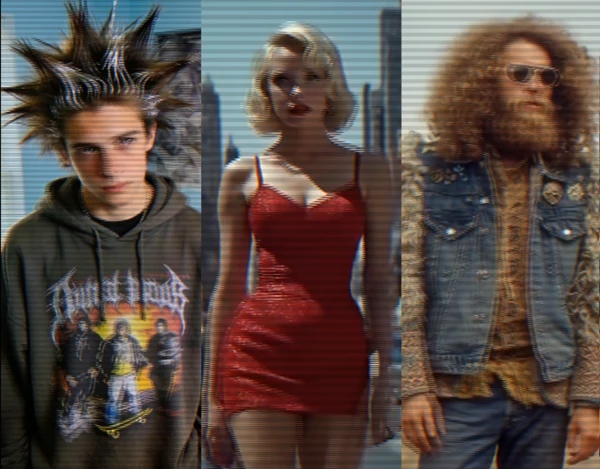
Recreates real interlacing, scanlines, and motion artifacts inspired by analog and early digital cameras.
➡️ Result: Your footage instantly feels like it was recorded decades ago.
📼 Nostalgic Retro Aesthetic
Captures the emotional tone of vintage visuals — from camcorder memories to soft lo-fi textures.
➡️ Result: Stronger storytelling and emotional connection.
🎛️ Full Creative Control
Adjust every parameter to design your own unique look instead of relying on presets.
➡️ Result: More flexibility and originality in your projects.
⚡ Optimized for Modern Workflows
Fully supports Multi-Frame Rendering (MFR) in After Effects.
➡️ Result: Faster rendering without sacrificing quality.
🎥 Real Usage Examples
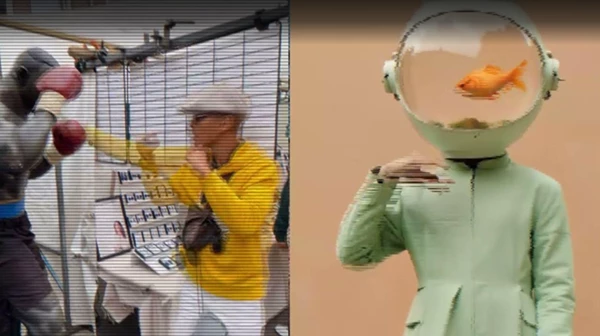
- Turning clean 4K footage into a believable VHS-style clip
- Adding subtle scanlines to cinematic sequences for texture
- Creating glitchy transitions for music videos
- Designing retro-style ads or intros with a nostalgic feel
💡 Pro Tips & Techniques
- Use the Interlaced Glitch effect subtly on your projects.
- Use the effect alongside faded colors to gain additional retro aesthetics for your projects.
- Animate the subtle imperfections in the video to add to the natural look and feel of the effects.
- Use the effect to give your videos a specific retro era look to match your project goals.
- Use the effect only on specific shots in your project to maintain viewer engagement.
🚀 Final Thoughts
The Interlaced Glitch effect allows you to tell stories with your videos. It gives your projects an emotional, nostalgic, and characterful feel. As a motion designer, filmmaker, or video content creator, having the Interlaced Glitch effect in your design toolkit allows you to have more creative control over your videos. For anyone looking to give their videos a unique retro look and feel, this effect is definitely worth exploring to find out more about its features and capabilities.

Files Password : gfxplugin.com OR 123456