Downloadable Files
You can download the Hydrochrome product for free at the end of this page.
✨ A Fluid Way to Transform Your Visuals
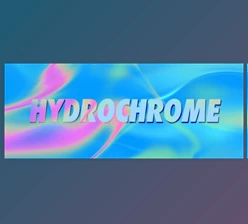
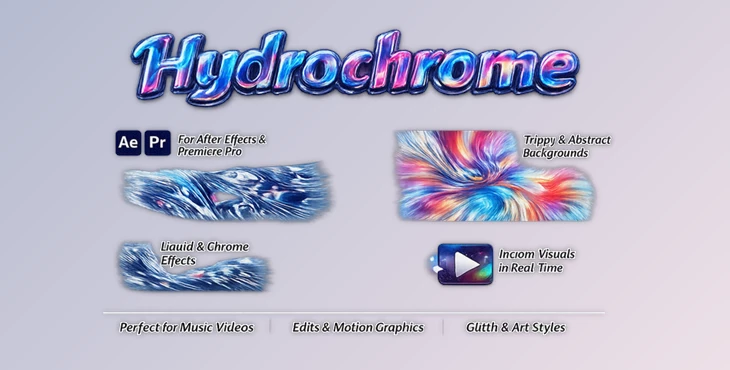
If you’ve ever wanted to turn ordinary footage into something visually stunning and dynamic, Hydrochrome is a tool that instantly sparks creativity. It allows you to generate abstract flowing backgrounds or transform your footage into a liquid chrome-style effect—giving your visuals a modern and eye-catching look. Even better, it renders in real-time using GPU acceleration in Premiere Pro and After Effects, so you can experiment freely without slowing down your workflow.
🎯 What Is Hydrochrome & Why It Matters
Hydrochrome is a GPU-powered effect that creates abstract animations and chrome-like visuals.
💡 In simple terms:
It transforms static visuals into flowing, organic, and reflective motion graphics.
🌍 Practical use cases:
- Creating animated backgrounds for social media content.
- Enhancing music videos with fluid motion effects.
- Adding futuristic chrome looks to promotional videos.
- Designing seamless looping visuals for screens or digital displays
These capabilities improve your results because they:
- Add depth and motion to otherwise static scenes.
- Make your content more engaging and modern.
- Save time compared to building complex effects manually.
🚀 Introducing Hydrochrome
Hydrochrome is built to simplify the creation of high-end abstract visuals directly inside your editing software.
⚙️ Features
- Real-time GPU Rendering: Smooth performance in Premiere Pro and After Effects without long render times.
- Abstract Flow Creation: Generate organic, fluid motion backgrounds instantly.
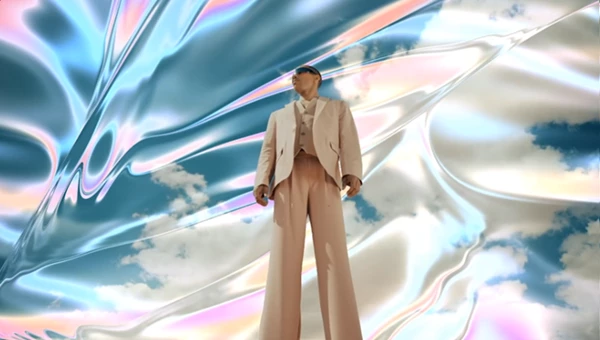
- Chrome Effect Styling: Convert regular footage into reflective, futuristic visuals.
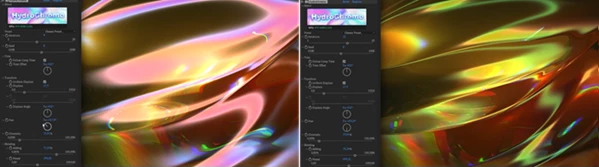
- Seamless Looping Control: Disable Follow Comp Time and animate Time Offset to create perfect loops.
- Customizable Motion & Style: Easily adjust parameters to match your creative vision.
🎬 Example:
Imagine a looping background that looks like flowing liquid metal behind a product or logo—Hydrochrome makes this effect fast and effortless.

🎯 Pro Tips & Techniques
To help you get the most out of the effect, here are a few techniques and tips to try:
- Create seamless loops using the Time Offset parameter to fine-tune your looping footage.
- Control the intensity of the effect to create a visually balanced composition.
- Use the color controls to ensure that the effect enhances and complements your footage.
- Enhance the footage using lighting effects such as glow and reflection.
- Experiment with different settings in real-time to find your ideal look and style.
💬 Final Thoughts
Hydrochrome is a powerful and easy-to-use effect that enables you to create abstract motion and chrome-like visuals for your projects. This effect will help you to produce engaging videos that stand out from the crowd. Whether you’re just starting out in video editing or are a professional editor, Hydrochrome allows you to explore new creative possibilities and produce outstanding videos.

Files Password : gfxplugin.com OR 123456