Downloadable Files
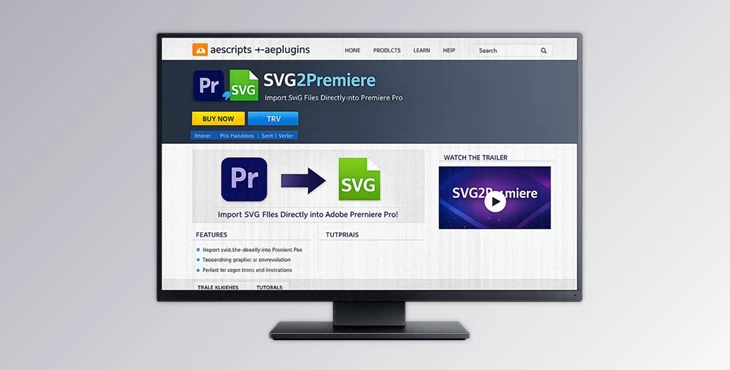
You can download SVG2Premiere for free at the bottom of this page.
🚀 A Smarter Way to Bring SVGs into Premiere
Working with SVG files in Premiere Pro can be rather tricky, can’t it? You have to manually convert them and go through several compatibility issues in the process. Enter SVG2Premiere. This tool allows you to drag and drop your SVG files and instantly converts them to high-quality PNG files that you can use within Premiere Pro.
🎯 What Is SVG2Premiere & Why It Matters
In simple terms, SVG2Premiere is a tool created to make working with SVG files and integrating them into your Premiere Pro project easier.
🔍 What does it do?
It allows you to:
- Convert your SVG files to 4000px transparent PNG files.
- Import them directly into your Premiere Pro project panel.
- Support batch processing of multiple files.
💡 Why is this useful?
Imagine you’re working on:
- Motion graphics projects
- YouTube intros or overlays
- Logo animations
- UI/UX explainer videos
Instead of converting each SVG manually, this tool handles everything instantly.
🎬 Real impact on your workflow:
- Saves time → no manual exporting.
- Keeps quality high → large, crisp PNGs.
- Reduces friction → everything is ready inside Premiere.
The result? Faster editing and more focus on creativity.
🧰 Meet the Tool: SVG2Premiere
SVG2Premiere is a professional yet incredibly easy-to-use panel that integrates seamlessly into your workflow. It turns a repetitive, technical task into a simple drag-and-drop experience.
⚙️ Features
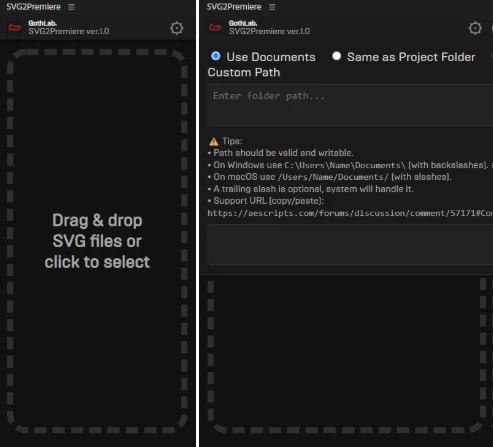
📂 Drag & Drop SVGs
- Simply drop SVG files into the panel
- No need for external converters
- Clean and intuitive workflow
🖼️ Automatic Conversion
- Converts SVGs into 4000px transparent PNGs
- Ensures high resolution for professional projects
- Maintains visual clarity and sharpness
🔄 Batch Processing
- Import multiple SVGs at once
- Perfect for large projects or asset libraries
- Saves hours of repetitive work
💾 Flexible Output Options
Choose where your files are saved:
- Documents folder
- Project folder
- Custom path
📥 Auto Save & Import
- Files are automatically saved.
- Instantly imported into Premiere’s Project panel.
- Ready to use without extra steps.
🧭 Simple Workflow
- Open the panel.
- Choose output location.
- Drag & drop SVGs.
- PNGs are saved and imported automatically.
🎬 Real-World Use Cases
- Creating animated logos from SVG assets
- Importing UI icons into video tutorials
- Building motion graphics packs
- Working with design files from Illustrator
With SVG2Premiere, what used to take minutes per file now takes seconds.
💡Pro Tips for Better Results
Use High-Quality SVGs
The better the quality of the original SVG file, the better the quality of the PNG file.
Organize Before Import
Group your SVG files together so that you can import them all at once.
Combine with Motion Effects
Once your files have been imported, you can add the following effects to your imported SVG files: Scale Opacity Motion Blur
Keep File Naming Clean
Make sure to use clear and descriptive file names to help you find your assets quickly within Premiere Pro.
🔚Final Thoughts
By removing one of the most annoying bottlenecks in the video editing process, SVG2Premiere allows editors to focus on what truly matters in video editing: creating great content. Simple, fast, and effective, this SVG to PNG converter tool is one of the best tools you’ll find for Premiere Pro. If you work with SVG files every day in Premiere Pro, this tool will quickly become one of the most essential in your editing toolkit.

Files Password : gfxplugin.com OR 123456