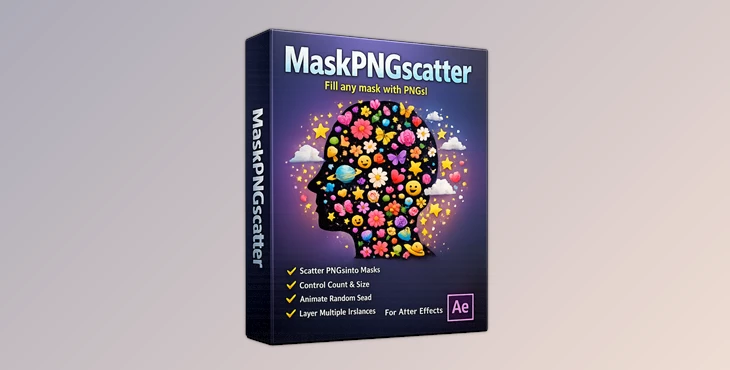
Downloadable Files
You can download MaskPNGscatter for free at the end of this page
✨ Fill Any Shape with Creative Chaos
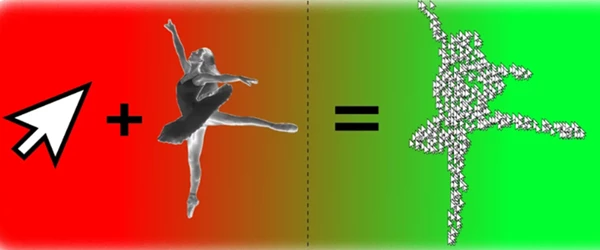
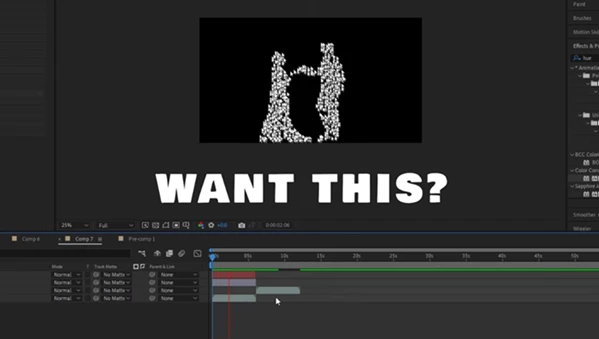
Ever wanted to instantly fill a shape with dozens—or even hundreds—of images without spending hours duplicating and positioning layers? That’s exactly where MaskPNGscatter shines. This tool takes the tedious, repetitive work out of your hands and replaces it with something fast, dynamic, and surprisingly fun. Just choose a PNG, define a matte, and watch your composition come alive with scattered visuals in seconds.
🎯 What It Is & Why It Matters
At its core, MaskPNGscatter is a smart scattering system inside After Effects that will allow you to distribute your PNGs or layers randomly within your matte or mask area.
Why is this useful?
You can use MaskPNGscatter to:
- Fill in text with icons
- Create particles out of your images
- Design decorations within your composition
- Create complex compositions with minimal effort
For example, you can use MaskPNGscatter to:
- Fill in a logo with icons
- Create particles out of PNGs of leaves or sparkles
- Design abstract backgrounds for your motion graphics projects
👉 The features of MaskPNGscatter will improve your After Effects composition by:
- Saving you hours of manual work
- Ensuring the randomness of your scattered elements (something that is challenging to do manually)
- Allowing you to experiment with different design looks quickly
🚀 Meet the Tool: MaskPNGscatter
MaskPNGscatter is designed for motion designers who want speed, flexibility, and creative freedom—without relying on complicated expressions or external plugins. It transforms a complex process into a simple, intuitive setup.
🔧 Features
🧩 Scatter Any PNG or Layer
Easily distribute any PNG or layer across a matte or mask. Mix and match elements to create unique compositions.
🎚️ Full Control Over Look & Feel
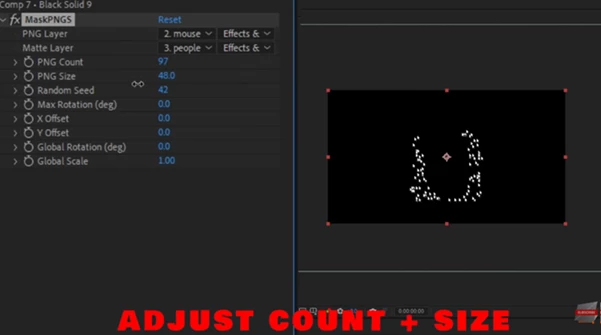
Adjust key parameters like:
- Count – control how dense your scatter is
- Size – scale individual elements
- Seed – instantly generate new random layouts
🔄 Rotation, Offset & Global Transform
Fine-tune your design with:
- Individual rotation adjustments
- X/Y offset for shifting the entire layout
- Global scale and rotation to animate everything as one unit
🎞️ Animate with Random Seed
Want motion without keyframes? Just animate the seed value, and your scattered elements will dynamically rearrange.
🧱 Layer Stacking for Complexity
Combine multiple instances of MaskPNGscatter to create rich, layered visuals with depth and variation.
⚡ Lightweight & Fast
No heavy setups. No complex expressions. Just quick results directly inside After Effects.
💡 Pro Tips for Better Results
- Mix Sizes Slightly: Avoid uniform scaling—small variations make the scatter feel more natural
- Use Subtle Rotation: Even a little rotation randomness adds realism
- Animate Slowly: When animating the seed, keep it subtle for organic movement
- Layer Multiple Scatters: Combine different PNGs in separate layers for richer visuals
- Play with Matte Shapes: Try text layers, silhouettes, or custom masks for unique compositions
These small tweaks can turn a simple effect into something truly professional.
🎬 Final Thoughts
MaskPNGscatter is one of those tools that quietly transforms your workflow. What used to take complex setups or external tools can now be done in seconds—right inside After Effects. It’s fast, flexible, and incredibly fun to experiment with. Whether you’re building motion graphics, particle effects, or creative overlays, this tool gives you the freedom to focus on design—not repetition. If you enjoy working smarter (not harder), this is definitely worth trying.