Downloadable Files
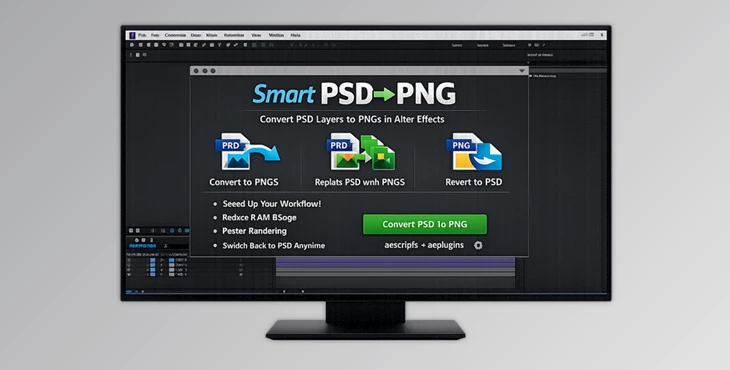
You can download Smart PSD to PNG for free at the end of this page.
✨ A Faster Way to Work with PSD in After Effects
If you’ve ever worked with layered PSD files in After Effects, you already know the pain: slow previews, heavy renders, and constant waiting. Smart PSD to PNG flips that experience completely.
This tool is designed to take your heavy Photoshop layers and convert them into lightweight PNGs—without breaking your workflow.
The best part? You can switch back to the original PSD anytime. No stress, no risk. It’s all about speed, flexibility, and staying in control.
🎯 What Is Smart PSD to PNG and Why It Matters?
At its core, Smart PSD to PNG is a workflow optimization tool for motion designers and editors using After Effects. Instead of forcing After Effects to constantly read complex PSD structures, the tool converts each layer into optimized PNG files.
These PNGs are much easier for AE to handle, resulting in:
- Faster RAM previews
- Smoother timeline performance
- Reduced render times
💡 Real-World Example
Imagine working on a motion graphics project with dozens of layered PSD elements. Every tweak slows things down.
With this tool:
- You convert everything to PNG instantly.
- Your timeline becomes responsive again.
- You still keep the option to go back and edit in Photoshop anytime.
This balance between speed and flexibility is what makes it powerful.
🚀 Meet the Tool: Smart PSD to PNG
Smart PSD to PNG is a professional script that simplifies and accelerates your After Effects workflow. It removes the need for manual exporting, relinking, and file management—everything happens in one click.
⚙️ Features
🔹 One-Click PSD → PNG Conversion
Select your layers and convert them instantly. The script:
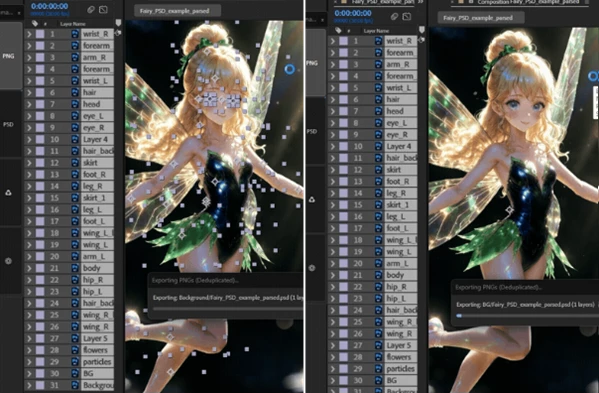
- Exports each layer as a PNG
- Replaces the source in AE
- Moves original PSD files into an organized “_Originals” folder
🔹 Non-Destructive Workflow
You can revert back to the original PSD anytime—even if it’s no longer in your project. Everything is reversible.
🔹 Smart Project Cleanup
A built-in Clean button removes unused PSD/PSB files, keeping your project lightweight and organized.
🔹 Editable Text Conversion
Photoshop text layers are automatically converted into native After Effects text layers—fully editable and flexible.
🔹 Batch Mode Power
- Shift + Click PNG → Converts all similar layers across the entire project.
- Shift + Click PSD → Reverts everything globally.
Perfect for large-scale projects.
🔹 Fast Mode Option
Skip Photoshop BridgeTalk export for even faster processing when speed is critical.
🔹 No File Size Limits
Works seamlessly with both PSD and PSB files—even large, complex documents.
💡 Pro Tips for Better Results
- Use Batch Mode early: Convert all repeated assets at once to avoid manual repetition.
- Keep originals organized: Don’t delete the “_Originals” folder unless you’re sure you won’t need to revert.
- Enable Fast Mode for previews: When testing animations, speed matters more than precision.
- Leverage text conversion: Edit text directly in AE instead of jumping back to Photoshop.
- Combine with proxies: For ultra-heavy projects, PNG conversion + proxies = maximum performance boost.
🎬 Final Thoughts
Smart PSD to PNG is not just a utility—it’s a workflow upgrade. It removes friction, speeds up your process, and keeps everything flexible. You no longer have to choose between performance and editability—you get both. If you’re serious about working efficiently in After Effects, this tool can make a noticeable difference from day one. Give it a try and feel the speed for yourself.

Files Password : gfxplugin.com OR 123456