Downloadable Files
You can download Blender Render Queue for free at the end of this page.
🚀 A Smarter Way to Handle Your Renders
If you’ve spent hours waiting for Blender renders to finish, switching scenes, and adjusting settings manually, you’ll understand the amount of time and energy it takes. Fortunately, there’s a tool that can make this process much easier—Blender Render Queue.
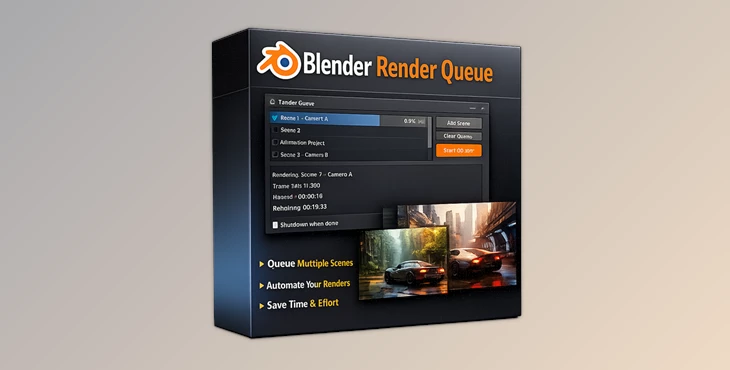
Blender Render Queue allows you to set up your scenes once and then automatically render your project. You no longer have to babysit your Blender project as it renders, but instead, have a smooth and optimized rendering process to save you time and energy.
🎯 What Is Blender Render Queue & Why It Matters
Blender Render Queue allows you to automate your rendering process in Blender. Instead of having to manually render your scenes, you can:
- Queue up multiple scenes.
- Assign different cameras to each scene.
- Customize the output file for each scene.
- Let Blender automatically render your scenes in sequence.
💡 Real-World Use Cases
- Animation projects: Render multiple scenes overnight without supervision
- Product visualization: Export different camera angles in one go
- VFX pipelines: Handle complex multi-layer renders automatically
🔥 Why This Improves Your Results
These features don’t just save time—they improve consistency and reduce human error. When everything is automated:
- You avoid missing frames or wrong settings.
- Your output stays uniform across scenes.
- You can focus more on creativity instead of technical repetition.
🧩 Meet the Tool: BRQ (Blender Render Queue)
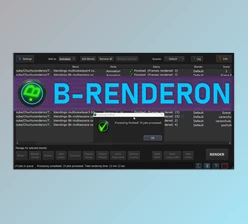
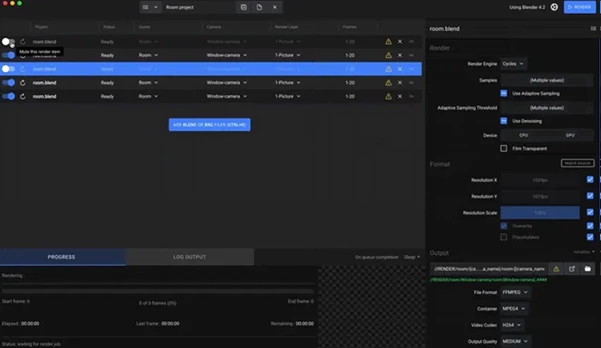
BRQ is a powerful, artist-friendly desktop app built specifically for Blender users. It simplifies rendering workflows and brings automation into your daily creative process. It feels familiar, matches Blender’s interface, and requires almost no learning curve—making it perfect for both beginners and professionals.
⚙️ Features
Here’s what makes BRQ stand out:
🎬 Smart Queue Management
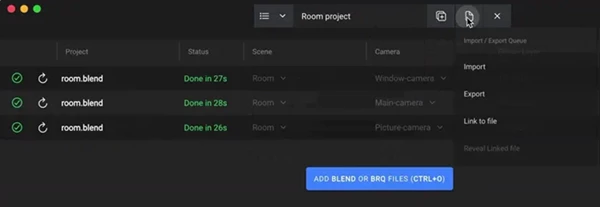
- Multiple Queues (Pro): Organize different projects or shots separately
- Scene Selection: Choose exactly which scenes to render
📷 Advanced Shot Control
- Camera Selection (Pro): Render from one or multiple cameras.
- View Layer Selection (Pro): Output specific layers easily.
🎨 Output Optimization
- Output Presets (Pro): Save render settings and reuse instantly
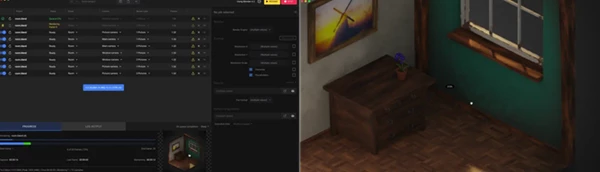
- Full-Res Live Preview: Monitor frames in real time
⏱️ Efficiency & Monitoring
- Remaining Time Estimate: Accurate render time predictions
- Remote Monitoring Web App (Pro): Track progress anywhere
🔋 Automation & Power Management
- Auto Shutdown / Sleep: Your system powers down safely after completion
- Custom Python Scripts: Automate tasks before/after rendering
🔔 Notifications & Experience
- Desktop & Mobile Notifications: Stay updated instantly
- Blender-Friendly UI: Familiar controls, zero friction
🎥 Real Impact in Projects
Imagine working on a short film:
- You queue all scenes with different cameras.
- Assign render presets for each shot.
- Start the render before going to sleep.
By morning, everything is done—and your system is already shut down safely. That’s the kind of workflow upgrade BRQ delivers.
💡 Pro Tips for Better Results
Want to get the most out of Blender Render Queue?
- Organize your queues by project to avoid confusion.
- Use output presets to maintain consistent quality.
- Combine multiple cameras for faster shot production.
- Leverage Python scripts for repetitive tasks.
- Enable auto shutdown for overnight rendering.
👉 Small optimizations like these can dramatically improve both speed and workflow quality.
🎯 Final Thoughts
Blender Render Queue allows you to reclaim your time. By removing repetitive tasks and streamlining your Blender project’s rendering process, you can focus on what truly matters—creating stunning visuals for your project. For anyone looking to optimize their time in creating their projects in Blender, the Render Queue is a tool worth exploring.

Files Password : gfxplugin.com OR 123456