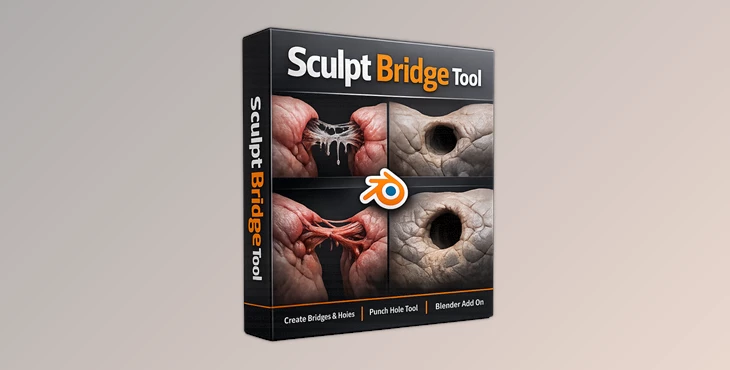
Downloadable Files
You can download the Sculpt Bridge Tool for free at the end of this page.
✨ A Faster Way to Connect and Create
Ever found yourself struggling to connect parts of a mesh or cut clean holes without disrupting your workflow? The Sculpt Bridge Tool makes it incredibly easy. With just a few clicks, you can seamlessly bridge gaps or create precise openings—keeping your creative flow smooth and uninterrupted.
🔍 What Is It & Why It Matters
Sculpt Bridge Tool is a handy modeling add-on for Blender 4.0+ that simplifies connecting geometry and cutting holes in your mesh—fast and clean.
Why is it useful?
Instead of manually selecting edges, aligning vertices, and fixing topology step by step, this tool automates the process—making your work faster and cleaner.
Real-world use cases:
- Connecting two mesh parts in character modeling (like joining limbs)
- Creating openings for eyes, vents, or mechanical details
- Fixing gaps in scanned or imported meshes
These features improve your workflow because they reduce repetitive manual work and minimize errors, giving you cleaner topology and better final results.
🛠️ Meet the Tool
The Sculpt Bridge Tool is designed to simplify complex mesh operations and make them intuitive.
Features
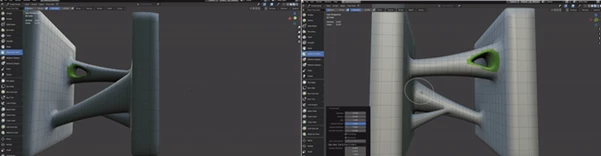
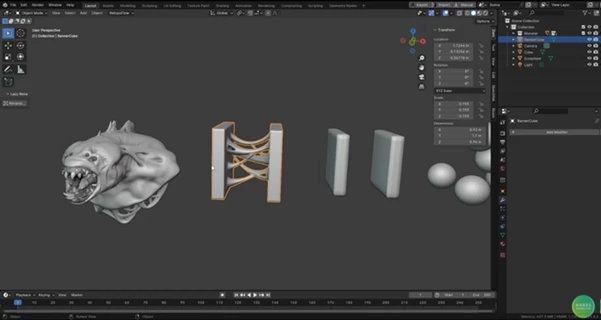
- Easy Bridging: Connect separate mesh parts quickly without complicated steps.
- Hole Creation: Punch clean and controlled holes directly into your mesh.
- Blender 4.0+ Compatibility: Fully optimized for the latest Blender workflow.
- Symmetry Support: Works with symmetrical meshes (ensure your mesh is perfectly symmetrical for best results).
- Workflow Efficiency: Reduces time spent on manual editing and topology fixes.
Example in action:
Imagine working on a sci-fi model where you need multiple vents or openings. Instead of manually cutting and adjusting geometry, you can instantly create precise holes. Or when sculpting a character, bridging disconnected parts becomes seamless and clean.
🎯 Pro Tips for Better Results
- Use Symmetrize First: For symmetry features to work correctly, make sure your mesh is perfectly symmetrical using Blender’s Symmetrize operator.
- Keep Topology Clean: Start with a well-organized mesh to get the best bridging results.
- Experiment with Different Areas: Try using the tool on both organic and hard-surface models to fully explore its potential.
- Work Non-Destructively: Save versions of your file before applying major changes, especially when working on detailed meshes.
🚀 Final Thoughts
Sculpt Bridge Tool is one of those tools that will transform your workflow. It will remove the friction from your work and allow you to model at an improved rate. This tool is beneficial for working on characters, environments, and hard-surface models. If you are looking to improve your workflow and modeling in general, I would definitely encourage you to give this tool a try.

Files Password : gfxplugin.com OR 123456