Downloadable Files
You can download the Sky Plus product for free from the bottom of this page.
🌤️ A Sky That Feels Alive
Ever felt like your scene looks good—but not real enough? The missing piece is often the sky. A basic sky can make even the best models feel flat. Sky Plus changes that by giving you full control over realistic, dynamic skies in just a few clicks.
It’s designed to be powerful yet simple, so whether you’re a beginner or a pro, you can create stunning environments without getting lost in technical settings.
☁️ What Is Sky Plus & Why It Matters
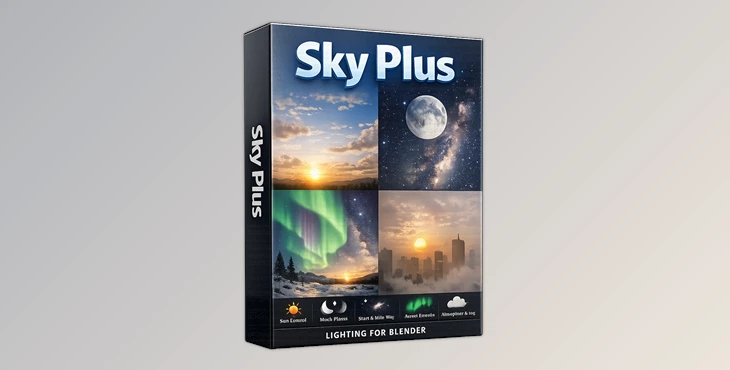
Sky Plus is a fully procedural sky shader for Blender (Cycles & EEVEE) that gives you complete control over every element of the sky—sun, moon, stars, atmosphere, and even auroras.
Since everything is generated procedurally, there’s no need for textures or external assets. The entire system works in real time, making your workflow faster, cleaner, and far more flexible.
Why it makes a difference:
- More realistic lighting → Your scenes instantly look more natural and believable.
- Total creative control → Easily fine-tune sky colors, haze, and atmospheric density to match any mood.
- Seamless transitions → Effortlessly move from day to night with smooth, dynamic changes.
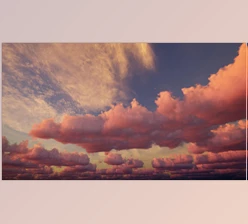
Picture creating a scene where the sunlight gradually shifts into warm sunset tones, or a night environment filled with detailed stars and glowing auroras—this is the level of realism and control that Sky Plus brings to your work.
🚀 Professional Tool Introduction
Unlike traditional addons, Sky Plus is a self-contained shader accessed via the Asset Library. This means it works seamlessly across Blender updates—no setup headaches, no compatibility issues.
✨ Features
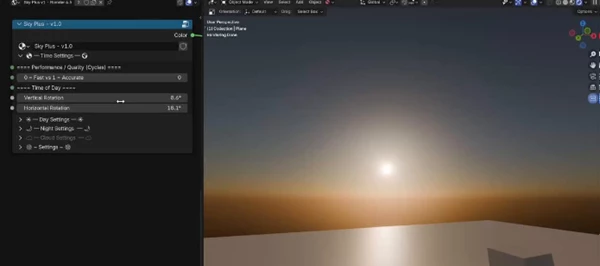
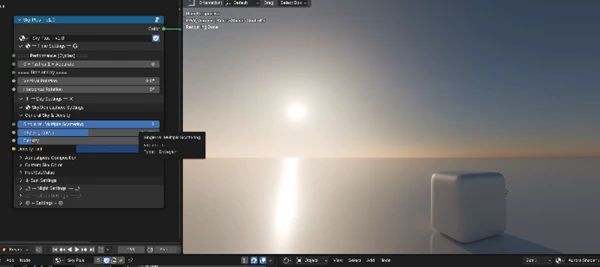
🌞 Advanced Day Sky Controls
- Customize sky color and sun haze.
- Control atmospheric density (dust, fog, pollution, etc.)
- Realistic light scattering for sunset effects
- Automatic Day-to-Night transition
👉 Example: Perfect for architectural renders where lighting realism is critical.
🌫️ Density & Atmosphere System
- Simulate fog, haze, smoke, or sand.
- Adjust how light interacts with the atmosphere.
- Create cinematic depth and mood.
👉 Example: Add atmospheric depth to landscapes or dramatic scenes.
☀️ Sun Settings (EEVEE Supported)
- Independent brightness control (camera vs physical light)
- Custom color or temperature slider
- Works perfectly in real-time rendering (EEVEE)
👉 Example: Fine-tune lighting for animations or game-ready scenes.
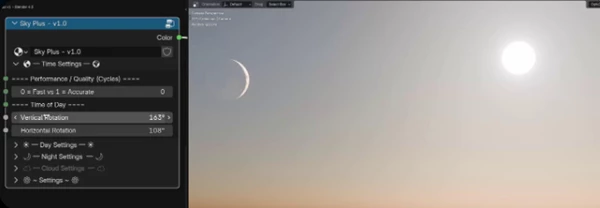
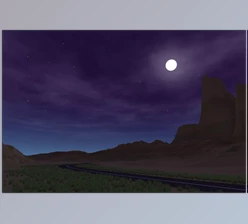
🌙 Fully Procedural Night Sky
- Realistic moon with adjustable phases
- Star system with customizable density and brightness
- Milky Way / galaxy band support
👉 Example: Create a peaceful night scene or a dramatic cinematic sky.
🌌 Real-Time Volumetric Auroras
- Fully procedural and volumetric
- Runs in real-time
- Highly customizable shapes and movement
👉 Example: Ideal for fantasy or sci-fi environments.
⭐ Custom Star Controls
- Adjust star distribution and intensity.
- Manual rotation with polar axis control.
- Includes North Star and debug tools.
🌓 Sky Plus Mini (Lightweight Version)
- Sun & Moon discs (EEVEE compatible)
- Built-in day/night cycle
- Simple and affordable solution
🎯 Pro Tips & Techniques
- Use density to add a slight haze to your environment to make it more realistic.
- Use warmer colors in your skies to create more emotional, cinematic results.
- Animate your scene from day to night to create time-lapse effects.
- Do not overuse the stars when creating night environments.
- Experiment with the auroras to create more stunning visual effects in your projects.
🔚 Final Thoughts
Sky Plus is more than just a sky tool—it’s a complete environment enhancer. It removes the complexities of fine-tuning your environment while giving you more control than ever before to create a more natural-looking environment. If you care about the realism of your environments, this is a tool you’ll want to have in your arsenal as soon as possible. Give it a try and see how your environments can transform.

Files Password : gfxplugin.com OR 123456
![Download Unity Asset - Azure[Sky] Dynamic Skybox v7.1.2](https://dls4.gfxplugin.ir/Download_Files/28124/SearchSmall/banner.jpg)