Downloadable Files
You can download the Polymorph product for free at the end of this page.
✨ A Smarter Way to Swap Layers
Have you ever wished you could replace any layer in After Effects without limitations? Whether it’s text, shapes, footage, or even rigged elements—Polymorph makes it incredibly simple. Instead of dealing with the usual restrictions, this tool gives you full control. With just a few clicks, you can replace, attach, or transform multiple layers at once—quickly and effortlessly.
🎯 What Is Polymorph & Why It Matters
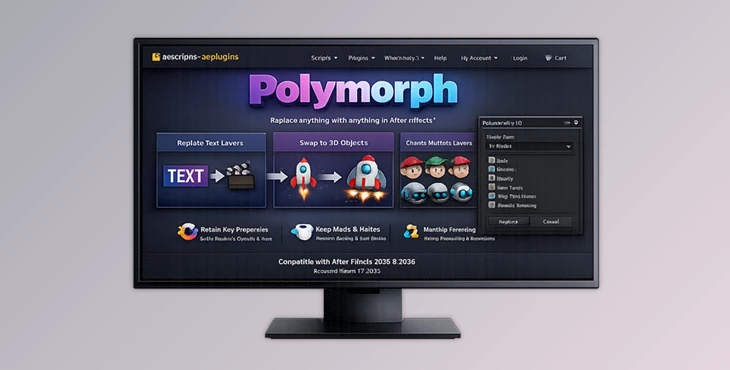
This tool is a powerful layer replacement tool that removes the common limitations of After Effects. Normally, you can’t easily replace text layers with shapes or shapes with footage—but with Polymorph, you can swap anything with anything.
🔍 Real-World Uses
- Replace text layers with animated pre-comps instantly.
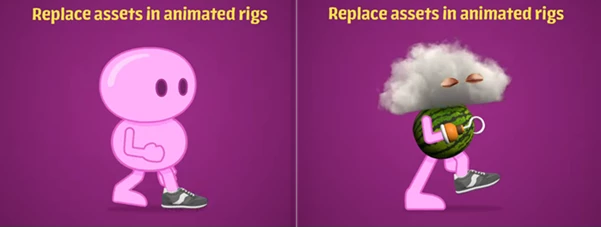
- Swap character body parts without redoing animations.
- Update simulation elements (like Newton physics objects) quickly.
- Replace static shapes with dynamic video footage.
💡 Why This Improves Your Workflow
These features don’t just save time—they expand your creative possibilities:
- No need to rebuild animations from scratch
- Faster iteration and experimentation
- More professional and polished results
🚀 Meet the Tool: Polymorph
This product simplifies complex layer replacement by letting you choose one Source layer and apply it to multiple Target layers instantly. Just select your Source and Targets, press the button—and it’s done.
🔧 Features
🔄 Unlimited Layer Replacement
- Replace any number of layers at once
- Works with all layer types (text, shape, footage, nulls, etc.)
🔗 Smart Layer Attachment
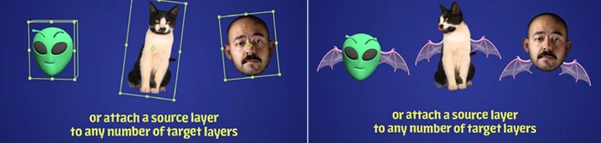
- Attach one Source layer to multiple Targets.
- Ideal for reusable assets and rigging workflows.
🎛 Transform Control System
- Apply Source transforms as multipliers or additives.
- Example: 50% scale × 30% = 15% final result.
🧩 Advanced Parenting Options
- Parent to Source, Target, or custom hierarchy.
- Create complex parent chains for better control.
🎭 Expression Handling
- Keep, overwrite, or remove expressions.
- Full flexibility over animation logic.
🎨 Track Matte Options
- Use Source matte, Target matte, or none.
- Better compositing control.
🏷 Custom Naming System
- Automatically rename duplicated layers.
- Use tokens based on Source and Target names.
👁 Visibility & Cleanup Controls
- Show, hide, or delete Target layers.
- Option to delete the source after processing.
🎬 Real Project Examples
- Polymorph has been used in a variety of projects, including:
- Animation projects (e.g., for changing body parts on a character)
- Motion graphics projects (e.g., for replacing placeholder footage with final assets)
- Simulation projects (e.g., for updating the objects within a Newton simulation)
- Templates (e.g., to allow users to create projects that can be easily duplicated and their content replaced)
💡 Pro Tips for Better Results
- Use the Transform Multipliers creatively to generate different variations of a layer
- Keep your layers organized by using the custom naming system and avoiding complicated layer structures
- Combine Polymorph with other rigging tools (like Limber, Rubberhose, or DUIK) to allow for animated elements to be replaced without breaking the rig
- Experiment with the different parenting modes to find which yields the best results for your project
🎯 Test Different Parenting Modes
This tool allows you to parent your Target and Source layers to any layer in your composition.
For example:
- Parent to the Source: the Target will move with the Source
- Parent to the Target: the Source will move with the Target
- Create a custom parenting hierarchy to give more specific control over the movement of the Target.
- Parenting to any layer within your project allows you to build complex projects and animations with Polymorph.
🧾 Final Thoughts
Polymorph is more than just a utility—it’s a workflow upgrade. It removes technical limitations and lets you focus on creativity. Whether you’re working on motion graphics, animation, or simulations, Polymorph helps you work faster and smarter. If you want flexibility, speed, and better results, this tool is definitely worth trying.

Files Password : gfxplugin.com OR 123456