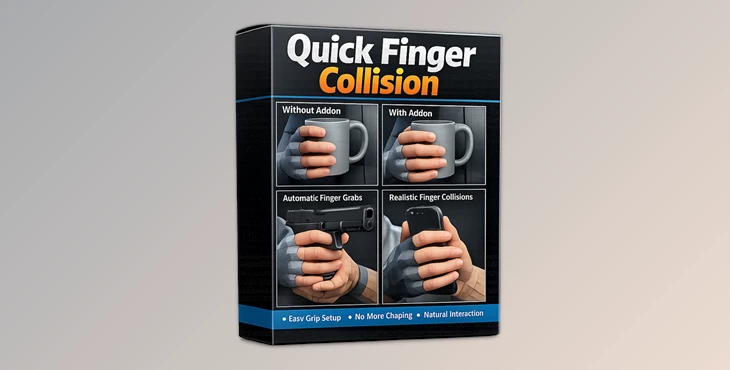
Downloadable Files
You can download the Quick Finger Collision product for free at the end of this page.
🎯 A Smarter Way to Pose Hands in Blender
If you’ve ever struggled with fingers awkwardly clipping through objects in Blender, you’re not alone. Hand posing can be one of the most frustrating parts of 3D work—tiny adjustments, constant tweaking, and still not quite natural. Quick Finger Collision changes that experience. It introduces a smarter, more intuitive way to position fingers so they interact naturally with objects—saving you time and improving realism instantly.
🧠 What Is It & Why It Matters
At its core, Quick Finger Collision is a lightweight Blender addon that adds collision-aware behavior to finger bones.
🔍 What does that mean?
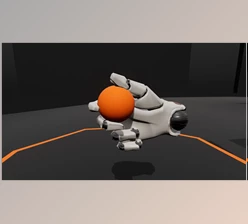
Instead of the model’s fingers passing through objects in the scene, the plugin will ensure that:
- The fingers cannot pass through objects.
- They can naturally interact with the object's surfaces.
- They can better wrap around the object's features.
🎨 Real-World Use Cases Some of the most common uses of the tool include posing a hand to:
- Hold a tool.
- Grab a weapon.
- Rest on a surface.
💡 Why This Improves Your Work
These features:
- Eliminate unrealistic finger clipping.
- Speed up the posing process.
- Make animations and still renders look more believable.
In short: less manual fixing, more natural results.
🚀 Meet the Tool: Quick Finger Collision
Quick Finger Collision is designed to simplify one of the most tedious parts of 3D work—hand posing. It makes the process:
- Faster
- Cleaner
- More intuitive
⚙️ Features
🧲 Collision
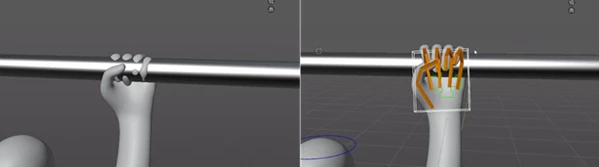
- Finger bones automatically detect mesh surfaces.
- Prevents penetration through objects.
- Ensures clean, realistic contact.
✊ Grab
- Helps fingers wrap around objects quickly.
- Reduces manual adjustments.
- Ideal for posing hands holding props.
🎬 Real Impact in Projects
Imagine:
- A character firmly gripping a sword without fingers clipping through
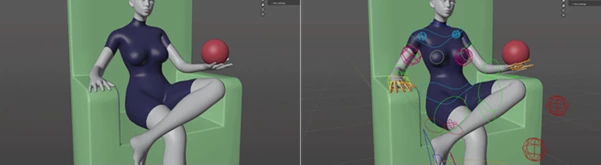
- A hand naturally resting on a surface.
- Faster rigging workflows in animation scenes.
With this addon, these results become quick and effortless, even for complex poses.
💡 Pro Tips for Better Results
- Work with the tool's default settings to pose the model's fingers to get a general idea of how it works.
- Combine the tool's features with your own posing adjustments for the best of both worlds.
- Use the tool most frequently when posing characters' fingers that need to interact with objects.
- Use the tool to pose static characters in a scene for quick animation blocking.
🌟 Final Thoughts
Quick Finger Collision is a small tool with a big impact on users of Blender. This tool fixes a frustrating problem for users and replaces it with an easy and intuitive workflow. Whether you care about realistic posing, faster posing in your project, or just want to have a tool that makes your work look as clean as possible, Quick Finger Collision is absolutely worth trying.