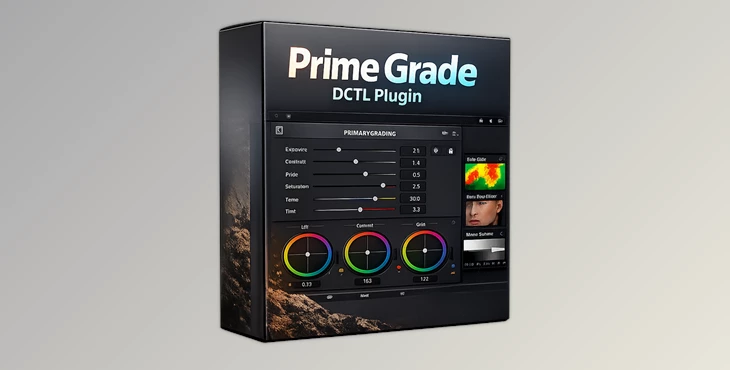
Downloadable Files
You can download the Prime Grade DCTL Plugin for free from the end of this page.
🎬 A Faster Way to Master Your Primary Grades
If you’ve ever felt like primary color correction in DaVinci Resolve takes too many nodes and too much time, you’re not alone. What if you could handle exposure, contrast, and color balance all in one clean step? That’s exactly where Prime Grade DCTL Plugin comes in — a smart, streamlined tool designed to simplify your workflow while keeping your results consistent and professional.
🎨 What Is It and Why It Matters
The Prime Grade DCTL Plugin is an all-in-one tool for DaVinci Resolve Studio, helping to simplify your primary grade.
The key benefits include:
- Saving time by reducing the number of nodes you use
- Maintaining the consistency of color throughout your project
- Focusing more on your design choices and less on the technical aspects of correction
For instance, if you have a short film with ARRIs and Sony cameras, Prime Grade will allow you to balance the exposure and colors from each of these to create a balanced look across all your footage.
🚀 Meet the Tool: Prime Grade DCTL Plugin
Prime Grade DCTL Plugin is developed by PixelTools in collaboration with KaurH, built specifically for professional color workflows like film, TV, and streaming platforms. It simplifies primary correction into one node, making your grading process faster, cleaner, and more intuitive.
⚙️ Features
🎛️ Core Controls
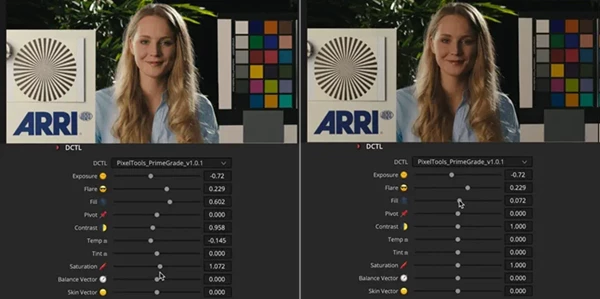
- Exposure: Linear Gain, Gain, Offset
- Flare: Linear Offset and Lift for shadow control
- Fill: Custom-designed tool to balance your image density.
- Contrast: S-Curve and Linear
- White Balance: Temp/Tint controls in many modes
- Saturation: Subtractive, Gamma, Gain
These offer full control over your image while avoiding nodes.
🧪 Built-in Checker Tools
To assist with evaluating your image, there are 5 built-in tools: Stop-based False Color (±5 stops) to check your exposure accuracy Skin Tone Checker to maintain a natural-looking skin tone White Balance Checker to assess your white balance Middle Gray Checker to ensure proper exposure Negative Checker to inspect your tone distribution These tools assist with making sure your image appears as you intend, without guesswork.
🌍 Workflow Compatibility
- Designed for DaVinci Wide Gamut (DWG)
- Fully compatible with ACES workflows
Works with major camera systems:
- ARRI
- RED (IPP2)
- Sony
- Canon
- Blackmagic
- Apple Log
- DJI
👉 This ensures smooth integration into any professional pipeline.
💡 Pro Tips for Better Results
1. Start with Exposure First
Always begin with exposure using Linear Gain or Offset. A balanced exposure makes every other adjustment easier and more accurate.
2. Use Checkers, Don’t Guess
Turn on False Color or Skin Tone Checker early — they’ll guide your decisions and prevent overcorrection.
3. Keep It Subtle
Because everything is in one node, small adjustments go a long way. Avoid pushing multiple controls too far at once.
4. Balance Before Styling
Use Prime Grade for technical correction first, then move to creative grading or LUTs.
5. Match Shots Faster
Apply the same node across clips and tweak slightly — this keeps your project visually consistent.
🎯 Final Thoughts
Prime Grade DCTL Plugin is more than just a tool — it’s a workflow upgrade. By combining essential primary controls into a single node and adding intelligent checkers, it helps you work faster without sacrificing quality. Whether you’re a colorist, editor, or DP, this plugin allows you to focus on storytelling instead of technical complexity. If you value speed, consistency, and clean grading pipelines, this is definitely worth trying.

Files Password : gfxplugin.com OR 123456