Downloadable Files
You can download the mirAI product for free at the end of this page.
🎬 A Smarter Way to Work in After Effects
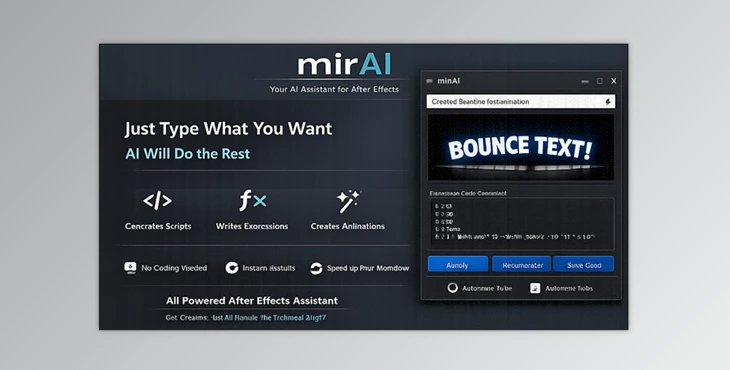
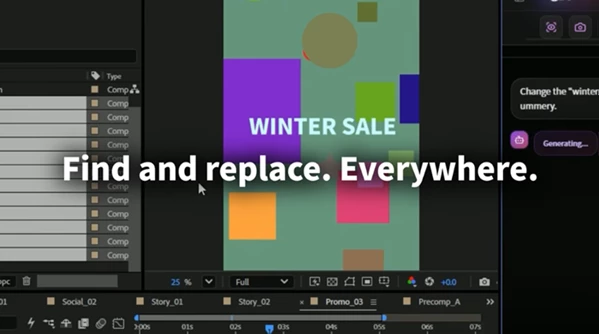
Imagine being able to create your desired animations in After Effects without having to navigate through the endless menus and tasks that you have to repeat over and over again. This is exactly what mirAI offers to After Effects users. With mirAI, you can input a simple text command, and mirAI turns this into an action within After Effects—whether it’s a script, an expression, or an animation. This tool makes it easy to incorporate a smart and creative partner into your After Effects software.
💡 What is mirAI and Why It Matters
This tool is an AI-assisted tool and software that is meant to make your After Effects workflow simpler and more automated. You just have to tell mirAI what you want, and it will do it for you.
Real-World Examples
- “Set all footage to 8fps” → Done instantly
- “Align layers to markers” → Perfect precision
- “Create a soft bounce animation” → Expression generated automatically.
These capabilities don’t just save time—they improve accuracy, reduce repetitive work, and help you focus more on creativity.
🚀 Meet mirAI – Your Creative Assistant
This product makes complex workflows easier and more accessible, even if you’re not familiar with scripting.
Features
- Natural Language to Action: Convert simple text into scripts, animations, and expressions.
- Consultation Mode: Ask questions about After Effects and get instant expert guidance.
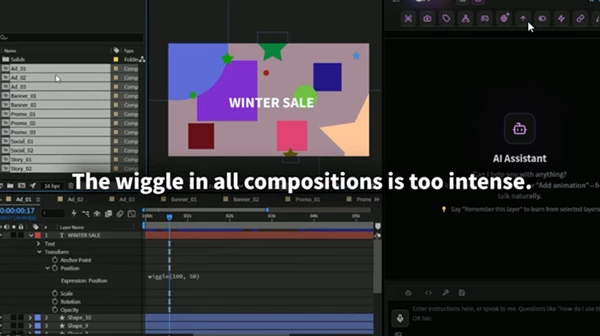
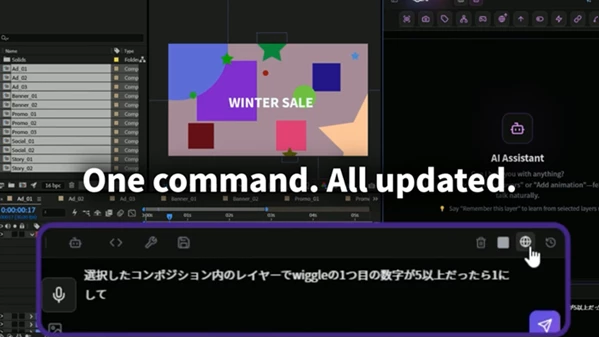
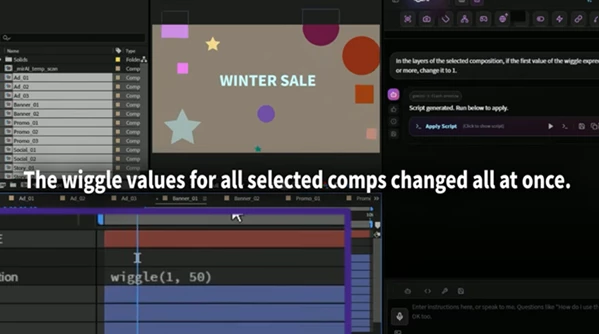
- Batch Processing: Duplicate and modify multiple layers at once.
- Precision Alignment: Align and distribute layers with mathematical accuracy.
- AI-Powered Renaming: Automatically organize layers based on their content.
- Collision Avoidance Rig: Prevent layers from overlapping with smart expressions.
- Deep Copy System: Duplicate entire compositions, including nested elements.
- World Link (Up/Down): Sync coordinates between compositions effortlessly.
- Smart Auto-Fix: Turn plain language (like “slow rotation”) into working expressions instantly.
- Project Intelligence: Detect unused assets and apply global changes across your project.
- Multilingual Chat & Voice Input: Work in multiple languages or use voice commands.
🎥 Practical Impact
In large projects with many layers, mirAI can:
- Automatically organize your project.
- Align elements perfectly.
- Generate complex expressions without coding.
This can reduce hours of work to just minutes while improving overall quality.
🧠 Pro Tips for Better Results
- Be clear with your commands: More detailed instructions lead to better outputs.
- Use batch features frequently: They provide the biggest time savings.
- Combine multiple features: For example, renaming + alignment + expressions.
- Always save your project first: This ensures safety when running generated scripts.
- Use Consultation Mode often: It’s like having an AE expert available anytime.
🎯 Final Thoughts
mirAI is more than just a plugin—it changes how you interact with After Effects. By transforming natural language into real actions, it removes technical barriers and boosts your creative efficiency. Whether you're a beginner or a professional, this tool helps you work faster, smarter, and more creatively.
 mirAI by Aescripts (v1.3.0).rar (Size: 4.6 MB - Date: 6/6/2026 11:12:38 AM)
- mirAI by Aescripts (v1.2.1).rar (Size: 16.6 MB - Date: 5/9/2026 12:37:24 PM)
- mirAI by Aescripts (v1.1.8).rar (Size: 1.9 MB - Date: 5/2/2026 12:29:49 PM)
- mirAI - Generates and runs scripts, expressions, and animations in Ae by Aescripts (v1.1.4).rar (Size: 16.5 MB - Date: 4/23/2026 1:20:54 PM)
- mirAI - Generates and runs scripts, expressions, and animations in Ae by Aescripts (v1.1.3).rar (Size: 16.5 MB - Date: 4/16/2026 12:16:01 PM)
- mirAI - Generates and runs scripts, expressions, and animations in Ae by Aescripts (v1.1.1).rar (Size: 1.8 MB - Date: 4/13/2026 12:26:04 PM)
- mirAI - Generates and runs scripts, expressions, and animations in Ae by Aescripts (v1.0.9).rar (Size: 16.6 MB - Date: 4/8/2026 11:33:26 AM)
- mirAI - Generates and runs scripts, expressions, and animations in Ae by Aescripts (v1.0.7).rar (Size: 16.6 MB - Date: 4/6/2026 11:55:54 AM)
- mirAI - Generates and runs scripts, expressions, and animations in Ae by Aescripts (v1.0.2).rar (Size: 16.7 MB - Date: 3/29/2026 4:32:14 PM)
- Aescripts - mirAI v1.0.rar (Size: 16.6 MB - Date: 3/25/2026 11:51:24 AM)
Files Password : gfxplugin.com OR 123456