Downloadable Files
You can download Alt Tab Studio Pro for free from the end of this page.
✨ A Smarter Way to Work in Blender
If you’ve ever felt like Blender is slowing you down with too many tools and menus, you’re not alone. What if everything you need was one key press away?
Enter: Alt Tab Studio Pro - a toolkit for Blender that streamlines your experience and allows you to focus on your project.
🎯 What Is Alt Tab Studio Pro & Why It Matters
Alt Tab Studio Pro puts all of the tools that you need into one place. Blender will automatically detect what you are working on and present to you the controls that will allow you to get the most out of your project.
💡 Why this improves your work:
- Faster workflow – Spend less time searching for tools, more time creating
- Cleaner projects – Better file organization means smaller files that render well
- Better results – Professional lighting, cameras, and materials will enhance the visuals of your project
🧩 Real-world example:
Alt Tab Studio Pro allows motion designers to:
- Apply a lighting preset to a project – Transform your scene into a professional look in seconds
- Remove unused materials from a project – Generate a lighter file for sharing and publishing
- Record smooth motion of the camera – Create animation designs that are ready to be used in videos
All of this without leaving their main workspace in Blender.
🚀 Alt Tab Studio Pro – Professional Tool Breakdown
Alt Tab Studio Pro allows Blender to work for you by combining a number of essential tools that will streamline your experience while in Blender.
🔧 Features
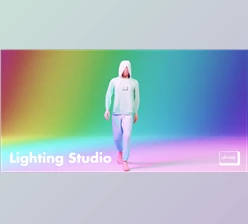
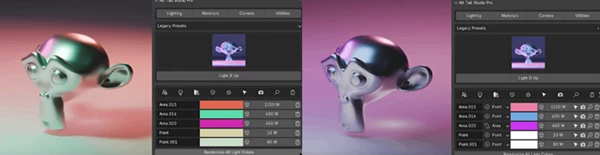
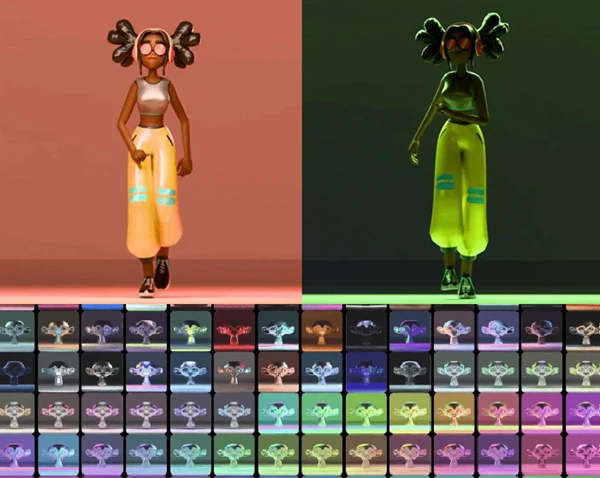
🎨 200+ Lighting Presets – Choose from a range of lighting setups that will enhance your project
💡 Lighting Manager – Control the lights in your scene to give your project a desired look
🧱 Material Manager – Remove unused materials from your project to keep your files smaller and neat
⌨️ Master Key System – Access all features with one keybind that detects your project’s context (Viewport, Shader Editor, Geometry Nodes, Compositor, Outliner)
🎥 Camera Recording – Record camera movements with smoothing and noise effects to enhance your project’s visual elements
📷 Camera Settings Panel – Access all camera settings in one panel for easy adjustment
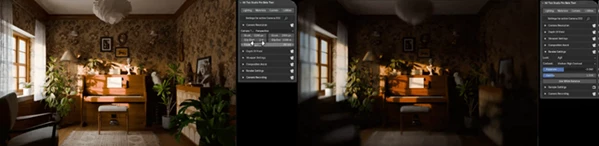
⚡ Quick Render Preview – Test out your animations without fully rendering your project
📦 Asset Master – Save your projects as libraries of assets to use in your next project
🔍 Blend File Diagnostics – Analyze your project files to find any issues with performance or size
🎛️ Shader Editor Tools – Organize and frame your nodes to enhance visual output of your project
🗂️ Outliner Tools – Organize your objects into collections for easier management
⏱️ Time Tracking – Track the time you spend on your projects for invoicing and productivity
🎬 Real Impact Example
A motion designer working on a product animation can:
- Set up lighting in seconds
- Organize nodes with one click
- Record smooth camera motion
- Preview instantly
Result? A workflow that feels 2–3x faster and far less frustrating.
🧠 Pro Tips for Better Results
⚡ Use the Master Key constantly to access all features.
🎨 Combine lighting presets with manual lighting controls to get the perfect look for your project.
🧹 Use the Material Manager to remove unused materials and save your project files.
🎥 Use the Camera Recording tools to create smooth movement of the camera for your project.
🧩 Use the Outliner Tools to organize all elements of your project at the start.
🎉 Final Thoughts
Alt Tab Studio Pro is much more than just a Blender add-on. It helps to reduce the friction involved in the process and speeds up your process to deliver you professional results. Whether you are a beginner or a professional in the industry, this product gives you back something incredibly valuable: time and focus. If you are looking for an even smoother and smarter experience with Blender, this tool will definitely be worth trying out for you.

Files Password : gfxplugin.com OR 123456