Downloadable Files
You can download the product Atom for free at the end of this page.
🚀 A Smarter Way to Animate
Imagine a world where complex animations and features can be built within After Effects by simply describing the desired functionality to the software. This is exactly what an Atom does for After Effects. There is no need for expressions or scripts; everything just works together to create a faster and more intuitive experience. Whether you are a motion designer, editor, or just any creative looking to experiment with animation in After Effects, this plugin will work as a creative partner to help you achieve your desired outcome.
🎯 What Is It & Why It Matters
At its core, an Atom is a smart tool that translates natural language into expressions, scripts, and automated actions in After Effects.
✨ Real-World Uses
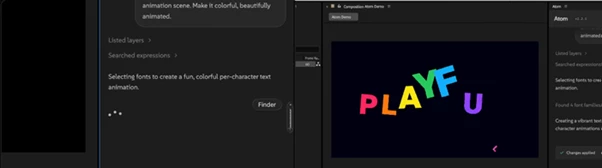
- Text Animation: Create per-character animations with timing and layout adjustments automatically.
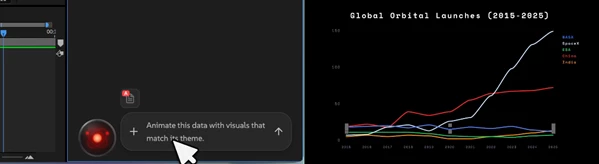
- Data Visualization: Import CSV or JSON files and generate dynamic charts that update as your data changes.
- Workflow Automation: Recolor layers, organize compositions, and automate repetitive tasks in seconds.
- Rigging Systems: Build advanced rigs with controls and logic without writing complex math.
💡 Why It Improves Your Work
These features don’t just save time—they improve quality:
- Reduce human error in expressions
- Maintain consistency across projects
- Enable more complex designs without technical limitations
- Let you focus on creativity instead of technical setup
🧠 Meet Atom – Your Atom
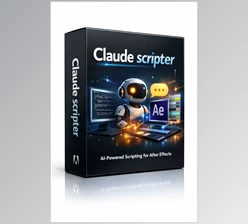
Atom is a powerful tool designed specifically for motion designers who want speed, control, and flexibility. It simplifies everything—from writing expressions to automating full workflows—while still giving you professional-level results.
⚙️ Features
🧩 All Scripts in One
Atom replaces dozens of scripts by giving you full ExtendScript control through simple prompts.
👉 Need a custom tool? Just describe it.
🧠 Expression Intelligence
No more confusing code.
Write, read, and debug expressions in plain English—Atom handles the syntax.
🔄 Adaptive Reasoning
Whether you need a quick fix or a deep rig system, Atom adjusts its level of thinking to match your task.
🗂️ Project Memory
Atom understands your composition, layers, and structure.
Changes are applied exactly where needed—no manual searching.
📊 Data Visualization
Attach files like CSV, TXT, or JSON and instantly generate clean, dynamic visuals that update automatically.
🎨 Intricate Text Animation
Build complex per-character animations with responsive layouts and refined timing—just by describing them.
⚡ Workflow Automation
Automate repetitive tasks like:
- Color shuffling
- Layer updates
- Batch edits
All in one command.
🎬 Batch Rendering
Create multiple variations of a project—duplicate, recolor, and export—all from a single prompt.
🤖 Powered by AI Agents
Run Atom locally using Claude Code or Codex and switch between them depending on your workflow needs.
🎬 Real Impact Examples
- Creating a full animated infographic from a CSV file in minutes
- Building a character rig without writing a single line of expression code
- Generating multiple ad variations with different colors and text instantly
These aren’t just features—they’re real productivity boosts.
💡 Pro Tips for Better Results
- Be specific with prompts: The clearer your request, the better the output.
- Start simple, then refine: Build complexity step by step.
- Use file attachments: Let Atom understand your data or assets for smarter automation.
- Leverage project memory: Make iterative changes without starting over.
- Experiment with variations: Try different prompts to explore creative possibilities.
🎯 Final Thoughts
The Atom isn’t just another tool—it’s a shift in how motion design works. Removing technical barriers and automating complex tasks allows you to focus on what truly matters: creativity. If you’ve ever felt limited by time, complexity, or technical knowledge, this tool opens up a whole new level of freedom in your projects. Give it a try—you might find yourself working faster, smarter, and more creatively than ever before.

Files Password : gfxplugin.com OR 123456