Downloadable Files
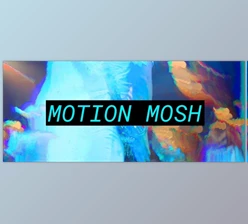
You can download Motion Mosh for free from the end of this page.
🎬 A New Way to Create Glitch Magic
Ever wanted to create those trippy, flowing glitch effects without going through complicated export processes? That’s exactly where Motion Mosh shines. This powerful GPU plugin brings datamoshing-style visuals directly into After Effects and Premiere Pro—and the best part? It works in real time.
No waiting, no rendering headaches—just instant creative feedback. It’s the kind of tool that makes you want to experiment more and push your visuals further.
⚡ What Is Motion Mosh & Why It Matters
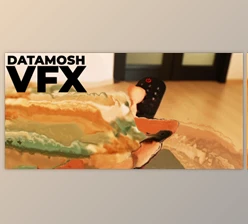
At its most basic, Motion Mosh simulates the effects of datamoshing, but without the file destruction.
Why is this powerful?
Because it gives you:
- Full control over the amount of datamoshing
- Real-time preview of the datamoshing
- Ability to keyframe the datamoshing
Real-world examples of these types of editing effects include:
Music videos with flowing, melting transitions, experimental edits with surreal motion trails, stylized commercials with digital distortion aesthetics. These features will make it easier for you to see the results of your editing efforts.
🚀 Meet the Tool: Motion Mosh
Motion Mosh is a professional plugin that makes glitch effects faster, easier, and more creative when applied to your video editing software.
- Real-time Rendering: GPU acceleration lets you design effects live without pre-rendering.
- Fully Keyframeable Controls: Animate your glitch effects precisely over time.
- Seamless AE Integration: Works perfectly with native After Effects effects—stack them for unique results.
- Text Layer Support: Apply glitch effects directly to typography and motion graphics.
- Roto Compatibility: Combine with rotoscoping for advanced compositing effects.
- Animation Presets Included: Get started quickly with ready-made styles.
🎥 Example Use Case
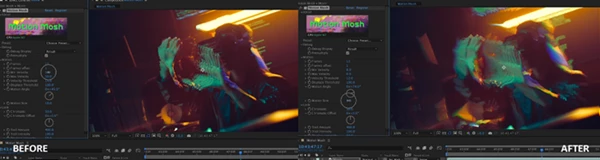
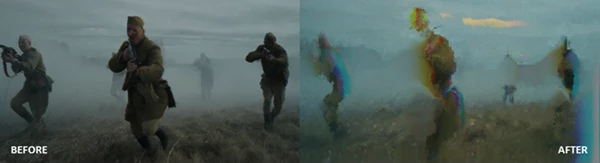
Imagine applying a Mosaic effect first, then adding Motion Mosh on top. As the mosaic increases, the glitch becomes more intense—creating a dynamic, evolving distortion that feels intentional and artistic.

🎯 Pro Tips for Better Results
Want to get the most out of Motion Mosh? Try these:
- Layer Smartly: Stack effects like Mosaic or Blur before Motion Mosh for richer textures.
- Use Blending Modes: Duplicate your moshed layer → set it to Difference for dramatic contrast.
- Enhance with an Adjustment Layer
Add:
- Levels → tighten the histogram
- Hue & Saturation → boost colors for a vivid glitch look
- Animate Gradually: Subtle changes over time feel more natural than sudden jumps.
These small tweaks can turn a basic glitch into a polished, cinematic effect.
🔥 Final Thoughts
Motion Mosh is a plugin that gives users the same visual effects as those that would have otherwise taken hours (or days) to create. By placing datamoshing into a real-time, controllable environment, Motion Mosh changes the game for anyone interested in glitch effects. Use Motion Mosh for your next music video, motion graphics project, or just to experiment with the effects. Give it a try and see what you can create with Motion Mosh!