Downloadable Files
You can download Motion Flow for free at the end of this page.
🚀 A Smarter Way to Animate with Real Data
If you’ve ever worked in After Effects, you know how repetitive things can get. You build a perfect animation… then spend hours duplicating, editing, and updating it. Now imagine if your animations could update themselves automatically. That’s exactly what Motion Flow does. It connects your motion graphics directly to real-world data—so instead of manually updating everything, your animations react instantly when the data changes. Pretty powerful, right?
💡 What Is Motion Flow & Why It Matters
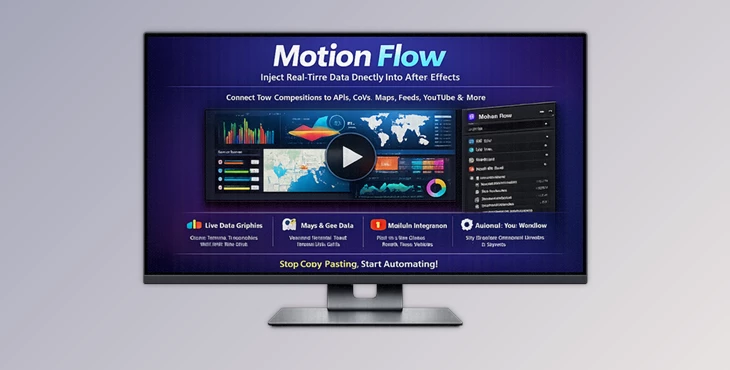
At its core, Motion Flow is a tool that links After Effects with live data sources like APIs, CSV files, RSS feeds, YouTube, and more. Instead of treating motion design as a static process, it turns it into a dynamic system driven by real data.
Real-World Use Cases
- News Graphics: Automatically pull headlines from RSS feeds into ticker animations
- Social Content: Import YouTube comments with profile images and engagement data
- Data Visualizations: Drive charts and animations directly from CSV files
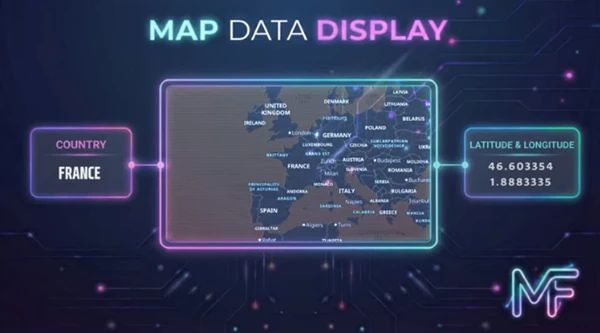
- Map-Based Graphics: Generate location visuals using real geographic data
- Content Creation: Pull images from platforms like Pexels instantly
Why This Improves Your Workflow
These features eliminate repetitive manual work. Instead of editing dozens of compositions, you simply update the data source—and everything updates automatically. This means:
- Faster production time
- Fewer human errors
- More scalable projects
- Easier updates and revisions
🧩 Meet Motion Flow – A Professional Tool for Motion Designers
Motion Flow transforms how you work in After Effects by turning data into motion. It removes the need for exporting, copying and pasting, and rebuilding compositions over and over again. Everything becomes connected and automated.
⚙️ Features
🔗 Data to Motion
Turn spreadsheets, APIs, and feeds into fully animated visuals. Your compositions respond dynamically to changes in data.
⏱ Timeline Automation
Automate repetitive tasks like duplicating comps, updating text, and generating multiple versions—saving hours of manual work.
🎨 Creative Engine
Connect multiple sources like YouTube, RSS, CSV, APIs, and image libraries. Treat data as a creative driver instead of a limitation.
🎬 Real Project Examples
- Build a live sports scoreboard that updates automatically.
- Create YouTube-based motion content using real comments and thumbnails.
- Design news broadcast graphics that update in real-time.
- Generate map animations for travel or location-based storytelling.

🧠 Pro Tips for Better Results
- Keep your data clean: Structured CSV files or well-formatted APIs make everything smoother.
- Use placeholders smartly: Design flexible templates that adapt to changing data.
- Test with small datasets first: Scale up once everything works correctly.
- Combine multiple sources: For example, mix RSS headlines with images for richer visuals.
- Automate variations: Let Motion Flow generate multiple versions instead of duplicating manually.
These small habits can dramatically improve both speed and quality.
✨ Final Thoughts
Motion Flow isn’t just a tool—it’s a shift in how motion design works. Connecting your animations directly to data removes repetitive tasks and unlocks a more dynamic creative process. Whether you’re building content for social media, news, or data visualization, this tool helps you work faster, smarter, and more efficiently. If you want to spend less time updating and more time creating, Motion Flow is definitely worth trying.

Files Password : gfxplugin.com OR 123456