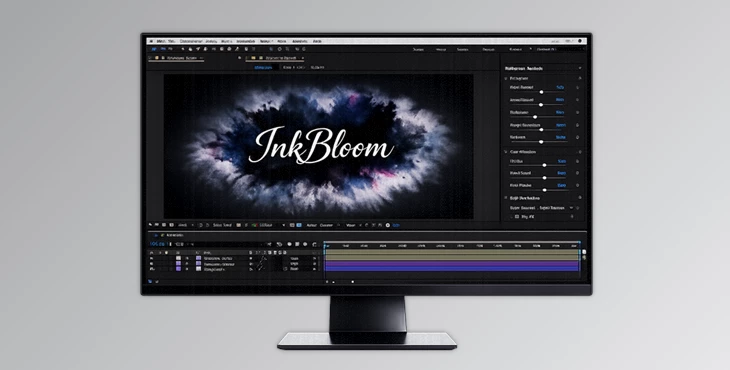
Downloadable Files
You can download InkBloom for free at the end of this page.
🎨 A Fresh Splash of Creativity
Bring your motion graphics to life as living watercolor paintings with InkBloom for After Effects. This powerful plugin gives motion graphics designers a creative playground to produce organic-looking visuals for their compositions. Use InkBloom to produce cinematic intros, soft backgrounds, or artistic transitions that feature the natural look and feel of handcrafted watercolor art.
💡 What Is InkBloom & Why It Matters
At its core, InkBloom is a procedural ink simulation tool designed for After Effects. It recreates the behavior of real ink spreading through paper or liquid—complete with diffusion, blending, and natural randomness.
Why is this useful?
Instead of manually animating organic motion (which is difficult and time-consuming), InkBloom does the heavy lifting for you.
Real-world uses:
- Creating watercolor-style backgrounds for videos
- Designing smooth and artistic transitions
- Enhancing motion graphics with fluid color movement
- Simulating ink reveals logos or text
These features improve your results because they introduce natural imperfections and randomness—the exact qualities that make visuals feel authentic and visually rich.
🚀 Meet InkBloom – Your Creative Ink Engine
InkBloom simplifies complex ink simulations into an intuitive and powerful tool inside After Effects. It allows you to focus on creativity instead of technical limitations.
✨ Features
🖌 Ink Simulation Control
- Use up to 8 customizable ink colors
- Adjust ink strength individually per color
- Control position, diffusion delay, and density
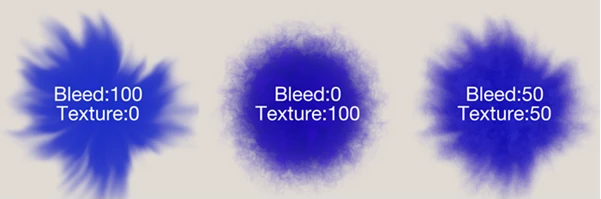
- Fine-tune bleed strength and randomness
🌊 Natural Flow & Movement
- Directional “wind-like” force to guide ink flow
- Adjustable speed for fluid motion
- Organic blending and diffusion variation
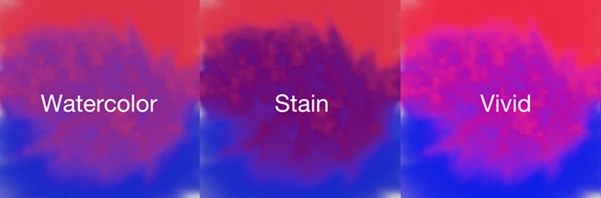
🎨 Color Mixing
- 3 different blending modes
- Control how colors interact and merge
- Smooth transitions between tones
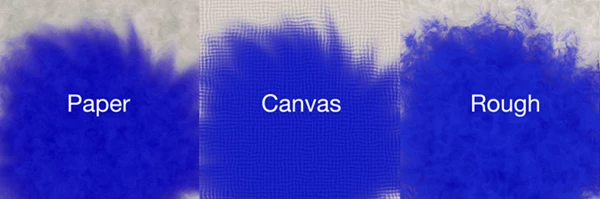
📄 Texture System
- 3 texture types (including paper)
- Adjustable texture density and randomness
- Adds realism and tactile feel
⏱ Full Animation Control
- All parameters are keyframeable
- Easily sync ink motion with your timeline
🧩 Simple & Clean UI
- User-friendly interface
- Quick access to all major controls
🎬 Real Project Examples
- A logo reveal where ink slowly spreads and reveals the brand
- A soft watercolor background for a wedding video
- Abstract motion graphics with flowing color transitions
- Artistic title sequences with organic blending
🎯 Pro Tips for Better Results
Want your work to look even more professional? Try these tips and techniques:
- Start by lowering the ink strength a little bit.
- Use the directional force only if making slight adjustments.
- Use the paper texture to immediately add a sense of realism to your designs.
- Try using a delay to add depth to your work.
- Experiment with different blending modes to achieve the desired outcome
Embrace the imperfections in your work, as they are what make the most natural ink designs turn out to be beautiful.
✅ Final Thoughts
InkBloom is more than just a plugin—it’s a creative tool that brings life, motion, and artistry into your projects. With its natural ink simulation, flexible controls, and intuitive design, it helps you achieve results that would otherwise take hours (or be impossible) to create manually. If you're looking to add a unique, organic touch to your visuals, this is definitely worth exploring.