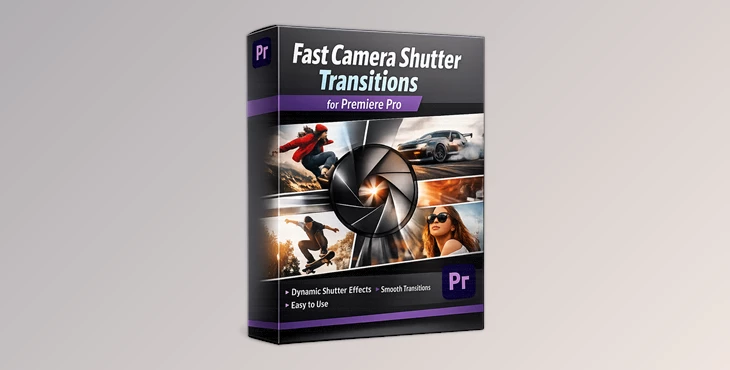
Downloadable Files
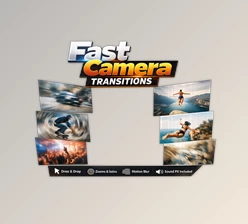
You can download Fast Camera Shutter Transitions for Premiere Pro for free at the end of this page.
A Quick Way to Make Your Edits Feel Dynamic
Transitions between video clips can have a dramatic effect on the viewer’s experience. While a series of smooth cuts between video clips can provide a sense of professionalism to the editing of a video, there are instances in which an editor may desire a more dynamic editing style. Fast camera shutter transitions are one editing effect that can provide this type of dynamic editing to a video. Fast camera shutter transitions mimic the opening and closing of a camera shutter, transitioning quickly from open to closed. Because the editing software utilizes this effect, the editing of video clips appears to flow together fluidly and with energy, providing the editing of a video with an instantly-polished appearance. This type of editing can be applied to a variety of types of videos, whether those videos are travel videos, YouTube videos, social media videos, or cinematic videos.
What Are Fast Camera Shutter Transitions?
Fast camera shutter transitions are editing effects that mimic the quick shutter movement of a camera. They create a fast, flash-like, or snapping motion between clips, making the transition feel natural and visually striking. Instead of a simple cut or fade, the transition adds movement and timing that matches the rhythm of the footage.
Why Are They Useful?
These transitions improve your editing in several ways:
- They add cinematic energy – The shutter movement creates a dynamic feeling between scenes.
- They improve storytelling flow – Quick transitions help connect shots smoothly.
- They make edits feel modern – Many modern social media and cinematic edits use fast visual transitions.
Real Editing Scenarios
For example:
- In a travel vlog, a shutter transition can quickly move from one location to another.
- In a product video, it can create a stylish reveal between shots.
- In a music video, the fast shutter motion can match the beat of the music.
These small details can dramatically improve how professional your final video feels.
Meet the Tool: Fast Camera Shutter Transitions for Premiere Pro
Fast Camera Shutter Transitions for Premiere Pro is a ready-to-use transition pack designed to make dynamic editing simple and efficient. Instead of building complex effects manually, you can apply these transitions in seconds using a drag-and-drop workflow. This makes the editing process faster while still producing visually impressive results. The tool is designed for both beginners and experienced editors who want to speed up their workflow without sacrificing creativity.
Features
Compatibility
- Works with Premiere Pro CC 2025 and above
- Supports both photo and video projects
Flexible Editing
- Works with any FPS and resolution
- Suitable for projects ranging from social media to cinematic videos
Simple Workflow
- Drag & Drop method for quick application
- Easy to install and use, even for beginners
Customization
- Full customization options to match your editing style
- Adjust timing and integrate seamlessly with your footage
Learning Support
- Includes a video tutorial to guide you through the process
Example Projects
These transitions work especially well in projects like:
- YouTube intros and fast-paced edits
- Travel and lifestyle videos
- Social media reels and TikTok content
- Product showcase videos
- Creative cinematic montages
By adding a quick shutter effect between scenes, editors can instantly make their cuts feel more intentional and visually engaging.

Pro Tips for Better Results
Using transitions effectively is not just about applying them—it’s about timing and style. Here are some practical tips to make your edits look more professional.
1. Match Transitions With Motion
If the subject in your clip is moving, try placing the shutter transition at the peak of that movement. This makes the effect feel natural and fluid.
2. Sync With Music
Fast transitions feel even better when they match the rhythm of the soundtrack. Try placing them exactly on beat markers.
3. Avoid Overusing Effects
While shutter transitions are powerful, using them too frequently can reduce their impact. Use them strategically to highlight key moments.
4. Combine With Color Grading
A consistent color grade across clips helps transitions feel smoother and more cinematic.
5. Use for Story Flow
Transitions should support the story of your video. Use them to guide viewers from one scene to another in a logical and visually pleasing way.
Final Thoughts
Fast and dynamic transitions can transform the pacing and visual impact of your edits. Tools like Fast Camera Shutter Transitions for Premiere Pro make it easy to achieve professional-looking results without complicated setups. With simple drag-and-drop functionality, flexible customization, and compatibility with modern Premiere Pro versions, this tool can quickly become a useful addition to your editing workflow. If you enjoy creating energetic edits or cinematic transitions, experimenting with shutter-style effects can add a whole new level of polish to your projects.

Files Password : gfxplugin.com OR 123456