Downloadable Files
You can download the product Humans Library for free at the end of this page.
Bring Life Into Your Blender Scenes
Have you ever created some beautiful architectural renders or environments in Blender, yet felt like something was still missing? Often, that something is the presence of people within those renders.
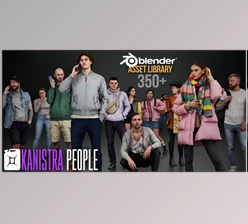
Enter Humans, a collection of human assets that can be instantly added to your Blender scenes. No longer will you have to spend hours modeling out characters or searching for 3D rigs; instead, you can simply drag and drop these human assets into your scene to instantly add that sense of life and realism to your Blender project.
What Are Humans Library and Why Are They Useful?
In simple terms, Humans Library are visual human asset designed to populate scenes quickly and efficiently. Rather than complex 3D characters that require rigging and heavy textures, these assets are optimized 2D human figures built specifically for fast rendering and low system usage. They are especially useful for:
- Architectural visualizations
- Interior design renders
- Urban environments
- Concept art scenes
- Presentation visuals
For example, imagine you are rendering a coffee shop interior. Adding a few seated customers or people walking by instantly gives viewers a sense of scale and atmosphere. Similarly, in an architectural exterior render, placing pedestrians can transform a static building into a lively environment. Because these assets are lightweight and texture-free, they keep your project efficient while still maintaining high visual quality.
Introducing the Humans Asset Library
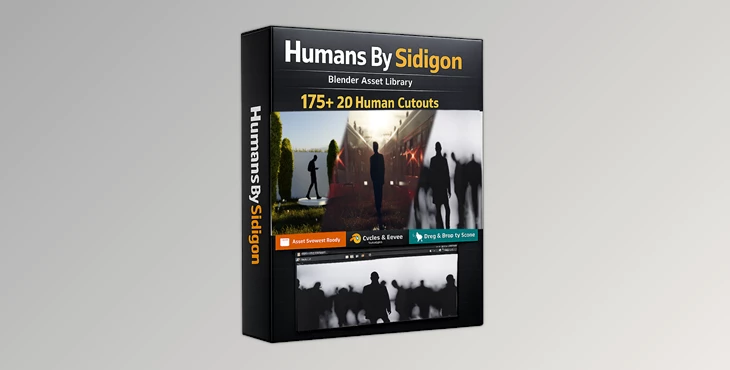
Humans Library by Sidigon is a professional asset collection designed specifically for Blender users who want to populate their scenes quickly and effortlessly.
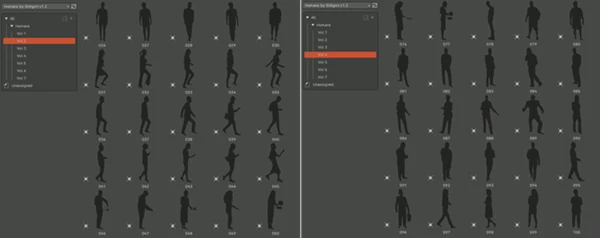
This library contains over 175 high-quality human assets and integrates directly with Blender’s Asset Browser, making the workflow incredibly smooth.
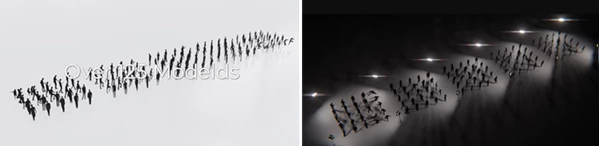
Instead of importing files manually, you can simply drag and drop the Humans Library directly into your scene. These assets are designed with performance in mind, meaning they render quickly and consume minimal system resources.
Features
Large Library of Human Assets
The collection includes more than 175 human models (version 1.2), giving you a wide range of characters and poses to choose from. This variety helps you create scenes that feel diverse and natural.
Asset Browser Integration
All assets are fully integrated into Blender’s Asset Browser. This means you can browse the library visually and place models into your scene with a simple drag-and-drop workflow.
Compatible with EEVEE and Cycles
The assets work perfectly with both EEVEE and Cycles, allowing you to use them in real-time renders or high-quality photorealistic projects.
Fast Render Performance
Because the Humans Library are designed as 2D assets rather than full 3D models, they render significantly faster. This makes them ideal for large scenes where performance matters.
Low CPU and Memory Usage
Heavy character models can slow down projects. These assets are optimized to keep memory and CPU usage low while still maintaining high visual quality.
Texture-Free Construction
The models are built without traditional textures, which means they maintain lossless quality while remaining lightweight and efficient.
Expandable Library
The library is designed to grow over time, meaning additional assets can be added to expand your collection and keep your scenes fresh.
Pro Tips for Using Humans Library in Blender
Use Humans to Establish Scale
One of the best ways to make architecture renders believable is to place human figures near entrances, sidewalks, or furniture. This immediately gives viewers a sense of size and proportion.
Place Characters in Natural Locations
Avoid placing people randomly in open spaces. Instead, position them near doors, benches, pathways, or windows to create more realistic compositions.
Combine Multiple Characters
Using several human assets in a single scene can simulate everyday activity. Small groups of people talking or walking together can dramatically improve scene storytelling.
Balance Foreground and Background
Placing humans both in the foreground and background helps create depth and visual interest in your renders.
Final Thoughts
Creating believable environments in Blender often comes down to the small details. Human presence is one of the most powerful ways to transform a static scene into a living environment.
Humans Library by Sidigon makes this process simple by providing a large library of assets that are lightweight and high-quality. These assets will easily integrate with your Blender projects with fast rendering abilities, low resource consumption, and an intuitive drag-and-drop functionality.
This resource is perfect for anyone working on architectural or environmental projects. Give it a try in your next Blender project to see how these resources can enhance your work.

Files Password : gfxplugin.com OR 123456