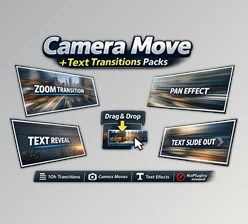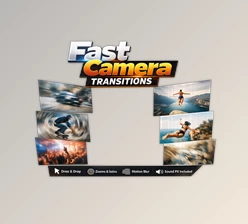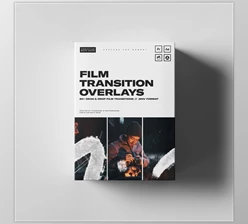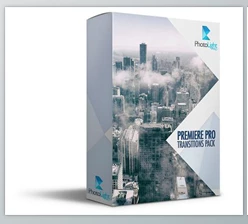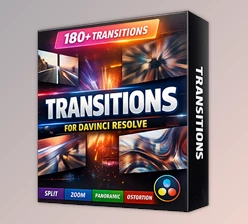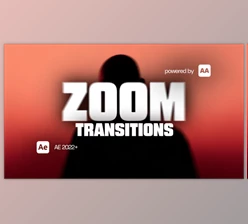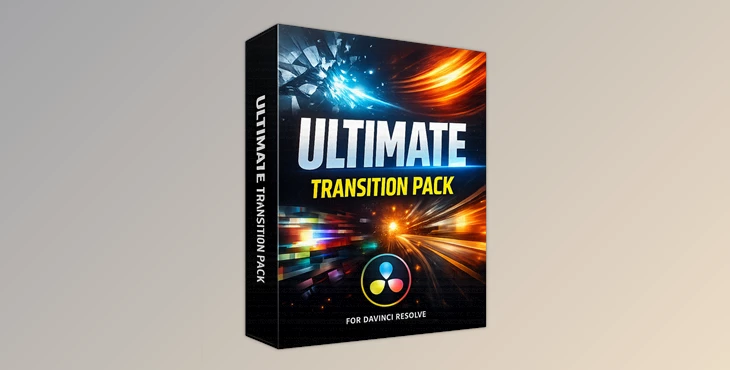
Downloadable Files
You can download the Ultimate Transition Pack for free at the end of this page.
A Simple Way to Make Your Edits Feel Cinematic
If you’ve ever edited a video and found the transitions between shots to be a bit plain, you’re not alone. Smooth and creative transitions between video edits are one of the key elements of professional video editing.
To help you spice up your video editing process, the Ultimate Transition Pack for Premiere Pro will give you access to a huge library of professionally-made transitions that can be instantly added to your videos without having to manually create each one.
Perfect for creating YouTube videos, social media videos, cinematic edits, or commercials, these transitions will help to create a seamless viewing experience for your audience.
What Is Ultimate Transition Pack and Why Do Editors Use It?
At its core, Ultimate Transition Pack is a collection of drag-and-drop transitions designed specifically for DaVinci Resolve.
These transitions work like generator clips or adjustment layers, meaning you simply place them above your cut points and customize them from the Inspector panel. Instead of relying on basic default transitions, this pack allows editors to add movement, flashes, zoom effects, shakes, and stylized distortions between clips.
Why this matters in real editing projects
When you use transitions effectively, several things improve:
- Better visual flow: Transitions like Zoom Blur Flash, Spin Transition, or Hyperzoom help scenes connect smoothly, making the edit feel intentional rather than abrupt.
- Stronger storytelling rhythm: For fast-paced edits such as travel videos or reels, effects like Crash Zoom, Camera Shake, or Twitch Whip help match the pacing of the music and visuals.
- Professional visual energy: Transitions like Edge Glow, Film Flash, or Thermal Flash add stylized motion that gives your project a polished and cinematic feel.
Instead of basic cuts, your video suddenly feels dynamic, modern, and more engaging for viewers.
Meet the Tool: Ultimate Transition Pack
The Ultimate Transition Pack is built to expand your editing toolkit without complicating your workflow. Everything is designed to work inside DaVinci Resolve using a simple drag-and-drop system. You don’t need to open Fusion, build node setups, or configure complex effects. Just place the transition above your cut and adjust the settings.
Features
The pack includes 161 preset transition variations, giving you a wide range of motion styles for different types of edits. Some examples include:
- 3D Down and In
- 3D Spin
- Bubble Warp
- Camera Zoom Shake
- Chaos Transition
- Clean Camera Shake
- Crash Zoom
- Diamond Cut Flash
- Edge Glow
- Film Flash
- Glitch Transition
- Hyperzoom
- Morph Cut
- Noise Transition
- Spin Transition
- Swirl Flash Transition
- Twitch Whip
- Vortex Swirl Flash
- Zoom Blur Flash
This variety allows you to choose the perfect transition depending on the mood and style of your video.
Easy Drag-and-Drop Workflow
One of the most convenient aspects of Ultimate Transition Pack is how simple it is to use. You only need to:
- Place your clips on the timeline
- Drag the transition above the cut point
- Adjust its parameters in the Inspector
There are no extra setup steps, complicated nodes, or plugins required.
Fully Customizable Controls
Each transition includes adjustable settings inside DaVinci Resolve’s Inspector panel, giving you control over elements such as:
- Motion intensity
- Transition timing
- Visual style
- Effect strength
This means you can quickly adapt a transition to match the pace of your edit, whether it’s a slow cinematic scene or a fast montage.
Generator-Based System
The transitions are delivered as generator files, similar to adjustment clips. This allows you to:
- Stack multiple transitions
- Combine effects creatively
- Build unique visual styles for different projects
For example, you might combine a Camera Shake with a Flash effect to create a powerful action transition.
Compatible With All Versions of DaVinci Resolve
Another great advantage is that the pack works with both:
- DaVinci Resolve Free
- DaVinci Resolve Studio
The download includes:
- DRFX installation file
- Setup walkthrough video
So even beginners can install and start using it quickly.

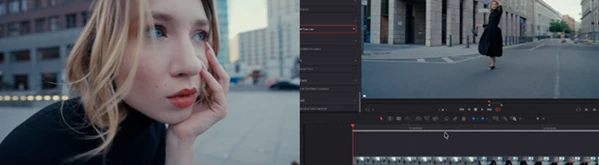
Pro Tips for Using Ultimate Transition Pack
Even though the pack is very easy to use, a few simple techniques can make your transitions look even more professional.
Match transitions with motion
If your clip already has movement, try transitions like Spin, Zoom, or Twitch Whip. They will feel more natural because they follow the direction of the footage.
Avoid overusing heavy effects
Transitions like Glitch, Chaos, or Thermal Flash look amazing, but they work best when used sparingly. Too many can distract viewers.
Sync transitions with music
Placing transitions exactly on beats can dramatically improve the energy of your edit. Effects like Crash Zoom or Zoom Blur Flash work particularly well for this.
Combine subtle transitions for cinematic edits
For storytelling videos, softer effects such as Soft Glow, Edge Glow, or Morph Cut can create smooth, cinematic scene changes.
Final Thoughts
Transitions are one of the fastest ways to elevate the quality of a video edit. When used correctly, they add rhythm, motion, and personality to your storytelling. Ultimate Transition Pack makes this process incredibly simple by providing a huge library of ready-to-use transitions that work directly inside DaVinci Resolve. With drag-and-drop usability, customizable controls, and 161 creative presets, it gives editors the flexibility to experiment while keeping the workflow fast and efficient. If you're looking to make your edits more dynamic and visually engaging without adding complexity to your process, this pack is definitely worth exploring.

Files Password : gfxplugin.com OR 123456