Downloadable Files
You can download the Face Swapper product for free at the end of this page.
A New Level of Creative Face Replacement
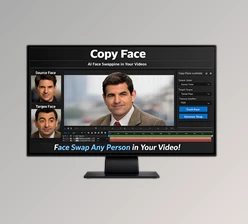
Imagine being able to replace a face in a video shot with cinematic accuracy directly inside your editing software. No complicated external tools, no cloud processing, and no long export pipelines.
Face Swapper makes this possible by bringing powerful AI face swapping directly into professional VFX workflows. Whether you are working on a short film, YouTube content, commercials, or visual effects shots, this tool helps you create realistic face replacements quickly and efficiently. The best part? Everything runs locally on your GPU, giving you full control, speed, and privacy during production.
What Is Face Swapper and Why Do Creators Use It?
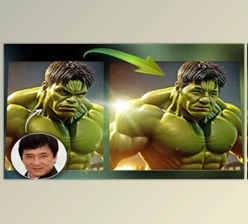
At its core, Face Swapper is a professional AI-powered face replacement plugin designed for visual effects and video production pipelines. Instead of manually compositing faces frame by frame, the tool uses advanced deep learning models to automatically detect, track, and swap faces with remarkable accuracy.
Practical Use Cases
Creators and studios can use Face Swapper for many real-world scenarios, such as: •
- Film and VFX production: Replace stunt double faces with actors during post-production.
- Content creation: Create engaging social media videos with creative face swaps.
- Advertising and marketing: Adapt visuals for different actors or campaigns without reshooting scenes.
- Creative storytelling: Experiment with character transformations and visual effects.
These features improve production results because they reduce manual work, increase realism, and keep everything inside the existing editing pipeline. Instead of exporting clips between multiple applications, artists can continue working directly inside their preferred software environment.
Meet Face Swapper – A Professional AI Plugin
Face Swapper is designed specifically for VFX studios and professional creators who need high-quality face replacement tools that integrate seamlessly into their workflow.
The plugin is powered by advanced AI models from FaceFusion.io, including HyperSwap models developed in cooperation with FaceFusion Labs.
Because the system runs locally on your GPU, artists get faster processing, better privacy, and more control over their projects.
Features
Powered by HyperSwap AI Models
Face Swapper uses advanced HyperSwap models created in collaboration with FaceFusion Labs. These models deliver state-of-the-art deep fake results with high facial accuracy and natural motion consistency.
Render Swap Mask
The plugin provides swap mask rendering, allowing artists to control how the face replacement blends with the original footage. This helps achieve more realistic edges, lighting transitions, and compositing results.
Local GPU Processing
All processing runs locally on your GPU. This means no internet connection is required, faster performance, and full privacy for your production files.
The tool is constantly evolving with new AI models, improved performance, and expanded support for professional pipelines.
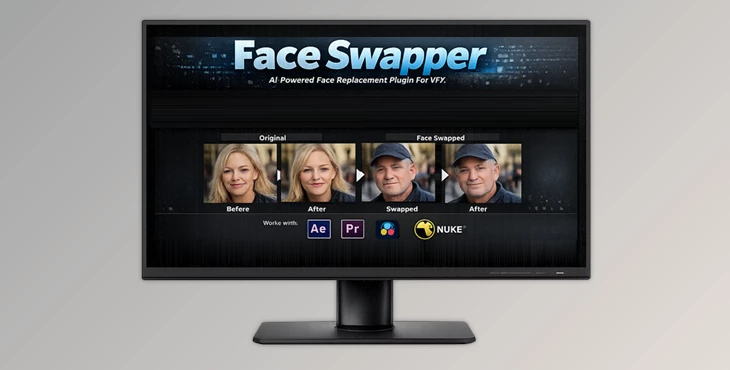
Supported Hosts
Face Swapper integrates directly into popular post-production software used by professionals:
- Adobe After Effects
- Adobe Premiere Pro
- Nuke
- DaVinci Resolve
This makes it easy for editors and VFX artists to use AI face swapping without changing their existing workflow.
Real Production Examples
In practical workflows, Face Swapper can help artists:
- Replace an actor’s face in complex VFX scenes.
- Adjust facial performance in post-production.
- Create alternative character versions without reshooting footage.
- Produce viral content for social media creators.
These capabilities save time during editing while keeping visual quality high.
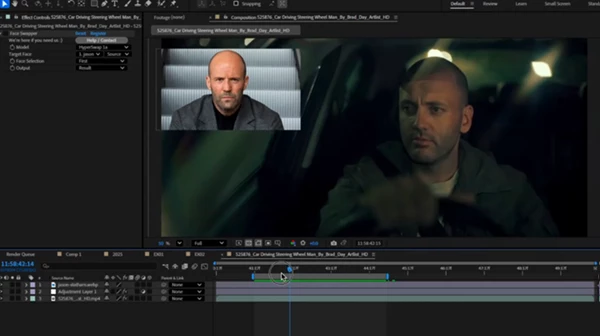
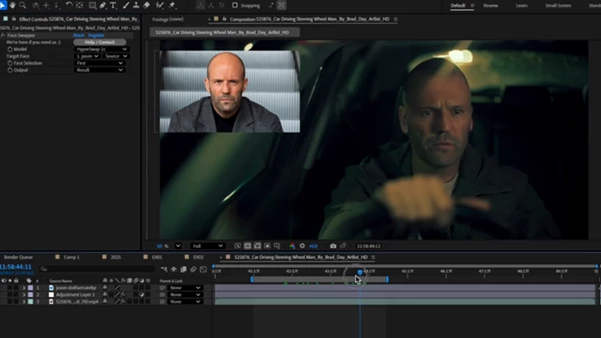
Pro Tips for Better Face Swapping Results
While the AI models do most of the heavy lifting, a few professional techniques can make your results look even better.
Use high-quality source faces
Clear, well-lit face images help the AI produce more accurate results.
Match lighting conditions
Choose source faces that have similar lighting and angles to the original footage. This improves realism during compositing.
Refine with masks
Use the swap mask rendering feature to fine-tune edges and blending around the face.
Work with good tracking
If the host software provides motion tracking, combining it with Face Swapper can help maintain consistent face alignment throughout the shot. These small adjustments can dramatically improve realism and make the final result look professionally produced.
Final Thoughts
Face replacement technology has quickly evolved over time, and now, Face Swapper has made it available to professional VFX editors. With AI-powered HyperSwap models and the ability to run directly on your GPU, this plugin gives editors the freedom to experiment with the face-swapping technology without any complicated workflows. For VFX editors and creative video producers, this offers many possibilities for creating compelling visual effects. For those intrigued by the idea of AI face-swapping tools in their favorite editing software, Face Swapper is worth exploring.